
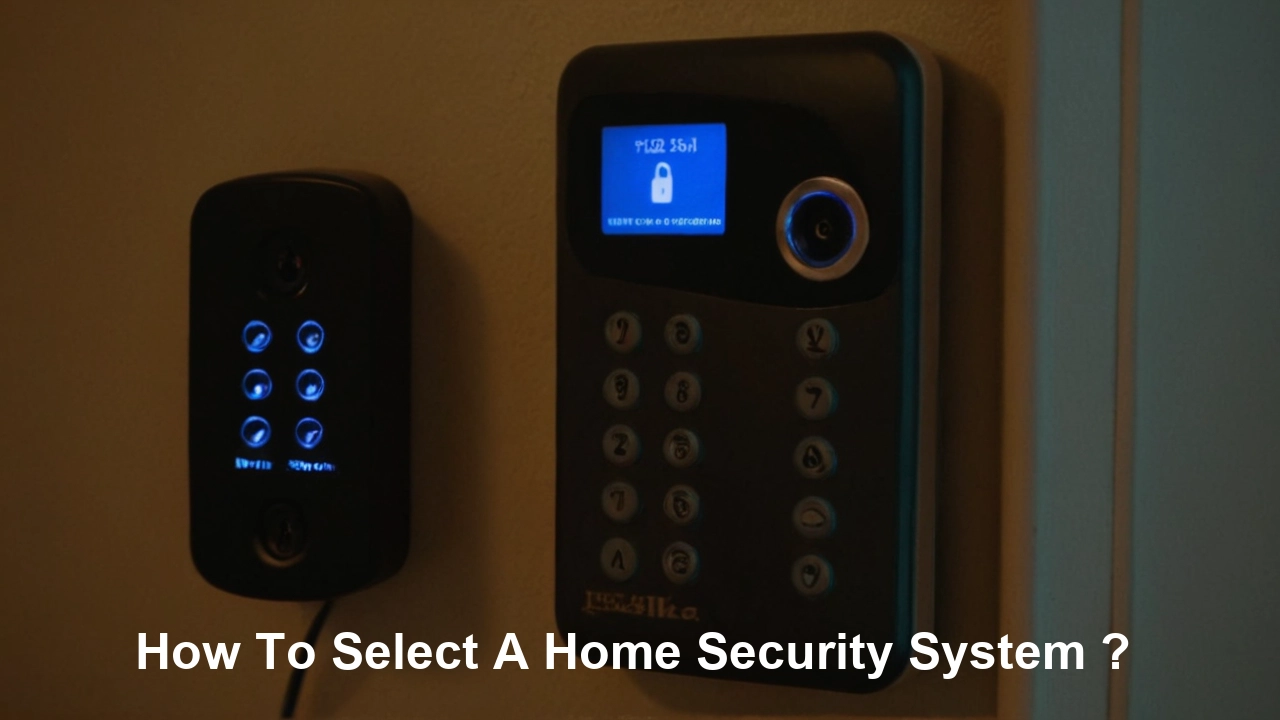
Selecting the right home security system is crucial for protecting your loved ones and property. This guide offers a comprehensive, step-by-step approach to choosing a system that perfectly fits your needs, budget, and lifestyle, ensuring peace of mind in 2025 and beyond.
Understanding Your Unique Security Needs
Before diving into the vast array of options, the most critical first step in selecting a home security system is a thorough assessment of your individual needs. This isn't a one-size-fits-all decision. What works for a single apartment dweller will be vastly different from what a family with young children in a sprawling suburban home requires. In 2025, with evolving threats and technological advancements, a personalized approach is paramount.
Assessing Your Property and Location
Consider the physical characteristics of your home. Are you in a detached house, a townhouse, or an apartment? The size of your property, the number of entry points (doors, windows), and the presence of vulnerable areas like detached garages or sheds all play a significant role. For instance, a home with multiple ground-floor windows and a large yard might benefit from perimeter sensors and outdoor cameras, whereas an apartment might prioritize door and window sensors and a smart lock. Statistics from the FBI in 2024 indicated that residential burglaries remain a significant concern, with the majority occurring during daytime hours when homes are often unoccupied. Understanding your specific risk factors based on location – urban, suburban, rural – is also key. High-crime areas might necessitate more robust, multi-layered security solutions.
Evaluating Your Lifestyle and Household Members
Your daily routine and the people living in your home are equally important. Do you have pets? Many security systems offer pet-immune motion sensors that can differentiate between human and animal movement, preventing false alarms. Do you have elderly family members or individuals with mobility issues? Consider systems with panic buttons or easy-to-use interfaces. For families with children, ease of use, remote monitoring capabilities, and features like child safety locks on smart devices are essential. If you travel frequently or are often away from home, remote access and real-time alerts become non-negotiable. The ability to arm/disarm the system remotely or check live camera feeds provides immense peace of mind.
Identifying Specific Security Concerns
Beyond general burglary prevention, what are your specific concerns? Are you worried about fire, carbon monoxide, or water leaks? Many modern security systems can integrate environmental sensors, providing a comprehensive safety net. For example, a smoke detector integrated into your security system can trigger an alarm and alert monitoring services even if you're not home. Similarly, water leak sensors can prevent significant damage by notifying you of a burst pipe. In 2025, the trend is towards integrated smart home ecosystems that extend beyond mere security to encompass overall home safety and automation.
Considering Future Needs
Think about how your needs might evolve. Are you planning to expand your family, renovate your home, or perhaps move in the next few years? Choosing a modular system that can be easily expanded or adapted can save you money and hassle down the line. A system that allows for the addition of new sensors, cameras, or smart home devices as your circumstances change offers greater long-term value. This forward-thinking approach ensures your investment remains relevant and effective.
Exploring the Different Types of Home Security Systems
Once you have a clear understanding of your needs, it's time to explore the various types of home security systems available. The market offers a spectrum from basic alarm systems to sophisticated, integrated smart home solutions. Each type comes with its own set of features, benefits, and costs, and understanding these distinctions is crucial for making an informed choice.
Traditional Alarm Systems
These are the foundational systems, typically consisting of a central control panel, door and window sensors, and motion detectors. When triggered, they sound a loud siren to deter intruders and alert occupants. Many traditional systems also offer professional monitoring, where a central station is alerted and can dispatch authorities. While effective, they often lack the advanced features and connectivity of newer systems. However, for budget-conscious individuals or those seeking a straightforward solution, they remain a viable option. In 2025, many providers still offer these as entry-level packages.
DIY (Do-It-Yourself) Security Systems
DIY systems have surged in popularity due to their affordability and flexibility. These systems are designed for easy self-installation, eliminating professional setup fees. Components often communicate wirelessly, and setup typically involves pairing devices with a central hub or smartphone app. Many DIY systems are also "smart," offering app control, remote access, and integration with other smart home devices. Examples include brands like SimpliSafe, Ring Alarm, and Abode. The trade-off is often that professional monitoring might be an optional add-on rather than a standard feature, and the support infrastructure might differ from established companies.
Professionally Installed and Monitored Systems
These systems are installed and maintained by security professionals, ensuring optimal placement and functionality of all components. They typically come with 24/7 professional monitoring as a standard service. Companies like ADT, Vivint, and Brinks offer these comprehensive solutions. While generally more expensive due to installation and ongoing service fees, they offer a high level of convenience, expertise, and robust support. These are often chosen by homeowners who want a hands-off approach to security or have complex home layouts. The integration with smart home features is also typically seamless with these providers.
Smart Home Security Systems
This category often overlaps with DIY and professionally installed systems, but the defining characteristic is deep integration with the broader smart home ecosystem. These systems go beyond basic intrusion detection to include smart locks, smart lighting, video doorbells, smart thermostats, and voice assistant compatibility (e.g., Alexa, Google Assistant). The appeal lies in creating a unified, automated home environment where security is just one facet. For example, you can set your lights to turn on automatically when motion is detected outside, or unlock your door remotely for a trusted visitor. In 2025, this is the direction most advanced security solutions are heading.
Wireless vs. Wired Systems
The choice between wireless and wired components is a fundamental one. Wireless systems are easier and faster to install, more flexible for reconfiguring or moving, and generally cleaner aesthetically. However, they rely on batteries that need periodic replacement and can be susceptible to signal interference or jamming (though this is rare with modern encryption). Wired systems are considered more reliable and secure as they don't rely on batteries or wireless signals, but installation is more complex, often requiring drilling through walls, and less flexible for changes. Most modern systems, even professionally installed ones, lean heavily towards wireless technology for convenience and ease of use.
Key Components to Consider for Your System
A comprehensive home security system is built from various components, each serving a specific purpose in safeguarding your home. Understanding the function and benefit of each component will help you tailor a system that addresses your unique security needs effectively. In 2025, the sophistication and integration of these components have reached new heights.
Control Panel/Hub
This is the brain of your security system. It's where you arm and disarm the system, manage settings, and receive alerts. Modern control panels are often touchscreen-enabled and can be controlled remotely via a smartphone app. Some hubs also serve as a central point for integrating various smart home devices. The reliability and user-friendliness of the control panel are paramount.
Door and Window Sensors
These are essential for detecting unauthorized entry. They typically consist of two parts: a magnet and a sensor. When the door or window is opened, the two parts separate, triggering the sensor and activating the alarm. They are relatively inexpensive and a fundamental part of any security setup. Consider placing them on all accessible entry points, including basement windows.
Motion Detectors
Motion detectors use various technologies (infrared, microwave, dual-technology) to sense movement within a room. They are effective for covering larger areas and providing an additional layer of security, especially in rooms with multiple windows or in hallways. For households with pets, ensure you opt for pet-immune motion sensors that can be calibrated to ignore animals under a certain weight (e.g., 40-80 lbs), preventing false alarms.
Glass Break Sensors
These sensors are designed to detect the specific sound frequency of breaking glass. They are particularly useful for homes with large windows or sliding glass doors, providing an alert before an intruder even enters the premises. They act as a proactive measure, complementing door and window sensors.
Security Cameras (Indoor and Outdoor)
Cameras are increasingly becoming a standard component.
- Outdoor Cameras: Help deter potential intruders, provide visual evidence, and allow you to monitor your property remotely. Features to look for include weather resistance, night vision, motion detection, and high-definition resolution.
- Indoor Cameras: Useful for monitoring children, pets, or specific areas within your home. Privacy is a key consideration here, so look for cameras with physical shutters or easy ways to disable them when you're home.
- Video Doorbells: These combine a doorbell with a camera, allowing you to see and speak to visitors remotely via your smartphone. They are excellent for package delivery monitoring and deterring porch pirates.
Environmental Sensors
These go beyond intrusion detection to enhance overall home safety.
- Smoke Detectors: Integrate with your security system to alert monitoring services and your smartphone in case of fire.
- Carbon Monoxide (CO) Detectors: Crucial for detecting the odorless, colorless gas that can be deadly.
- Water Leak Sensors: Can be placed near water heaters, washing machines, or under sinks to detect leaks early, preventing costly water damage.
- Freeze Sensors: Alert you if the temperature drops below a certain point, helping prevent pipes from freezing and bursting, especially important in colder climates.
Smart Locks
Smart locks allow you to lock and unlock your doors remotely via your smartphone, grant temporary access to guests, and receive notifications when your door is locked or unlocked. Many integrate with security systems, allowing you to arm/disarm the system when you lock/unlock the door.
Yard Signs and Window Decals
While seemingly simple, these are powerful deterrents. A visible sign or decal indicating that your home is protected by a security system can make potential burglars think twice. They are a low-cost, high-impact addition to any security setup.
Comparison of Key Components
Here's a simplified comparison of how different components contribute to your security:
| Component | Primary Function | Key Benefit | Consideration for 2025 |
|---|---|---|---|
| Door/Window Sensors | Detects opening of entry points | Prevents unauthorized entry | Wireless, battery-powered, tamper-resistant |
| Motion Detectors | Detects movement within a zone | Covers larger areas, secondary layer | Pet-immune, advanced sensing technology |
| Security Cameras | Visual monitoring and recording | Deterrence, evidence, remote viewing | AI analytics, 4K resolution, cloud storage options |
| Environmental Sensors | Detects fire, CO, water, etc. | Enhances overall home safety | Integrated alerts to smartphone and monitoring service |
Understanding Monitoring Options: Professional vs. DIY
One of the most significant decisions when selecting a home security system is the type of monitoring you will employ. This choice directly impacts response times, reliability, and cost. In 2025, the lines between these options are blurring, with many providers offering flexible packages.
Professional Monitoring
With professional monitoring, your security system is connected to a central monitoring station staffed by trained professionals 24/7. When an alarm is triggered (e.g., by a sensor or panic button), the station receives the signal. Operators will then typically attempt to verify the alarm by contacting you or designated emergency contacts. If the alarm is confirmed or cannot be verified, they will dispatch the appropriate emergency services (police, fire department, ambulance) to your home.
- Pros:
- Immediate dispatch of emergency services.
- Peace of mind knowing someone is always watching.
- Often required for insurance discounts.
- Professionals are trained to handle emergencies.
- Cons:
- Higher monthly fees.
- Potential for false alarm fees from local authorities.
- Reliance on the monitoring company's response time.
Self-Monitoring (DIY Monitoring)
Self-monitoring means that when your alarm is triggered, you and your designated contacts receive alerts directly to your smartphones or other devices. You are then responsible for assessing the situation and contacting emergency services yourself if necessary. Many DIY security systems offer this as a standard, often free, option.
- Pros:
- No monthly monitoring fees (or significantly lower fees).
- Complete control over when and how to contact authorities.
- Ideal for those who are home frequently or want to manage alerts themselves.
- Cons:
- Reliance on your own availability and ability to respond.
- Potential for missed alerts if your phone is off or out of service.
- Emergency services may not be dispatched as quickly, or at all, if you don't report it.
- May not qualify for insurance discounts.
Hybrid Monitoring
This option combines elements of both. For instance, a system might offer self-monitoring with the ability to escalate to professional monitoring for specific events or during certain times. Alternatively, some providers offer a tiered professional monitoring service where basic alerts are sent to you, but critical events trigger professional dispatch. This offers a balance of control and enhanced security. As technology advances, hybrid models are becoming more sophisticated, offering personalized alert pathways.
Key Considerations for Monitoring
When deciding on monitoring, ask yourself:
- How often am I away from home?
- What is my comfort level with handling emergency dispatch myself?
- What is my budget for monthly fees?
- Are there local regulations regarding false alarms and fees?
- Will this monitoring option qualify me for homeowner's insurance discounts?
The Role of Smart Home Integration
In 2025, home security is no longer just about alarms and sensors; it's increasingly integrated into a broader smart home ecosystem. Smart home integration offers enhanced convenience, automation, and a more comprehensive approach to home management and safety. For many, this interconnectedness is a primary driver for choosing a modern security system.
Convenience and Remote Control
The most apparent benefit of smart home integration is the ability to control various aspects of your home remotely via a single smartphone app. This includes arming/disarming your security system, locking/unlocking doors, adjusting thermostats, turning lights on/off, and viewing live camera feeds. This level of control provides unparalleled convenience, especially when you're away from home.
Automation and Routines
Smart home devices can work together to create automated routines. For example:
- "Away" Mode: When you arm your security system to "Away," it can automatically turn off lights, adjust the thermostat to an energy-saving temperature, and lock all smart doors.
- "Home" Mode: When you disarm the system, lights can turn on in specific rooms, and the thermostat can return to your preferred setting.
- Motion-Triggered Actions: If an outdoor camera detects motion at night, it can trigger your outdoor lights to turn on, potentially deterring intruders and providing illumination.
- Voice Control: Integrate your security system with voice assistants like Amazon Alexa or Google Assistant for hands-free control. You can say, "Alexa, arm the security system," or "Hey Google, show me the front door camera."
Enhanced Security Features
Smart home integration can also bolster your security. For instance, smart locks can provide logs of who entered and when, and you can grant temporary access codes to guests or service providers. Video doorbells allow you to screen visitors before opening the door, and smart lighting can simulate occupancy when you're away, making your home appear less of a target. The interconnectedness of devices means that an alert from one device can trigger actions from others, creating a more responsive security posture.
Compatibility and Ecosystems
When considering smart home integration, compatibility is key. Most major security providers offer integration with popular smart home platforms and devices. However, it's crucial to check the compatibility list of the security system you're considering to ensure it works with the smart devices you already own or plan to purchase. Major ecosystems include:
- Works with Alexa: Amazon's ecosystem.
- Works with Google Assistant: Google's ecosystem.
- Apple HomeKit: Apple's smart home framework.
- IFTTT (If This Then That): A service that allows you to create custom automations between different apps and devices.
Potential Downsides of Smart Home Integration
While the benefits are numerous, there are potential downsides to consider:
- Increased Complexity: Managing multiple connected devices can be more complex than a standalone security system.
- Security Risks: Like any internet-connected device, smart home devices can be vulnerable to hacking if not properly secured. Strong passwords, regular software updates, and secure Wi-Fi networks are essential.
- Cost: Building a comprehensive smart home ecosystem can be more expensive than a basic security system.
- Reliance on Internet/Power: Many smart features rely on a stable internet connection and power supply.
Budgeting for Your Home Security System
The cost of a home security system can vary significantly, from a few hundred dollars for a basic DIY setup to thousands for a professionally installed, feature-rich system with ongoing monitoring. Creating a realistic budget is essential to ensure you get the best value without overspending or compromising on critical security features. In 2025, pricing models continue to evolve, offering more flexible options.
Upfront Costs
These are the initial expenses associated with purchasing the hardware for your security system.
- DIY Systems: Typically have lower upfront costs, as you're purchasing the equipment outright. Prices can range from $150 for a basic kit to $500+ for more advanced systems with multiple cameras and sensors.
- Professionally Installed Systems: Often have higher upfront costs, which may include installation fees and the purchase of equipment. Some companies offer "free" equipment but roll the cost into a longer-term contract. Expect upfront costs to range from $300 to $1,000 or more, depending on the system's complexity.
- Add-on Components: Each additional sensor, camera, or smart device will increase your upfront investment.
Monthly Monitoring Fees
This is the ongoing cost for professional monitoring services or cloud storage for camera footage.
- Professional Monitoring: Fees typically range from $15 to $60 per month, depending on the provider and the level of service.
- Self-Monitoring: Often free, but some systems may charge a small monthly fee for advanced app features or cloud storage for video recordings.
- Cloud Storage: Many camera systems require a monthly subscription for storing video footage online. Prices can range from $5 to $30 per month per camera or for a bundle.
Installation Costs
As mentioned, professional installation can add to the upfront cost. Fees can range from $100 to $500 or more. DIY systems, by definition, aim to eliminate this cost, though some users may opt for professional setup assistance for complex systems.
Contract Lengths and Terms
Some companies, particularly those offering professionally installed systems, require long-term contracts (e.g., 3-5 years). Breaking these contracts can incur significant penalties. DIY systems generally do not require contracts, offering greater flexibility. Always read the contract terms carefully before signing.
Hidden Fees and Other Costs
Be aware of potential hidden fees:
- Activation Fees: Some providers charge a one-time fee to activate your system.
- Equipment Upgrade Fees: If you want to upgrade components later, there might be associated costs.
- Moving Fees: If you move, some companies charge a fee to transfer your service or install the system in your new home.
- False Alarm Fees: If your system triggers a false alarm that results in a police dispatch, your local municipality may charge a fee.
Getting the Best Value
To maximize value:
- Compare Quotes: Get quotes from multiple providers, both DIY and professional.
- Look for Bundles: Many companies offer bundled packages that provide better value than purchasing components individually.
- Check for Discounts: Ask about discounts for bundling services, using smart home devices, or having existing home insurance.
- Consider Your Needs: Don't overbuy features you won't use. Focus on the components and services that are essential for your security.
- Read Reviews: Look for reviews that discuss long-term costs and hidden fees.
Installation and Setup: Professional vs. DIY
The method of installation and setup is a significant differentiator between various home security systems. Whether you opt for professional installation or a do-it-yourself approach, each has its own set of advantages and disadvantages that can impact your experience, cost, and the overall effectiveness of your system.
Professional Installation
Professional installation involves a trained technician from the security company coming to your home to install and configure your entire security system. This typically includes mounting sensors, cameras, control panels, and ensuring all components are properly connected and communicating.
- Pros:
- Expertise: Technicians understand optimal placement for sensors and cameras to maximize coverage and minimize false alarms.
- Convenience: Saves you time and effort, especially if you're not tech-savvy or have a complex home.
- System Integrity: Ensures the system is set up correctly from the start, reducing the likelihood of future issues.
- Warranty: Often comes with a warranty on the installation itself.
- System Walkthrough: Technicians can provide a thorough explanation of how to use the system.
- Cons:
- Cost: Professional installation typically incurs an additional fee, which can range from $100 to $500 or more.
- Scheduling: You need to schedule aADTppointment, which might involve waiting for availability.
- Less Flexibility: You have less control over the exact placement and configuration of components.
DIY (Do-It-Yourself) Installation
DIY systems are designed for easy self-installation. Components are typically wireless, and the setup process usually involves pairing devices with a central hub or base station using a smartphone app.
- Pros:
- Cost Savings: Eliminates professional installation fees, significantly reducing the upfront cost.
- Flexibility: You can install the system on your own schedule and at your own pace. You have complete control over where components are placed.
- Ease of Use: Modern DIY systems are designed with user-friendly interfaces and clear instructions.
- Customization: You can easily add or move components as your needs change.
- Cons:
- Time and Effort: Requires your time and effort to set up.
- Potential for Errors: If not installed correctly, it could lead to false alarms or reduced effectiveness.
- Technical Skill: While generally easy, some users may still find certain aspects challenging.
- Troubleshooting: You are responsible for troubleshooting any issues that arise.
Hybrid Installation Options
Some companies offer a middle ground. For example, you might purchase a DIY system but opt for a paid installation service if you feel uncomfortable doing it yourself. Conversely, some professionally installed systems might offer a "remote setup" option where a technician guides you through the process over the phone or video call. In 2025, the trend is towards making DIY installation as intuitive as possible, with guided setup wizards and extensive online resources.
What to Expect During Installation (Professional or DIY)
Regardless of the method, the process generally involves:
- Planning: Identifying key entry points and areas to monitor.
- Mounting: Attaching sensors to doors/windows, mounting motion detectors and cameras.
- Connecting: Pairing wireless devices to the hub/base station.
- Configuration: Setting up Wi-Fi, user accounts, and alarm preferences via an app or control panel.
- Testing: Triggering each sensor to ensure it's working correctly and communicating with the hub.
Choosing the Right Approach
Your choice between professional and DIY installation should be based on your comfort level with technology, your available time, your budget, and the complexity of your home. If you value convenience and guaranteed setup, professional installation is likely the better choice. If you're budget-conscious, enjoy hands-on projects, and want maximum flexibility, DIY is an excellent option.
How to Choose a Reputable Provider
Selecting the right home security provider is as important as choosing the right system components. A reputable provider ensures reliable equipment, responsive customer service, and trustworthy monitoring. In 2025, with a crowded market, due diligence is crucial.
Research and Reviews
Start by researching well-known companies and smaller, local providers. Look for online reviews on reputable consumer sites (e.g., Consumer Reports, Trustpilot, Better Business Bureau) and tech review websites. Pay attention to common themes in customer feedback regarding:
- Customer service responsiveness and helpfulness.
- Reliability of the monitoring service.
- Ease of use of the app and system.
- Transparency in pricing and contracts.
- Effectiveness of the equipment.
Understanding Contracts and Terms
This is a critical area where many consumers get caught out.
- Contract Length: Be wary of very long contracts (over 3 years) unless there's a significant benefit. Understand the penalties for early termination.
- Equipment Ownership: Do you own the equipment outright, or are you leasing it? If you're leasing, what happens when you move or cancel service?
- Price Increases: Are there clauses that allow for annual price increases?
- Cancellation Policy: Understand the process and any associated fees for canceling your service.
Customer Service and Support
When you have a problem, you want to know you can get help quickly.
- Availability: Are they available 24/7? What are their support hours?
- Contact Methods: Do they offer phone, email, chat, or in-person support?
- Troubleshooting Resources: Do they have an extensive online knowledge base, FAQs, or video tutorials?
Monitoring Center Quality
If you opt for professional monitoring, inquire about the monitoring center itself.
- Certifications: Are their centers UL-listed or certified by other relevant bodies?
- Redundancy: Do they have backup power and communication systems?
- Response Times: What are their average response times to alarms?
Equipment Quality and Warranty
The hardware is the foundation of your system.
- Brand Reputation: Does the provider use reputable equipment brands?
- Warranty: What is the warranty period for the equipment? Is it covered under your monitoring contract?
- Technology: Is the equipment up-to-date with current security and smart home standards?
Local vs. National Providers
National providers offer brand recognition and often extensive resources. Local providers might offer more personalized service and potentially better pricing for specific regions. Consider the benefits of each for your situation.
The Importance of a Demo or Trial
If possible, ask for a demonstration of the system or inquire about a trial period. This can give you hands-on experience with the equipment and software before committing long-term.
Future-Proofing Your Home Security System
The landscape of technology, including home security, is constantly evolving. To ensure your investment remains effective and relevant for years to come, it's wise to consider future-proofing your system. In 2025, this involves thinking about scalability, adaptability, and technological advancements.
Scalability and Modularity
Choose a system that allows you to easily add more components as your needs change. A modular system, where you can add extra door/window sensors, motion detectors, cameras, or even smart home devices, offers greater long-term flexibility. For example, if you decide to add a new room or a detached garage, you can expand your system without needing to replace the entire setup.
Wireless Technology and Standards
Opt for systems that utilize modern wireless protocols (e.g., Z-Wave, Zigbee, Wi-Fi, Bluetooth). These are generally more reliable, secure, and compatible with a wider range of smart home devices. Ensure the system uses robust encryption to protect against signal interception.
Software Updates and App Support
A provider that regularly updates its system software and mobile app is investing in its product's longevity. Software updates often include new features, security patches, and performance improvements. Check if the provider has a history of consistent updates and if their app is well-maintained and user-friendly.
Integration Capabilities
Look for systems that offer broad integration capabilities with other smart home platforms and devices. As smart home technology continues to advance, having a security system that can seamlessly connect with other devices (e.g., smart lights, thermostats, voice assistants) will become increasingly important for creating a unified home automation experience.
Cloud vs. Local Storage
Consider how your security camera footage will be stored. Cloud storage offers convenience and accessibility from anywhere, but it typically involves monthly fees and reliance on internet connectivity. Local storage (e.g., on an SD card or a dedicated DVR/NVR) can be more cost-effective long-term and doesn't rely on internet for access, but it can be more vulnerable to physical theft or damage. Many modern systems offer both options or a hybrid approach, providing flexibility for the future.
Power Backup and Cellular Backup
Ensure your system has battery backup for the control panel and key components in case of a power outage. For professional monitoring, cellular backup is crucial. This allows the system to communicate with the monitoring center even if your internet connection is down, ensuring continuous protection.
Reputation of the Provider
A provider that is well-established and has a good track record is more likely to be around to support your system in the future. Research their financial stability and commitment to innovation. Companies that are constantly investing in R&D are more likely to keep their products current.
Considering Emerging Technologies
While you can't predict the future perfectly, staying aware of emerging trends like AI-powered analytics in cameras, advanced sensor technology, and the increasing prevalence of integrated home automation can help you make more informed choices today that will serve you well tomorrow.
By prioritizing these aspects, you can select a home security system that not only meets your current needs but also adapts to the evolving technological landscape, providing reliable protection and smart home integration for years to come.
Conclusion
Selecting the right home security system is a significant decision that impacts your family's safety and peace of mind. By thoroughly assessing your unique needs, understanding the various types of systems and their components, and carefully considering monitoring options, smart home integration, budgeting, and installation methods, you are well-equipped to make an informed choice. Prioritize providers with strong reputations, transparent contracts, and excellent customer support. Remember to think about future-proofing by choosing scalable and adaptable systems. Ultimately, the best home security system is one that aligns with your lifestyle, budget, and specific security concerns, offering robust protection in 2025 and beyond. Invest wisely in your home's safety.



