Setting up a smart home can seem daunting, but this comprehensive guide breaks down the process into manageable steps. Discover how to choose the right devices, create a seamless ecosystem, and enhance your daily life with intelligent automation. From basic security to advanced entertainment, we'll show you how to build a smart home that fits your needs and budget.
What Exactly Is A Smart Home?
A smart home, in essence, is a residence equipped with devices that can be controlled remotely or programmed to operate automatically. These devices, ranging from lighting and thermostats to security cameras and entertainment systems, are connected to the internet and communicate with each other, often through a central hub or a voice assistant. This interconnectedness allows for enhanced convenience, efficiency, security, and comfort. For instance, imagine arriving home to lights that automatically turn on, your preferred temperature setting, and your favorite music playing – all initiated by your arrival. This level of integrated control and automation is the hallmark of a modern smart home. By 2025, it's projected that over 70% of households will have at least one smart home device, highlighting its growing prevalence and appeal.
The Compelling Benefits of a Smart Home
The allure of a smart home extends far beyond mere technological novelty. The benefits are tangible and impact various aspects of daily life. Understanding these advantages can help you prioritize your smart home journey.
Enhanced Convenience and Comfort
The most immediate benefit is the sheer convenience. Imagine adjusting your thermostat from your couch, turning off lights you forgot in another room, or starting your coffee maker before you even get out of bed. Voice control, powered by assistants like Alexa, Google Assistant, or Apple HomeKit, further amplifies this convenience, allowing hands-free operation of numerous devices. Smart lighting can also be programmed to mimic natural light cycles, promoting better sleep patterns and overall well-being.
Increased Energy Efficiency and Cost Savings
Smart thermostats, like the Nest Learning Thermostat or Ecobee SmartThermostat, are designed to learn your habits and optimize heating and cooling schedules, significantly reducing energy consumption. Smart plugs can turn off devices that draw "phantom power" when not in use, and smart lighting systems can automatically dim or turn off lights in unoccupied rooms. These features not only contribute to environmental sustainability but also lead to noticeable reductions in utility bills. Studies from 2025 indicate that smart home technology can reduce household energy bills by an average of 10-15% annually.
Improved Home Security and Peace of Mind
Smart security systems offer unparalleled control and awareness. Smart doorbells with cameras allow you to see and speak to visitors from anywhere, while smart locks enable remote locking and unlocking. Smart cameras provide real-time monitoring, and motion sensors can alert you to unusual activity. This constant vigilance provides significant peace of mind, especially when you're away from home. The global smart home security market is projected to reach over $50 billion by 2026, underscoring its importance.
Accessibility for All
Smart home technology can be a game-changer for individuals with mobility issues or other disabilities. Voice commands can control lights, appliances, and entertainment systems, reducing the need for physical interaction. Automated routines can simplify daily tasks, enhancing independence and quality of life. For example, a smart home can allow someone with limited mobility to control their environment without assistance.
Potential for Increased Home Value
As smart home technology becomes more mainstream, integrated smart features can become an attractive selling point for potential homebuyers. A well-designed and functional smart home system can differentiate your property in the market and potentially command a higher resale value. While not the primary driver, it's a growing consideration for many homeowners.
Planning Your Smart Home: Key Considerations
Before diving headfirst into purchasing smart devices, a little planning goes a long way. A well-thought-out strategy ensures compatibility, avoids unnecessary expenses, and leads to a more cohesive smart home experience.
Define Your Goals and Priorities
What do you want your smart home to achieve? Are you primarily interested in security, energy savings, convenience, or entertainment? Identifying your main objectives will help you select the most relevant devices and avoid getting overwhelmed by the sheer number of options. For example, if energy efficiency is your top priority, you'll focus on smart thermostats and lighting, while security-focused individuals will prioritize cameras and smart locks.
Assess Your Existing Infrastructure
A robust Wi-Fi network is the backbone of any smart home. Ensure your router can handle the increased demand from multiple connected devices. Consider the placement of your router and whether you might need a Wi-Fi extender or a mesh network to ensure strong, reliable coverage throughout your home. The number of connected devices per household is expected to exceed 50 by 2026, so a strong network is crucial.
Consider Your Budget
Smart home devices range from affordable smart plugs to high-end integrated systems. Set a realistic budget for your initial setup and future expansions. You don't need to automate your entire home at once; you can start with a few key devices and gradually build your system over time. Prioritize devices that align with your primary goals.
Compatibility and Ecosystems
This is perhaps the most critical planning step. Smart devices operate within different ecosystems, often dictated by their compatibility with voice assistants or central hubs. Understanding these ecosystems (like Apple HomeKit, Amazon Alexa, and Google Assistant) is vital to ensure your chosen devices can communicate with each other. Investing in a single ecosystem can simplify setup and management.
Future-Proofing
While it's impossible to predict the future perfectly, consider devices that support emerging standards like Matter. Matter is a new connectivity standard designed to make smart home devices from different manufacturers work together seamlessly. Choosing Matter-compatible devices can help future-proof your smart home investment.
Choosing Your Smart Home Ecosystem: Hubs and Voice Assistants
The heart of many smart homes is a central hub or a dominant voice assistant that acts as the conductor of your connected devices. Choosing the right ecosystem is paramount for seamless integration and ease of use.
Understanding Voice Assistants
Voice assistants are the most common entry point into smart homes for many users. They allow you to control devices, ask questions, play music, and more, using simple voice commands.
- Amazon Alexa: Available on Echo devices, Alexa boasts the largest selection of compatible devices and a vast library of "skills" (apps for Alexa). It's known for its user-friendliness and extensive third-party support.
- Google Assistant: Integrated into Google Nest devices and Android phones, Google Assistant excels at understanding natural language and leveraging Google's search capabilities. It's also highly compatible with a wide range of smart home products.
- Apple HomeKit: Designed for Apple users, HomeKit offers a secure and private ecosystem. Devices must meet Apple's strict security requirements, and control is typically managed through the Home app on iPhones, iPads, and Macs, or via Siri.
The Role of Smart Home Hubs
While voice assistants can manage many devices directly, a dedicated smart home hub can offer more advanced control, automation, and local processing, reducing reliance on cloud connectivity. Hubs often support multiple communication protocols (like Zigbee and Z-Wave) that many smart devices use, expanding compatibility beyond Wi-Fi.
Popular Smart Home Hubs:
- Samsung SmartThings: A versatile hub that supports Wi-Fi, Zigbee, and Z-Wave devices. It offers robust automation capabilities and a user-friendly app.
- Hubitat Elevation: Known for its local processing, meaning automations run on the hub itself, not in the cloud, offering faster response times and greater reliability. It supports Zigbee and Z-Wave.
- Apple HomePod/HomePod Mini: While primarily a smart speaker, the HomePod acts as a HomeKit hub, enabling remote access and automations for compatible HomeKit devices.
Ecosystem Comparison Table
Here's a simplified comparison to help you decide:
| Feature | Amazon Alexa | Google Assistant | Apple HomeKit |
|---|---|---|---|
| Primary Device | Echo Speakers | Google Nest Speakers/Displays | HomePod, iPhone, iPad |
| Device Compatibility | Very High (Wi-Fi, Zigbee, Z-Wave via Echo Plus/Show) | High (Wi-Fi, Thread via Nest Hub Max) | Moderate (Requires MFi certification, growing support) |
| Automation Capabilities | Good (Routines) | Good (Routines) | Excellent (Scenes, Automations via Home app) |
| Privacy Focus | Moderate | Moderate | High |
| Integration with Other Services | Extensive (Amazon services, IFTTT) | Extensive (Google services, IFTTT) | Moderate (Apple services) |
Essential Smart Home Devices to Get Started
You don't need to buy everything at once. Starting with a few key devices can provide immediate value and help you understand your needs better. Here are some of the most popular and impactful smart home devices for beginners:
Smart Lighting
Smart bulbs and switches offer convenience and energy savings. You can control them remotely, schedule them, and change their color or brightness. Brands like Philips Hue, LIFX, and Wyze offer various options.
- Smart Bulbs: Easy to install, screw them into existing fixtures.
- Smart Switches: Replace existing light switches for control of entire circuits.
Smart Plugs
These are incredibly versatile. Plug any "dumb" appliance into a smart plug, and you can control it remotely, set schedules, or monitor its energy usage. This is a cost-effective way to make traditional devices smart.
- Use cases: Lamps, fans, coffee makers, holiday lights.
Smart Thermostats
As mentioned, these are key for energy efficiency. They learn your schedule, allow remote temperature adjustments, and can often integrate with weather forecasts to optimize heating and cooling. Popular choices include Nest and Ecobee.
Smart Security Cameras and Doorbells
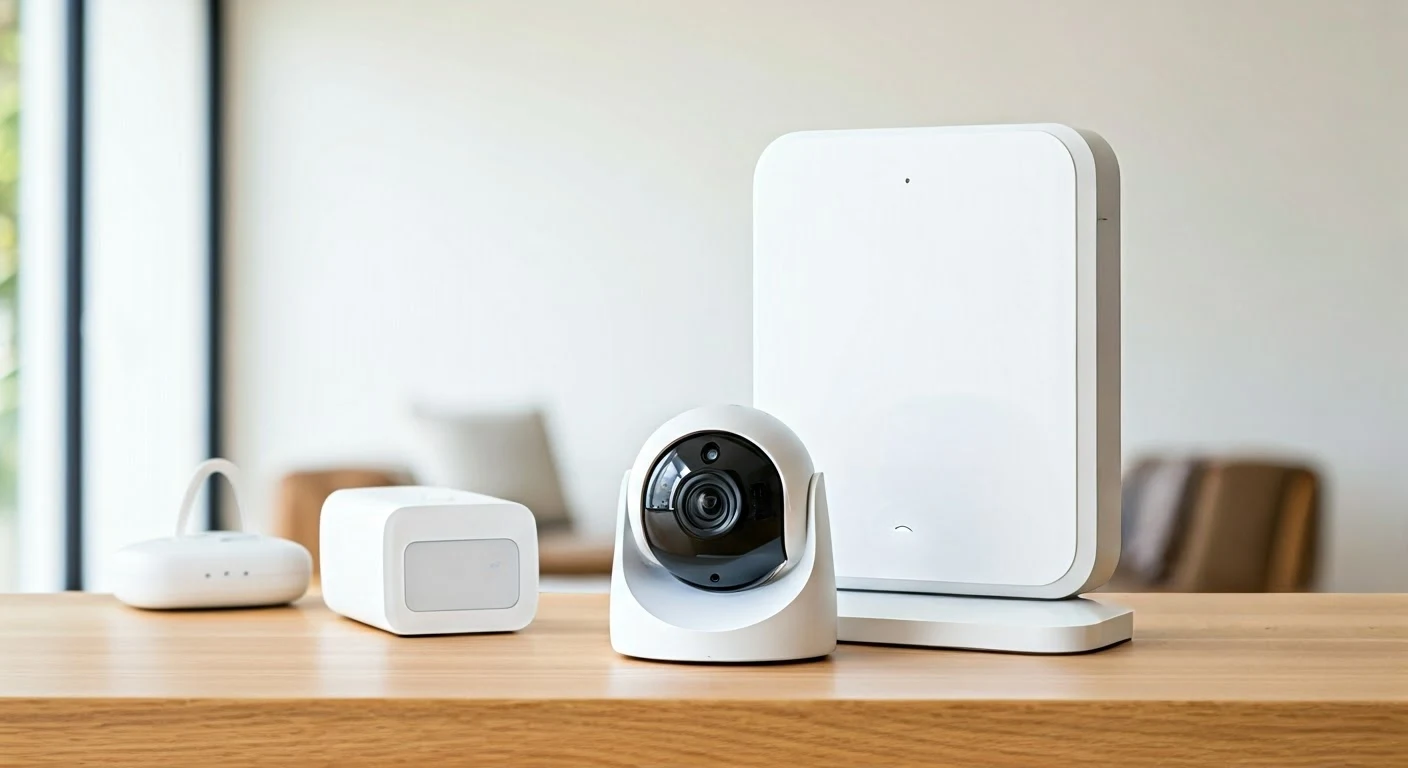
These provide peace of mind and enhanced security. Smart doorbells let you see and speak to visitors, while indoor and outdoor cameras offer real-time monitoring and motion alerts. Brands like Ring, Arlo, Google Nest Cam, and Wyze are popular.
- Features to look for: HD resolution, night vision, two-way audio, motion detection, cloud storage options.
Smart Speakers/Displays
These devices serve as the voice control interface for your smart home. They can play music, answer questions, set timers, and control other smart devices. Examples include Amazon Echo, Google Nest Hub, and Apple HomePod.
- Displays add: Visual feedback, video calls, and enhanced control interfaces.
Smart Locks
Keyless entry and remote locking/unlocking offer convenience and enhanced security. You can grant temporary access to guests or service providers. Popular brands include August, Schlage, and Yale.
Step-by-Step: Setting Up Your First Smart Devices
The setup process for most smart home devices is designed to be user-friendly. Here's a general guide that applies to most common devices:
Step 1: Download the Manufacturer's App
Most smart devices require a dedicated app for setup and control. Search for the app on your smartphone's app store (iOS App Store or Google Play Store) and download it. You'll likely need to create an account.
Step 2: Power On the Device
Plug in your smart plug, screw in your smart bulb, or install your smart lock according to the manufacturer's instructions. Ensure the device is in pairing mode, which is usually indicated by a flashing light or a specific sound.
Step 3: Connect to Your Wi-Fi Network
Open the manufacturer's app and follow the on-screen prompts to add a new device. The app will guide you through connecting the device to your home Wi-Fi network. You'll typically need to select your network name (SSID) and enter your Wi-Fi password. Ensure your phone is connected to the same 2.4GHz Wi-Fi network, as many smart devices don't support 5GHz networks during initial setup.
Step 4: Name Your Device
Give your device a clear and descriptive name (e.g., "Living Room Lamp," "Front Door Lock," "Kitchen Thermostat"). This is crucial for voice control, as you'll use these names when issuing commands to your voice assistant.
Step 5: Link to Your Voice Assistant (Optional but Recommended)
If you want to control the device with your voice, you'll need to link the manufacturer's app to your preferred voice assistant ecosystem (Alexa, Google Assistant, or HomeKit). Open your voice assistant's app (e.g., Amazon Alexa app, Google Home app) and navigate to the "Skills" or "Works with..." section. Search for the brand of your smart device and enable the skill/link your account. Once linked, your voice assistant should discover the new device.
Step 6: Test and Configure
Test the device using the app and your voice assistant. Turn it on/off, adjust settings, and ensure everything works as expected. Explore the app's settings for further customization, such as scheduling, creating scenes, or setting up motion alerts.
Example: Setting Up a Smart Plug
- Download the Kasa Smart app (for TP-Link Kasa plugs).
- Plug the Kasa smart plug into an outlet and connect a lamp to it.
- Open the Kasa app, tap the '+' icon, and select "Smart Plug."
- Follow the app's instructions to connect the plug to your Wi-Fi.
- Name the plug "Living Room Lamp."
- Open the Amazon Alexa app, go to Skills & Games, search for "Kasa," enable it, and link your Kasa account.
- Ask Alexa to "Discover devices."
- Say, "Alexa, turn on the Living Room Lamp."
Advanced Smart Home Automation: Creating Routines and Scenes
Once you have a few devices set up, the real magic of a smart home comes alive through automation. Routines and scenes allow your devices to work together to perform complex actions based on triggers.
Understanding Routines and Scenes
- Scenes: A scene is a predefined set of actions for one or more devices that you can activate manually or with a voice command. For example, a "Movie Night" scene might dim the lights, turn on the TV, and lower the blinds.
- Routines: Routines are automated sequences of actions triggered by a specific event, time, or command. These are the true workhorses of smart home automation.
Common Triggers for Routines
- Time of Day: "Good Morning" routine starts at 7 AM, turning on lights, raising the thermostat, and playing the news. "Good Night" routine at 10 PM turns off all lights, locks doors, and arms the security system.
- Voice Command: A custom phrase like "I'm home" could trigger a routine to turn on entry lights, adjust the thermostat, and unlock the door.
- Location (Geofencing): Your smart home can react when you leave or arrive home. A "Leaving Home" routine could turn off lights, adjust the thermostat to an energy-saving mode, and lock doors. An "Arriving Home" routine could do the opposite.
- Sensor Activity: A motion sensor detecting movement in a room could turn on lights, or a door sensor opening could trigger an alert.
- Device Status: If your smart smoke detector goes off, a routine could turn on all lights to help with evacuation and send notifications.
Creating a "Good Morning" Routine (Example for Alexa)
- Open the Amazon Alexa app.
- Tap "More" and then "Routines."
- Tap the '+' icon to create a new routine.
- Enter Routine Name: "Good Morning"
- Tap "When this happens" and select "Schedule." Choose "At Time" and set it to your desired wake-up time (e.g., 7:00 AM). You can also set it to repeat on specific days.
- Tap "Add action." Here you can add multiple actions:
- Select "Smart Home" and choose "Living Room Lamp" to turn on.
- Select "Smart Home" and choose "Bedroom Lights" to turn on to 30% brightness.
- Select "Thermostat" and set temperature to 70°F.
- Select "Music & Podcasts" and choose "Play" to play a specific playlist or news briefing.
- Select "Alexa Says" and enter a custom phrase like "Good morning! The weather today is..."
- Tap "Save."
You can create similar routines for "Good Night," "Leaving Home," "Arriving Home," and many other scenarios. Exploring the automation capabilities of your chosen ecosystem is key to unlocking the full potential of your smart home.
Smart Home Security and Privacy: Protecting Your Digital Sanctuary
As our homes become more connected, so do the potential risks to our security and privacy. It's crucial to take proactive steps to protect your smart home ecosystem.
Securing Your Wi-Fi Network
Your Wi-Fi network is the gateway to your smart home. Ensure it's secured with a strong, unique password and uses WPA2 or WPA3 encryption. Change the default router password and consider enabling a guest network for visitors to keep your main network isolated.
Strong Passwords and Two-Factor Authentication (2FA)
Use strong, unique passwords for all your smart home device accounts and apps. Enable two-factor authentication (2FA) wherever possible. This adds an extra layer of security, requiring a second form of verification (like a code sent to your phone) to log in.
Keep Devices and Software Updated
Manufacturers regularly release firmware updates to patch security vulnerabilities. Ensure your smart devices and router firmware are always up to date. Many devices offer automatic updates, but it's good practice to check periodically.
Be Mindful of Device Permissions
When setting up apps, pay attention to the permissions they request. Does a smart light bulb app really need access to your contacts or location? Grant only the necessary permissions.
Understand Device Privacy Policies
Familiarize yourself with the privacy policies of the smart home devices and services you use. Understand what data they collect, how they use it, and how it's protected. Opt-out of data sharing for personalized advertising if you're concerned.
Physical Security
Don't forget basic physical security. Ensure your smart locks are installed correctly and that your smart cameras are positioned to cover important entry points. Consider the placement of indoor cameras to respect the privacy of household members and guests.
Smart Home Privacy Statistics (2025-26 Projections):
- A 2025 survey indicated that over 60% of consumers are concerned about the privacy implications of smart home devices.
- By 2026, it's estimated that 40% of smart home users will actively manage their device privacy settings more frequently.
- The market for privacy-focused smart home solutions is expected to grow by 25% annually through 2027.
Troubleshooting Common Smart Home Issues
Even with the best planning, you might encounter occasional hiccups. Here are some common issues and how to resolve them:
Device Not Responding
- Check Wi-Fi: Ensure your Wi-Fi is working and the device is within range.
- Restart Device: Unplug the device, wait 10 seconds, and plug it back in.
- Restart Router: Reboot your Wi-Fi router.
- Check App: Ensure the manufacturer's app is up to date and you're logged in.
- Check Voice Assistant: Ensure your voice assistant is online and linked correctly.
Voice Commands Not Understood
- Speak Clearly: Ensure you're speaking clearly and at a normal volume.
- Check Device Name: Make sure you're using the exact name you assigned to the device.
- Check Microphone: Ensure the microphone on your smart speaker or phone is not obstructed.
- Re-link Account: Sometimes, unlinking and relinking your smart home account to your voice assistant can resolve issues.
Automation Not Triggering
- Verify Routine/Scene Settings: Double-check the triggers, actions, and conditions in your routine or scene settings.
- Check Device Status: Ensure all devices involved in the automation are online and functioning correctly.
- Time Zone: Verify that your device's time zone and your routine's schedule are set correctly.
- App Permissions: Ensure the app has necessary permissions (e.g., location for geofencing).
Connectivity Issues with Specific Protocols (Zigbee/Z-Wave)
- Hub Proximity: Ensure the device is within range of your smart home hub.
- Interference: Other electronic devices can sometimes interfere. Try moving the hub or the device.
- Re-pairing: You may need to remove the device from your hub and re-pair it.
If problems persist, consult the manufacturer's support website or contact their customer service. Many smart home companies offer extensive troubleshooting guides and forums.
The Evolving Future of Smart Homes (2025-2026 and Beyond)
The smart home landscape is constantly evolving, with innovations promising even more seamless integration, intelligence, and personalization.
AI and Machine Learning Integration
Expect artificial intelligence to play a more significant role. Smart homes will become more proactive, anticipating your needs rather than just reacting to commands. AI could learn your preferences and adjust lighting, temperature, and even entertainment based on your mood and activity.
Enhanced Interoperability with Matter
The Matter standard is set to revolutionize smart home compatibility. As more devices adopt Matter, the frustration of incompatible ecosystems will diminish, allowing for easier setup and greater flexibility in choosing devices from different brands.
Advanced Health and Wellness Monitoring
Smart home devices will increasingly integrate health and wellness features. This could include air quality sensors that automatically adjust ventilation, smart lighting that supports circadian rhythms, and even non-intrusive sleep monitoring systems.
Greater Focus on Sustainability
With growing environmental awareness, smart homes will focus more on energy management, water conservation, and waste reduction. Integrated systems will optimize energy usage based on real-time grid demand and renewable energy availability.
Ubiquitous Connectivity and Edge Computing
As 5G and Wi-Fi 7 become more prevalent, expect faster and more reliable connectivity for all your smart devices. Edge computing, where data is processed locally on devices rather than in the cloud, will enhance privacy and speed up response times for critical functions.
The journey to a smart home is an exciting one, offering a blend of cutting-edge technology and practical benefits. By planning carefully, choosing the right ecosystem, and starting with essential devices, you can create a home that is more convenient, efficient, secure, and enjoyable.
In conclusion, setting up a smart home in 2025-2026 is more accessible and beneficial than ever. By understanding your needs, choosing a compatible ecosystem like Alexa, Google Assistant, or HomeKit, and prioritizing essential devices such as smart lighting, plugs, and thermostats, you can begin to experience the convenience, energy savings, and enhanced security that a connected home offers. Remember to always prioritize strong Wi-Fi, robust passwords, and regular software updates to maintain a secure and private smart home environment. Start small, experiment with automation, and gradually expand your system to create a truly intelligent living space tailored to your lifestyle. The future of home living is smart, and the time to embrace it is now.