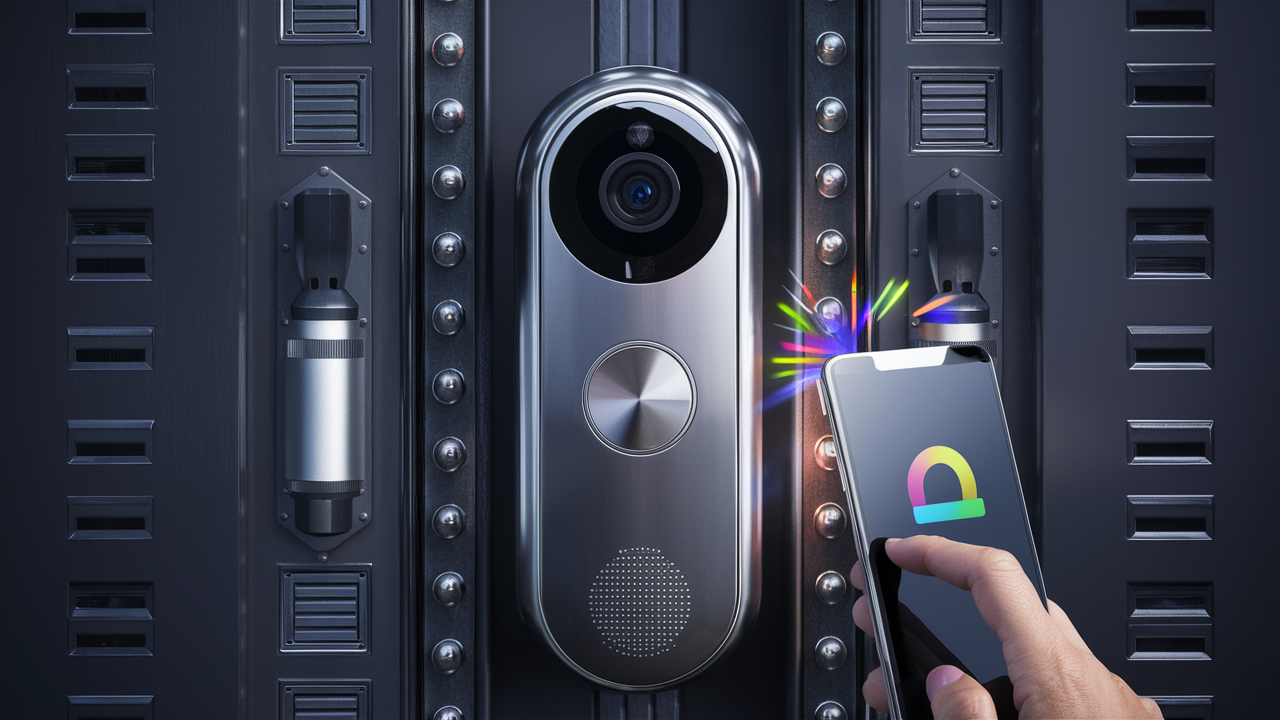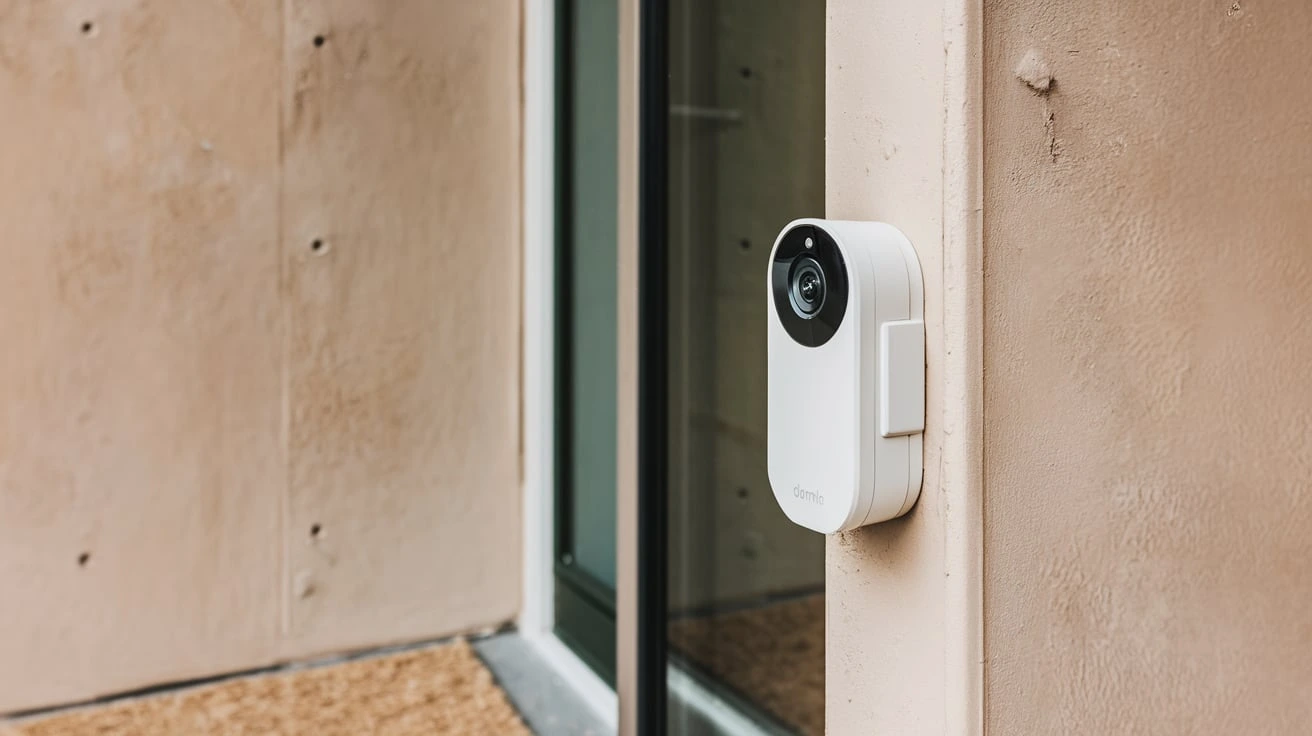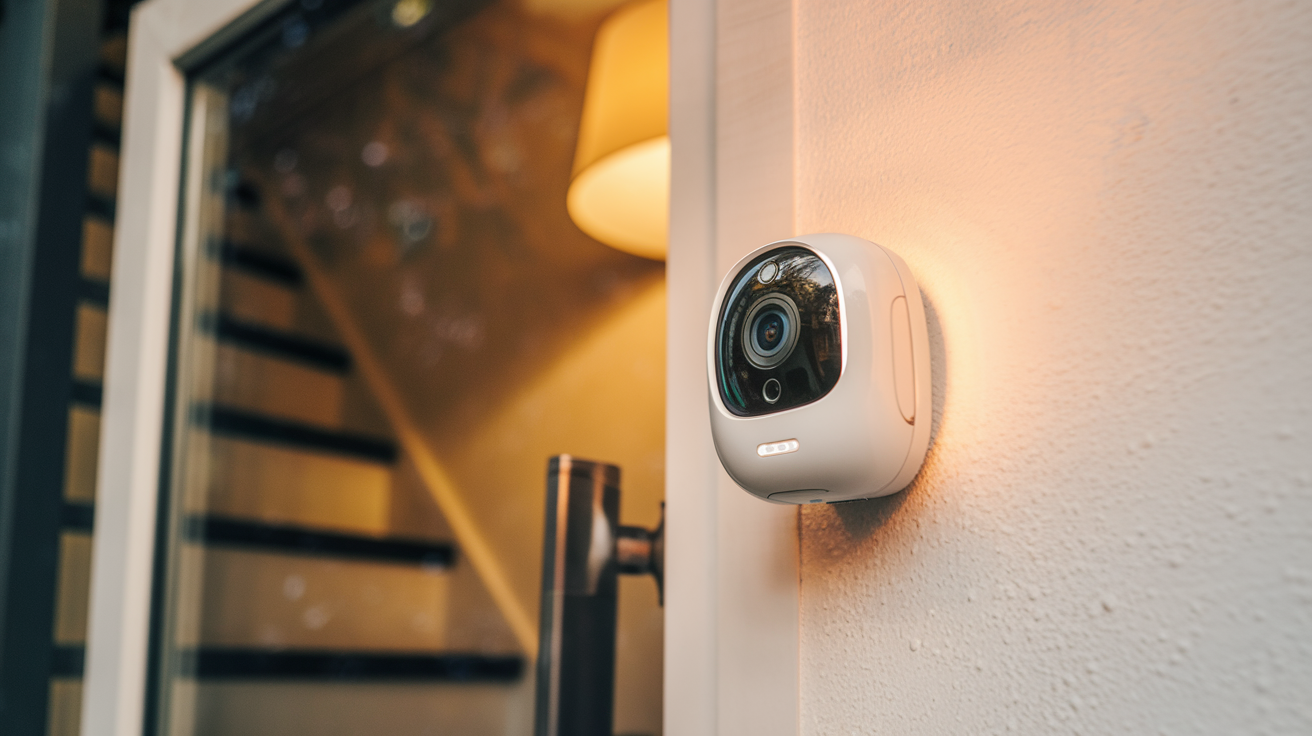
Yes, doorbell cameras that work without Wi-Fi exist, offering solutions for homes lacking robust internet or for those seeking enhanced security independent of a home network. These devices often leverage cellular or local storage, providing peace of mind and connectivity where traditional Wi-Fi cameras falter.
Understanding Wi-Fi Dependence in Doorbell Cameras
The vast majority of modern smart home devices, including video doorbells, are designed with Wi-Fi connectivity as their primary mode of operation. This reliance stems from several key advantages that Wi-Fi offers: ease of setup, seamless integration with mobile apps for remote viewing and notifications, and the ability to stream high-definition video footage directly to cloud storage or your smartphone. Wi-Fi networks are ubiquitous in most households, making it the default and most convenient choice for manufacturers.
When a traditional Wi-Fi doorbell camera is installed, it connects to your home's wireless router. This connection allows it to send and receive data. When motion is detected, or someone rings the doorbell, the camera captures video and audio. This data is then transmitted over your Wi-Fi network to your router, which in turn sends it to the internet. From there, it can be accessed by your smartphone app, wherever you are. Cloud storage services, often offered by the manufacturers, also receive this data via your Wi-Fi connection. This system enables features like live streaming, two-way audio communication, and instant alerts.
However, this dependence on Wi-Fi creates a significant vulnerability for users who either have unreliable internet, no internet at all, or live in areas with poor Wi-Fi signal strength. Issues like frequent Wi-Fi outages, slow internet speeds, or even the absence of a Wi-Fi network altogether render most smart doorbell cameras useless. For instance, a home that relies solely on a mobile hotspot for internet might experience intermittent connectivity, leading to missed events or delayed notifications. Similarly, a remote cabin or a property under construction might not have access to a Wi-Fi network, making standard smart doorbells incompatible. This is where the need for alternatives arises, prompting the search for doorbell cameras that can function effectively without a traditional home Wi-Fi connection. The market is increasingly recognizing this gap, leading to the development of innovative solutions.
Doorbell Cameras Without Wi-Fi: The Alternatives
The concept of a doorbell camera that operates without Wi-Fi might seem counterintuitive in our hyper-connected world. However, the demand for such devices is growing, driven by specific user needs and technological advancements. These cameras bypass the reliance on a home's wireless network by employing alternative communication and data storage methods. Essentially, they are designed to function as standalone security devices or to integrate with different network infrastructures.
The primary alternatives to Wi-Fi connectivity for doorbell cameras fall into two main categories:
- Cellular Connectivity: These devices utilize cellular networks, similar to smartphones, to transmit data. They are equipped with SIM cards and connect to mobile networks (like 4G or 5G) to send video footage and receive commands. This makes them ideal for locations without any internet service or where Wi-Fi is unreliable.
- Local Storage with Optional Wi-Fi: While many of these might still have Wi-Fi as an option for remote access, their core functionality for recording and playback relies on local storage. This typically involves an SD card or a dedicated base station that stores footage directly on-site. In some cases, even the live viewing or motion alerts might be accessible locally via Bluetooth or a direct network connection to a nearby device, without needing to go through the internet.
It's important to distinguish between a doorbell camera that *only* works without Wi-Fi and one that offers it as an alternative or a backup. Many "smart" doorbells are designed to have Wi-Fi as the primary and most feature-rich option, but their underlying technology might allow for some form of offline functionality or a different connection method. For the purpose of this discussion, we are focusing on devices where Wi-Fi is either entirely absent or not the primary or mandatory method of operation for core features like recording and basic alert delivery.
The core challenge for any doorbell camera is transmitting the captured video and audio data. Wi-Fi does this by leveraging your home's internet connection. Cellular cameras circumvent this by using the mobile phone network. Local storage solutions, on the other hand, focus on keeping the data on-site, reducing the need for constant internet transmission for basic recording. Understanding these fundamental differences is key to identifying the right solution for your specific needs.
Cellular Doorbell Cameras: The Standalone Solution
Cellular doorbell cameras represent the most direct answer to the question: "Is there a doorbell camera that works without Wi-Fi?" These devices are engineered to be entirely independent of a home's wireless network and internet service. They function much like a security camera that uses a cellular data plan, making them suitable for a wide range of scenarios where traditional smart home devices would be impractical.
How They Work:
At their core, cellular doorbell cameras are equipped with a built-in cellular modem and a SIM card slot. This allows them to connect to the same mobile networks that your smartphone uses. When motion is detected or the doorbell is pressed, the camera captures video and audio. This data is then transmitted wirelessly over the cellular network to a remote server or directly to your smartphone app. This process requires an active cellular data plan, which is typically a recurring subscription fee, similar to your phone bill.
Key Features and Benefits:
- True Independence: They do not require any Wi-Fi network or internet connection at the installation site. This makes them perfect for remote locations, vacation homes, construction sites, RVs, boats, or any property where internet infrastructure is unavailable or unreliable.
- Easy Installation: Since they don't need to connect to a Wi-Fi router, installation can be simpler in some regards, focusing mainly on power and physical mounting.
- Continuous Connectivity: As long as there is a cellular signal, these cameras can provide continuous monitoring and alerts. This is a significant advantage over Wi-Fi cameras that are vulnerable to internet outages.
- Remote Access: Users can typically access live feeds, view recorded footage, and receive motion alerts via a dedicated mobile app, regardless of their physical location, as long as they have their smartphone connected to the internet.
Potential Drawbacks:
- Subscription Costs: The need for a cellular data plan means an ongoing monthly or annual fee, which can add up over time. These costs can sometimes be higher than cloud storage fees for Wi-Fi cameras.
- Data Usage: Streaming video, especially in high definition, consumes a significant amount of data. Users need to ensure their data plan is sufficient to avoid overage charges or throttling.
- Cellular Signal Strength: The performance of a cellular doorbell camera is directly dependent on the strength and reliability of the cellular signal in its location. In areas with weak or spotty reception, the camera's functionality may be compromised.
- Video Quality Limitations: While improving, the video quality and frame rates might sometimes be slightly lower compared to high-end Wi-Fi cameras due to bandwidth limitations of cellular networks, though this is becoming less of an issue with 4G and 5G.
Use Cases:
- A homeowner in a rural area with no broadband internet.
- A construction site manager needing to monitor activity remotely.
- A boat owner wanting to keep an eye on their vessel when docked.
- A property manager for a vacant rental property.
- An individual who experiences frequent power outages that also disrupt their Wi-Fi.
As of 2025-26, the technology for cellular doorbell cameras is mature, with many manufacturers offering robust solutions. The transition to 5G networks is further enhancing their capabilities, offering faster speeds and lower latency.
Doorbell Cameras with Local Storage: A Wi-Fi Backup
While cellular cameras offer true Wi-Fi independence, another category of doorbell cameras provides a compelling alternative by prioritizing local storage. These devices are designed to record and store footage directly on the unit itself, typically via a microSD card or a dedicated base station, rather than relying solely on cloud storage accessed via the internet. This approach significantly reduces, and in some cases eliminates, the need for a constant Wi-Fi connection for core recording functions.
How They Work:
The primary mechanism for these cameras is on-board storage. A microSD card is inserted into the doorbell unit, and when motion is detected or the doorbell is rung, the video is recorded and saved directly to that card. This means that even if your Wi-Fi is down or non-existent, the camera will continue to record events happening at your doorstep.
The "Wi-Fi" aspect often comes into play for accessing these recordings remotely or for receiving notifications. Some local storage doorbells may still have Wi-Fi capabilities. In such cases, you would typically need to be on the same local network (connected to the same Wi-Fi) to access the footage directly from the camera or base station. However, some advanced models allow for remote access to the local storage via a secure cloud connection, even if the camera itself doesn't have a direct internet connection for streaming live feeds. The connection to the cloud for remote access might be established through a separate hub or base station that *does* have internet access, or the camera might have a limited Wi-Fi capability for periodic uploads when available.
A key distinction is whether the device *requires* Wi-Fi for basic recording or if it can function entirely offline for recording. The ideal scenario for users seeking Wi-Fi-free operation is a camera that records to local storage and allows access to that local storage without needing an internet connection, or at least allows for local network access.
Key Features and Benefits:
- No Monthly Fees: Since footage is stored locally, there are typically no mandatory monthly subscription fees for storage, saving costs in the long run.
- Data Privacy: Storing footage locally can offer enhanced privacy as sensitive video data doesn't necessarily need to be uploaded to a third-party cloud server.
- Offline Recording: The primary advantage is that the camera will continue to record events even if the internet connection is down or unavailable.
- Reliability: Less dependence on external internet services means greater reliability for capturing crucial moments.
- Local Network Access: Many models allow you to access recordings and live feeds when you are connected to the same Wi-Fi network as the camera or its base station.
Potential Drawbacks:
- Limited Remote Access: True remote access (viewing from outside your home network) without any internet connection is rare. If the camera has Wi-Fi, you'll likely need to be on the same network for live viewing and playback, unless it uses a hub with internet access.
- Storage Capacity: The amount of footage you can store is limited by the capacity of the microSD card or the base station's hard drive. This may require periodic deletion or transfer of footage.
- Theft Risk: If the doorbell unit itself is stolen, the recorded footage is lost along with it. This is a significant consideration for security.
- Setup Complexity: While not requiring internet, setting up local storage access, especially for remote viewing via a hub, can sometimes be more complex than a simple Wi-Fi connection.
Use Cases:
- Homes with unreliable or slow internet where continuous recording is prioritized over instant remote alerts.
- Users who are concerned about cloud privacy and prefer to keep their footage local.
- Situations where a temporary internet outage is common, but continuous recording is essential.
- Users who primarily need to review footage after an event rather than receiving instant notifications.
In 2025-26, manufacturers are increasingly offering hybrid solutions that combine local storage with optional Wi-Fi connectivity, allowing users to choose their preferred method of operation.
How Do They Work? Technical Details and Connectivity
Understanding the underlying technology of doorbell cameras that operate without Wi-Fi is crucial for making an informed decision. These devices employ different strategies to capture and transmit data, bypassing the traditional home internet route.
Cellular Doorbell Cameras: The Backbone of Mobile Networks
Cellular doorbell cameras are essentially mini-mobile devices. They contain a compact modem that is designed to connect to cellular towers.
- SIM Card: A SIM card (either physical or eSIM) is embedded within the device. This card is registered with a mobile network operator, allowing the camera to access their infrastructure.
- Cellular Bands: These cameras are designed to operate on specific cellular bands (e.g., 4G LTE, 5G) that are used for mobile data transmission. The choice of bands depends on the carrier and the geographical availability of signals.
- Data Transmission: When an event occurs (motion detection, doorbell press), the camera's internal processor captures the video and audio. This data is then encoded and sent through the cellular modem to the nearest cell tower. From there, it travels through the mobile network to the internet and then to the manufacturer's servers or directly to your smartphone app.
- Power Source: Cellular cameras typically require a dedicated power source, either wired (similar to traditional doorbells) or a rechargeable battery pack, as they consume more power than Wi-Fi-only devices due to the constant cellular radio activity.
- Subscription: A recurring subscription fee is almost always required to cover the cellular data plan and the associated network access.
Local Storage Doorbell Cameras: On-Site Data Management
These cameras focus on keeping the data within the user's immediate vicinity.
- MicroSD Card: The most common method is the use of a microSD card slot. The camera's firmware is programmed to continuously record or record on motion detection directly to this card. Capacities can range from 32GB to 256GB or more, dictating how much footage can be stored before older footage is overwritten.
- Base Station/Hub: Some systems use a central hub or base station that connects to your router (often via Ethernet, but sometimes Wi-Fi). The doorbell camera then communicates wirelessly (e.g., via a proprietary RF signal or local Wi-Fi) with this base station, which stores the data on its internal drive or an attached hard drive. This base station then connects to the internet for remote access.
- Local Network Access: When you are at home and connected to your Wi-Fi network, you can often access the camera's feed and stored footage directly through an app or web interface without the data leaving your local network. This is achieved by the app communicating with the camera or base station over your home Wi-Fi.
- Offline Recording: The critical technical feature is the ability for the camera to record to its local storage medium even when it has no internet connection. The recording process is handled internally by the device.
- Optional Remote Access: For remote viewing when you are away from home, these systems often rely on a connection established through a base station that *is* connected to the internet, or the camera itself might have a Wi-Fi chip that can establish a connection to your router when available, allowing it to upload data or allow remote access through a cloud service.
Hybrid Approaches
Some manufacturers are developing devices that blend these technologies. For example, a doorbell might have both a microSD card slot for local recording and a Wi-Fi module for remote access. If the Wi-Fi fails, it defaults to local recording. Or, a cellular camera might have an option to also record to a microSD card as a backup.
The choice between these technologies depends heavily on the user's specific connectivity situation and priorities. For absolute independence from Wi-Fi, cellular is the clear winner. For cost savings and data privacy with the ability to record offline, local storage is a strong contender, with the caveat that remote access might be limited or dependent on a separate internet-connected hub.
Pros and Cons of Non-Wi-Fi Doorbell Cameras
Choosing a doorbell camera that doesn't rely on Wi-Fi presents a unique set of advantages and disadvantages. These devices cater to specific needs, and understanding their trade-offs is crucial for selecting the right security solution.
Pros:
- Independence from Internet Service: This is the most significant benefit. For homes without internet, in areas with unreliable service, or for temporary installations (like construction sites), these cameras provide a viable security option.
- No Wi-Fi Signal Issues: Users don't have to worry about Wi-Fi dead zones, router placement, or signal interference that can plague traditional smart home devices.
- Potential for Lower Long-Term Costs: Local storage models often eliminate monthly subscription fees associated with cloud storage, leading to significant savings over time.
- Enhanced Data Privacy: Local storage options mean your video footage is kept on-site, reducing concerns about third-party data breaches or privacy violations associated with cloud services.
- Reliability in Outages: Cellular cameras provide continuous connectivity as long as there's a cellular signal, unaffected by home internet outages. Local storage cameras continue to record even if the internet goes down.
- Simpler Setup in Some Cases: For cellular models, setup might involve activating a SIM card and mounting the device, bypassing the often-tricky Wi-Fi pairing process.
Cons:
- Ongoing Costs for Cellular Models: Cellular doorbell cameras require a monthly or annual subscription for the data plan, which can be a significant ongoing expense.
- Data Usage Limits and Costs: Streaming video consumes data, and users need to be mindful of their data plan limits to avoid overage charges or throttling, especially with cellular models.
- Limited Remote Access for Local Storage: While local storage cameras record offline, accessing footage remotely (from outside your home network) can be difficult or impossible without a separate internet-connected hub or the camera having its own Wi-Fi capability.
- Dependence on Signal Strength: Cellular cameras are entirely dependent on the strength and availability of cellular signals in their installation location. Poor reception leads to poor performance.
- Storage Limitations for Local Models: The amount of footage that can be stored is limited by the capacity of the microSD card or the base station, requiring management of stored data.
- Risk of Theft of Local Storage: If the doorbell unit itself is stolen, any footage stored locally on it is lost.
- Potentially Lower Video Quality/Features: To manage data usage and bandwidth on cellular networks, some cellular cameras might offer slightly lower resolution or frame rates compared to top-tier Wi-Fi cameras.
- Power Consumption: Cellular radios tend to consume more power than Wi-Fi radios, potentially requiring more frequent battery charging or a more robust wired power supply.
The decision hinges on prioritizing factors like cost, privacy, remote access needs, and the availability of internet and cellular services at the installation site.
Choosing the Right Non-Wi-Fi Doorbell Camera
Selecting a doorbell camera that operates without Wi-Fi requires careful consideration of your specific circumstances and priorities. The "best" option is highly subjective and depends on your unique needs. Here’s a systematic approach to making the right choice:
1. Assess Your Connectivity Situation:
No Internet Service: If you have absolutely no internet at your property, a cellular doorbell camera is likely your only viable smart option for remote monitoring and alerts.
Unreliable or Slow Internet: If your Wi-Fi frequently drops or is too slow for reliable streaming, a local storage doorbell camera is a strong contender. It will ensure recording continues even during outages. You might still opt for a cellular model if consistent remote alerts are paramount.
No Desire for Wi-Fi Integration: Some users prefer to keep their security separate from their home network for privacy or simplicity. In this case, a local storage model with no Wi-Fi capabilities or a cellular model would be suitable.
2. Define Your Primary Needs:
Continuous Recording: If your main goal is to have a recording of everything that happens at your door, regardless of connectivity, a local storage doorbell camera is ideal.
Real-Time Alerts and Remote Viewing: If receiving instant notifications and viewing live feeds from anywhere is critical, a cellular doorbell camera is the most robust solution for Wi-Fi-free operation.
Cost Savings: If you want to avoid monthly subscription fees, a local storage model is preferable. Be mindful that cellular models will have ongoing data plan costs.
Data Privacy: For users prioritizing privacy, local storage solutions offer more control over sensitive video data.
3. Evaluate Key Features:
Video Quality:
Look for resolutions like 1080p or higher for clear images. Check if the camera offers a wide field of view to capture more of the porch area.
Audio Capabilities:
Two-way audio is a common feature that allows you to speak with visitors remotely. Ensure the audio quality is clear.
Night Vision:
Infrared night vision is essential for clear footage in low-light conditions. Check the range and effectiveness of the night vision.
Durability and Weather Resistance:
Doorbell cameras are exposed to the elements. Look for IP ratings (e.g., IP65, IP66) indicating resistance to dust and water.
Power Source:
Determine if the camera is battery-powered, wired, or solar-powered. Battery-powered options offer flexibility but require recharging. Wired options are more reliable but require existing doorbell wiring.
Storage Options:
For local storage models, check the maximum supported microSD card size. For cellular models, understand the data plan allowances and potential for local storage as a backup.
Mobile App and User Interface:
The accompanying app should be intuitive and easy to navigate for managing settings, viewing footage, and receiving alerts.
4. Consider Subscription Models and Data Plans:
For cellular cameras, research the available data plans from the manufacturer or third-party providers. Compare costs, data limits, and contract terms. Understand what happens if you exceed data limits.
5. Read Reviews and Check Compatibility:
Look for independent reviews from reputable tech sites and user feedback. Pay attention to comments regarding reliability, signal strength issues, and customer support. If considering a local storage model with a hub, ensure it's compatible with your existing devices.
Example Scenarios:
- Scenario A: Remote Cabin with No Internet. Priority: Remote alerts and live viewing. Solution: Cellular doorbell camera.
- Scenario B: Home with Frequent Wi-Fi Outages. Priority: Continuous recording, data privacy. Solution: Local storage doorbell camera (with optional Wi-Fi for when available).
- Scenario C: RV Owner. Priority: Portability, recording without relying on campground Wi-Fi. Solution: Battery-powered cellular doorbell camera.
By systematically evaluating these factors, you can narrow down the options and select a non-Wi-Fi doorbell camera that best fits your unique security needs and property conditions in 2025-26.
Installation and Setup Considerations
Installing and setting up a doorbell camera that doesn't rely on Wi-Fi can differ significantly from its Wi-Fi-dependent counterparts. While some aspects might be simpler, others require careful planning.
For Cellular Doorbell Cameras:
1. Power Source:
- Wired: If your home has existing doorbell wiring, this is the most reliable power source. Ensure the transformer meets the camera's voltage and amperage requirements. You may need to upgrade your transformer if it's too old or low-powered.
- Battery-Powered: Many cellular doorbells are battery-operated. Ensure the battery is fully charged before installation. Consider the frequency of charging needed based on usage and signal strength. Some models offer solar panel accessories for continuous charging.
2. SIM Card Activation:
- You will need to activate the SIM card provided by the manufacturer or purchase one from a compatible carrier. Follow the manufacturer's instructions carefully. This usually involves registering the device online and selecting a data plan.
3. Mounting Location:
- Signal Strength: This is paramount. Before permanently mounting, test the cellular signal strength at the desired location using the camera's built-in signal indicator (if available) or by checking your smartphone's signal strength in that exact spot. A weak signal will lead to poor performance, dropped connections, and potentially missed events.
- Field of View: Mount the camera at an appropriate height (typically 4-5 feet) to capture faces and the entire porch area. Consider using a wedge or corner mount if the angle is not ideal.
- Weather Protection: Ensure the mounting location offers some protection from direct rain and extreme sunlight if the camera's weather resistance is not rated for direct exposure.
4. Physical Installation:
- Securely mount the bracket to your doorframe or wall using the provided screws.
- Connect the camera to the bracket.
- If wired, connect the wires to the appropriate terminals on the camera.
5. App Setup and Configuration:
- Download the manufacturer's mobile app.
- Follow the in-app instructions to pair the camera with your account. This often involves scanning a QR code on the camera or entering a device ID.
- Configure motion detection zones, notification settings, and any other preferences.
For Local Storage Doorbell Cameras:
1. Power Source:
- Similar to cellular cameras, these can be wired or battery-powered. Battery-powered models offer more placement flexibility but require regular charging.
2. MicroSD Card Installation:
- Insert a compatible microSD card (ensure it meets the manufacturer's speed and capacity recommendations) into the designated slot. This is a critical step for recording functionality.
3. Mounting Location:
- Physical Security: Consider the risk of theft. Mounting the camera securely and potentially using anti-theft screws or enclosures can be important.
- Field of View: As with cellular cameras, aim for optimal height and angle to capture the desired area.
- Proximity to Hub (if applicable): If the camera relies on a base station, ensure it's within the wireless range of the hub.
4. Physical Installation:
- Mount the bracket securely.
- Attach the doorbell camera.
- Connect power if it's a wired model.
5. App Setup and Configuration:
- Download the manufacturer's app.
- Pair the camera with your account. This might involve connecting to a temporary Wi-Fi network broadcast by the camera during setup, or it might be a direct pairing process.
- Configure recording settings (continuous vs. motion-activated), motion sensitivity, and any local network access preferences.
- If the system uses a base station for remote access, ensure the base station is properly connected to your router (usually via Ethernet) and configured within the app.
General Considerations for Both Types:
- Tools: You'll typically need a drill, screwdriver, and possibly a level.
- Existing Wiring: If replacing an existing wired doorbell, you may need to disconnect the old chime unit or ensure it's compatible with the new doorbell's power draw.
- Firmware Updates: Even without Wi-Fi for streaming, some devices may periodically require firmware updates for security and functionality. This might involve temporarily connecting to Wi-Fi or using a computer.
- Manufacturer Support: Familiarize yourself with the manufacturer's customer support channels in case you encounter difficulties during installation or setup.
While the absence of Wi-Fi can simplify some setup steps (like avoiding router password entry), it introduces new considerations, particularly around cellular signal strength and local storage management. Careful planning and adherence to the manufacturer's instructions are key to a successful installation.
Top Non-Wi-Fi Doorbell Camera Options (2025-26)
The market for doorbell cameras that function without Wi-Fi is evolving, with manufacturers increasingly offering robust solutions. As of 2025-26, here are some of the leading categories and potential contenders, focusing on devices that either use cellular connectivity or prioritize local storage with minimal Wi-Fi dependence for core functions.
Category 1: Dedicated Cellular Doorbell Cameras
These are designed from the ground up to operate solely on cellular networks. They are ideal for locations with no internet access.
- Ring (Certain Models/Future Offerings): While Ring is heavily integrated with Wi-Fi, they have explored and may continue to develop cellular-only options, particularly for specific use cases like RVs or construction sites. Keep an eye on their product announcements for dedicated cellular variants.
- Arlo (Potential Future Offerings): Arlo has a strong presence in the wire-free and battery-powered camera market. While their current doorbells are Wi-Fi based, the company is known for innovation, and a cellular-only doorbell is a logical expansion. Their Arlo Go line of cameras offers cellular connectivity, suggesting a potential for a doorbell version.
- Specialized Brands (e.g., SimpliSafe, Vivint - often part of a larger system): Some security system providers offer doorbell cameras that integrate with their cellular-based monitoring services. While not always standalone, they function without relying on your home's Wi-Fi for their primary security functions. For instance, a Vivint doorbell camera is intrinsically linked to their cellular-backed smart home system.
- New Entrants in IoT Security: The IoT security space is dynamic. Expect new companies to emerge offering cellular-first or cellular-only doorbell solutions targeting remote or underserved markets. These might offer competitive pricing on data plans or unique hardware features.
Category 2: Local Storage Focused Doorbell Cameras (with optional Wi-Fi)
These cameras store footage locally (e.g., on an SD card) and can function without a constant internet connection for recording. Remote access might be available via Wi-Fi when present, or through a separate hub.
- Eufy (Certain Models): Eufy is well-known for its emphasis on local storage and no-monthly-fees. Some of their doorbell cameras support microSD cards for local recording. While they typically have Wi-Fi for app connectivity, their ability to record offline makes them a strong contender for users prioritizing local storage. Check specific models for their offline recording capabilities.
- Reolink: Reolink offers a range of security cameras, including some doorbell models that support microSD cards for local recording. Their focus on self-hosted storage makes them a good option for those who want to avoid cloud fees and have offline recording capabilities.
- Lorex: Lorex also provides doorbell cameras with local storage options, often via microSD cards or NVR (Network Video Recorder) systems. These can be configured to record locally, offering an alternative to Wi-Fi-dependent cloud storage.
- Wyze (Potential for future local storage emphasis): Wyze is known for its affordability. While many of their products are Wi-Fi-dependent, they do offer microSD card support for local recording on some cameras, which could extend to their doorbell offerings, allowing for offline recording.
Category 3: Hybrid Systems (Cellular + Local Storage)
These devices aim to offer the best of both worlds, providing cellular connectivity for remote access and local storage as a backup or for enhanced privacy.
- Ring Alarm Pro (with Eero Built-in): While not a doorbell camera itself, the Ring Alarm Pro base station can provide cellular backup internet for Ring devices, including their doorbells. This means if your home Wi-Fi goes down, your Ring doorbell can potentially continue to function via the base station's cellular connection. This isn't a cellular-only doorbell, but it offers a robust Wi-Fi backup.
- Future Integrated Systems: Expect more integrated systems where a doorbell camera has both a cellular modem and a microSD card slot, allowing users to choose their primary connectivity or use both for redundancy.
Key Considerations for 2025-26:
- 5G Integration: As 5G networks become more widespread, expect cellular doorbells to offer faster speeds, lower latency, and potentially higher video quality.
- Battery Technology: Advancements in battery technology will lead to longer-lasting battery-powered cellular and local storage doorbells.
- AI Features: On-device AI for person detection and other smart alerts will become more common, reducing reliance on constant cloud processing and potentially improving performance on limited bandwidth.
- Subscription Transparency: Consumers are becoming more aware of subscription costs. Manufacturers offering clear, competitive data plans for cellular devices or truly fee-free local storage will stand out.
When researching specific models, always verify their connectivity options, storage methods, and any associated subscription costs to ensure they meet your requirements for operating without Wi-Fi. Always check the latest specifications for models released in late 2025 and early 2026.
Future Trends in Standalone Doorbell Security
The landscape of doorbell security is rapidly evolving, driven by advancements in connectivity, AI, and user demand for greater flexibility and independence from traditional home networks. As we look towards 2026 and beyond, several key trends are shaping the future of doorbell cameras that operate without Wi-Fi.
1. Ubiquitous 5G and Enhanced Cellular Performance:
The widespread rollout of 5G networks is a game-changer. Cellular doorbell cameras will leverage 5G's significantly higher bandwidth, lower latency, and increased capacity. This will translate to:
- Higher Resolution Video Streaming: Users will experience smoother, higher-definition live feeds and recordings, rivaling or even surpassing current Wi-Fi camera capabilities.
- Faster Response Times: Real-time alerts and two-way audio communication will become nearly instantaneous, minimizing delays caused by network congestion.
- More Reliable Connections: 5G's improved network architecture will offer greater stability, even in densely populated areas.
2. Smarter On-Device AI and Edge Computing:
Processing power is moving from the cloud to the device itself. Future doorbell cameras will feature more sophisticated AI algorithms embedded directly into the hardware. This "edge computing" will enable:
- Advanced Object Recognition: Beyond simple motion detection, cameras will be able to accurately distinguish between people, vehicles, animals, and packages, leading to more relevant notifications and fewer false alarms.
- Privacy-Preserving Analytics: Sensitive data processing, such as facial recognition or behavioral analysis, can be performed locally without sending raw video footage to the cloud, enhancing user privacy.
- Reduced Bandwidth Dependence: By pre-processing data on the device, only essential information needs to be transmitted, further optimizing cellular data usage.
3. Extended Battery Life and Sustainable Power Solutions:
The inconvenience of frequent battery charging is a major hurdle for wire-free and cellular devices. Future innovations will focus on:
- Ultra-Efficient Components: New chipsets and power management systems will drastically reduce energy consumption.
- Advanced Battery Chemistry: Higher energy-density batteries will offer longer operational times on a single charge.
- Integrated Solar Technology: More effective and aesthetically pleasing solar panels will become standard or readily available accessories, providing near-perpetual power for outdoor devices.
4. Seamless Hybrid Connectivity and Redundancy:
The distinction between Wi-Fi, cellular, and local storage will blur. Future devices will likely offer intelligent, automatic switching between connectivity methods:
- Automatic Failover: If Wi-Fi is lost, the doorbell will seamlessly switch to its cellular connection. If cellular signal is weak, it might prioritize local recording and only upload when a better connection is available.
- Multi-Network Support: Devices may be able to connect to multiple cellular carriers or even Wi-Fi networks simultaneously for maximum reliability.
- Enhanced Local Storage Integration: Local storage will become more sophisticated, perhaps offering encrypted, secure storage that can be remotely accessed via a secure peer-to-peer connection when cloud access is not desired or available.
5. Increased Integration with Smart Home Ecosystems (Even Without Wi-Fi):
While Wi-Fi is the current standard for smart home integration, future non-Wi-Fi doorbells might find ways to communicate with other smart devices using alternative protocols or dedicated hubs that can bridge different network types. This could involve:
- Bluetooth Mesh or Thread: These low-power wireless protocols could enable direct communication between devices within a local network, even if the internet is down.
- Dedicated Hubs: Smart home hubs might evolve to manage cellular-connected devices, allowing them to interact with Wi-Fi-based devices through the hub's own connectivity.
6. Focus on User Control and Data Sovereignty:
As privacy concerns grow, users will demand more control over their data. This will drive the development of:
- End-to-End Encryption: Ensuring that all data, whether transmitted over cellular or stored locally, is encrypted from capture to viewing.
- On-Premise Storage Options: More robust solutions for local storage, perhaps integrated into home servers or NAS devices, will become popular for users who want complete control.
- Clearer Data Policies: Manufacturers will need to be transparent about how data is collected, stored, and used, especially for cellular services.
The trend is clear: doorbell cameras are becoming more versatile, intelligent, and less dependent on a single type of connectivity. For users seeking security solutions independent of Wi-Fi, the future holds increasingly powerful and convenient options, with cellular and advanced local storage technologies leading the charge.
In conclusion, the question of whether a doorbell camera can work without Wi-Fi is definitively answered with a resounding "yes." Cellular doorbell cameras offer true independence by leveraging mobile networks, making them ideal for remote locations or areas with no internet. Alternatively, doorbell cameras with robust local storage solutions, such as microSD card support, provide the crucial ability to record events even when Wi-Fi is unavailable or unreliable, often without recurring subscription fees. While each approach has its own set of pros and cons – cellular models typically involving data plan costs and local storage models potentially limiting remote access – the growing market in 2025-26 offers a diverse range of options. Future innovations, particularly with 5G integration and on-device AI, promise even more powerful, reliable, and user-friendly standalone doorbell security. For homeowners seeking to enhance their security without relying on home Wi-Fi, the choice is now more accessible and sophisticated than ever before.