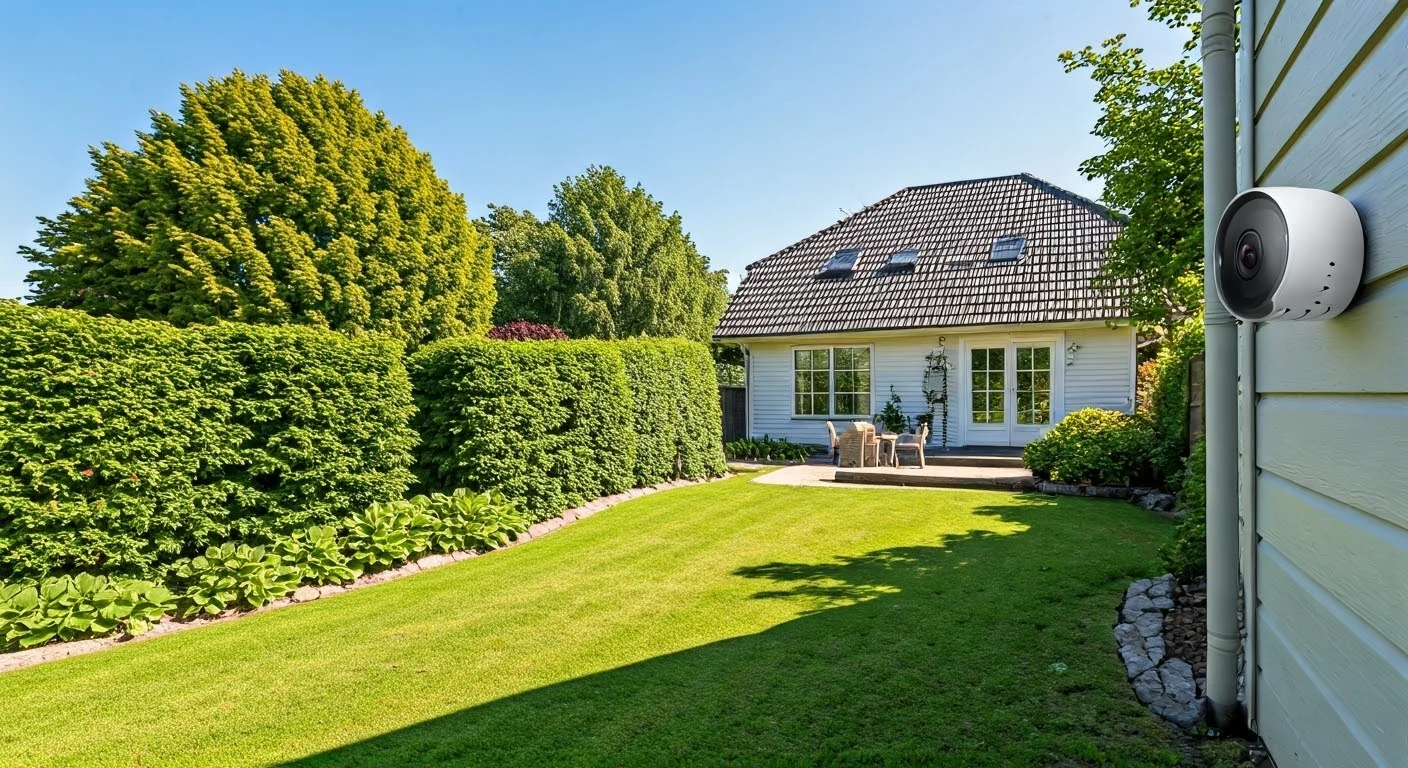
Unlock unparalleled peace of mind with our definitive guide to smart home video surveillance. Discover the essential strategies, hidden tips, and cutting-edge technologies that empower you to protect your property, loved ones, and valuable assets effectively. This comprehensive resource reveals the secrets to a truly secure and intelligent home security system.
Choosing the Right Cameras
Selecting the optimal smart home video surveillance cameras is the foundational step towards achieving robust security. In 2025, the market offers an overwhelming array of choices, each with unique strengths and weaknesses. Understanding your specific needs, budget, and the environment you intend to monitor will guide you toward the most effective solutions. This section delves into the critical factors to consider when making your camera selection.
Types of Smart Home Cameras
The landscape of smart home cameras can be broadly categorized based on their form factor, power source, and intended use. Each type serves a distinct purpose in a comprehensive surveillance strategy.
- Indoor Cameras: These are designed for monitoring activity within your home. They are typically smaller, discreet, and often feature pan-and-tilt capabilities for wider coverage. Many indoor cameras offer two-way audio, allowing for communication with family members or even deterring intruders.
- Outdoor Cameras: Built to withstand the elements, outdoor cameras are crucial for perimeter security. They are weather-resistant (look for IP ratings like IP65 or higher) and often come with enhanced night vision capabilities. Features like motion detection and tamper alerts are standard.
- Doorbell Cameras: These combine a doorbell with a camera, allowing you to see and speak with visitors from anywhere. They offer a critical first line of defense, enabling you to screen visitors and monitor package deliveries.
- Wire-Free (Battery-Powered) Cameras: Offering maximum installation flexibility, these cameras run on rechargeable or long-lasting batteries. While convenient, they often have limitations on continuous recording and may require more frequent battery management.
- Wired Cameras: These cameras require a power source and a data connection (Ethernet or Wi-Fi). They generally offer more reliable performance, continuous recording options, and higher video quality without the battery concerns.
Key Specifications to Evaluate
Beyond the basic types, several technical specifications will significantly impact the performance and utility of your chosen cameras. Prioritizing these will ensure you invest in technology that meets your security demands.
Resolution and Video Quality
The resolution determines the clarity and detail of the video footage. For effective surveillance in 2025, a minimum of 1080p (Full HD) is recommended. However, 2K (1440p) and 4K (2160p) resolutions offer significantly more detail, allowing for better facial recognition and object identification, especially when zooming in on footage. Higher resolutions, however, require more bandwidth and storage space.
Field of View (FoV)
The FoV dictates how wide an area the camera can capture. A wider FoV (e.g., 130-180 degrees) is ideal for covering large spaces or entryways with fewer cameras. However, ultra-wide lenses can sometimes lead to image distortion (fisheye effect).
Night Vision
Crucial for 24/7 surveillance, night vision technology allows cameras to see in low-light or complete darkness. Most cameras use infrared (IR) LEDs, which produce a black-and-white image. The range of IR night vision (measured in feet or meters) is a key specification. Some advanced cameras also offer color night vision, which uses ambient light to produce a more natural-looking image in low-light conditions.
Frame Rate (FPS)
The frame rate, measured in frames per second (FPS), affects the smoothness of the video playback. For general surveillance, 15-30 FPS is usually sufficient. Higher frame rates (e.g., 60 FPS) provide smoother motion, which can be beneficial for capturing fast-moving objects or events.
Durability and Weather Resistance
For outdoor cameras, weatherproofing is paramount. Look for an IP (Ingress Protection) rating. An IP65 rating means the camera is protected against dust and low-pressure water jets, while IP66 and IP67 offer even greater protection against powerful water jets and immersion. Extreme temperature tolerance is also important for cameras installed in harsh climates.
Comparison of Popular Camera Technologies (2025-26)
The smart home camera market is constantly evolving. Here's a snapshot of popular technologies and their benefits:
| Feature | Standard HD (1080p) | 4K UHD (2160p) | AI-Powered Smart Detection |
|---|---|---|---|
| Detail & Clarity | Good, sufficient for most basic needs. | Excellent, allows for significant zoom and detail. | Variable, dependent on AI algorithms. |
| Storage Requirements | Moderate. | High. | Can reduce false alerts, potentially saving storage. |
| Bandwidth Usage | Moderate. | High. | Can be optimized by smart event recording. |
| Cost | Generally lower. | Higher. | Often adds to the overall cost. |
| Use Case | Entry-level security, general monitoring. | Critical areas, detailed evidence gathering. | Reducing false alarms, specific event notifications. |
When choosing, consider a tiered approach: 4K cameras for critical entry points and high-traffic areas, and 1080p or 2K cameras for broader coverage where extreme detail isn't paramount. AI-powered smart detection is becoming a standard feature, significantly enhancing the usability of any system by filtering out irrelevant motion events.
Strategic Placement is Key
The most advanced cameras are ineffective if not positioned correctly. Strategic placement ensures maximum coverage, minimizes blind spots, and deters potential threats. This section outlines the principles of optimal camera placement for comprehensive smart home video surveillance.
Identifying Vulnerable Areas
Begin by walking around your property and identifying all potential entry points and vulnerable areas. These typically include:
- Front Door: The primary entry point for most homes. A doorbell camera or a strategically placed outdoor camera can monitor who approaches.
- Back Door and Patio Doors: Often less visible from the street, these are common targets for break-ins.
- Ground Floor Windows: Especially those in less visible areas of the property.
- Garages and Driveways: Essential for monitoring vehicles and access to the property.
- Perimeter Fences and Gates: To monitor who enters or leaves your property boundaries.
- Common Areas (Indoors): Hallways, living rooms, and areas where valuables are kept.
Optimal Camera Positioning Guidelines
Once vulnerable areas are identified, consider the following guidelines for positioning your cameras:
Height and Angle
Mount cameras high enough to prevent tampering but low enough to capture clear facial features. Aim for a height of 8-10 feet (2.5-3 meters) for outdoor cameras. Angle them downwards slightly to capture faces and avoid excessive sky or ground. For indoor cameras, consider mounting them in corners for a wider view.
Coverage and Overlap
Ensure that your cameras have overlapping fields of view to eliminate blind spots. If one camera is compromised or has a temporary obstruction, another camera should still be able to capture activity. For critical areas like the front door, consider two cameras with slightly different angles to ensure complete coverage.
Lighting Conditions
Position cameras to take advantage of existing light sources, especially during the day. However, avoid pointing cameras directly at the sun, as this can cause glare and render the footage unusable. For night vision, ensure there are no direct light sources (like porch lights) that might interfere with IR sensors or create glare.
Deterrence vs. Evidence
Visible cameras can act as a deterrent. Placing cameras in prominent locations can discourage potential intruders. However, for evidence gathering, discreet placement might be necessary in some indoor scenarios. A balance between deterrence and effective evidence collection is often ideal.
Weather and Environmental Factors
For outdoor cameras, consider the direction of prevailing winds, rain, and snow. Position them to minimize direct exposure to harsh weather. Avoid placing them directly under dripping eaves or where they might be easily obstructed by foliage that grows over time.
Step-by-Step Placement Plan Example
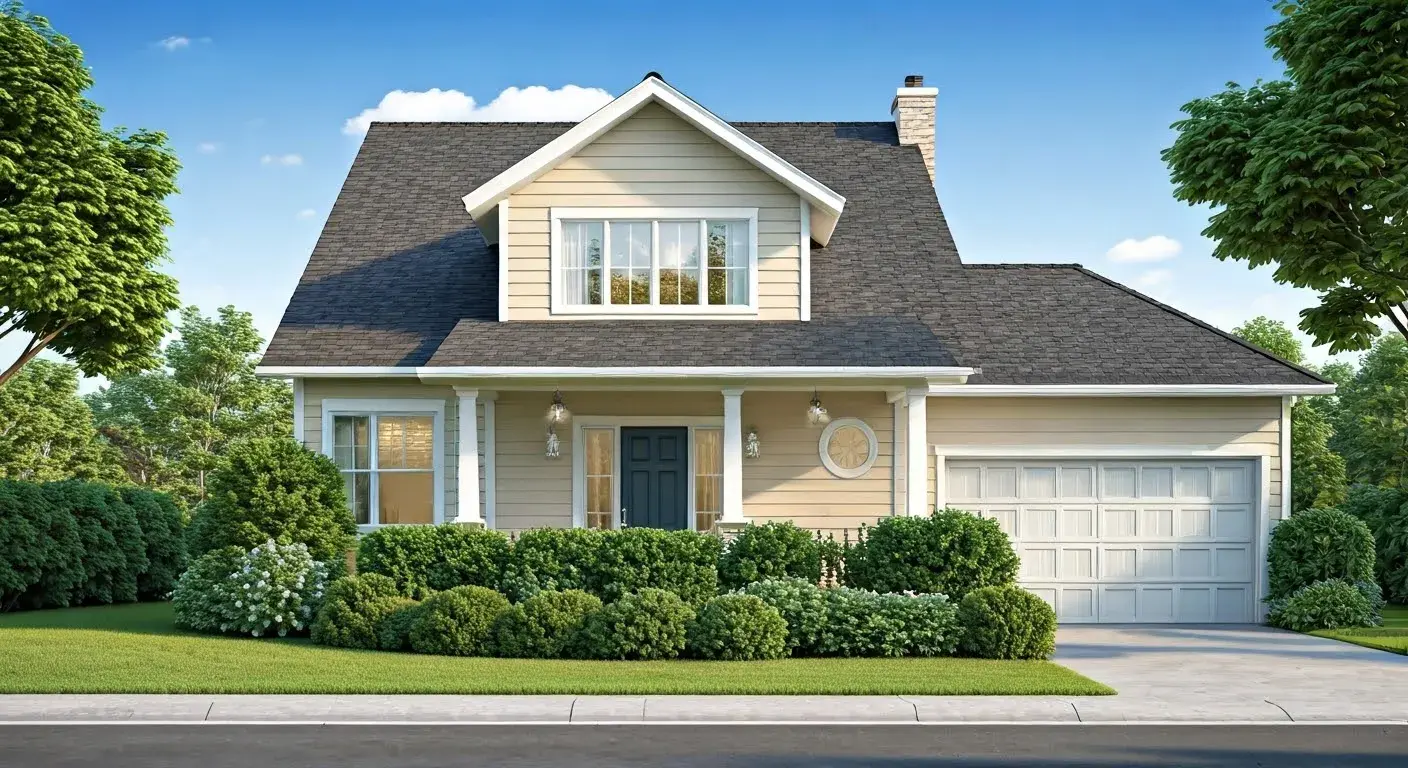
Let's consider a typical suburban home:
- Front Door: Install a doorbell camera. If an additional view is desired, mount a wide-angle outdoor camera 9-10 feet high on the porch ceiling or wall, angled downwards towards the door and walkway.
- Driveway/Garage: Mount an outdoor camera on the garage exterior or a nearby pole, angled to cover the entire driveway and the garage entrance. Ensure it has good night vision.
- Backyard/Patio: Place an outdoor camera on the rear of the house, covering the patio door and a significant portion of the backyard. Angle it to capture any activity near the back door and fence line.
- Side Yard/Vulnerable Window: If a side yard has a window that is particularly exposed, install a discreet outdoor camera angled towards it.
- Interior Hallway: Mount an indoor camera at the end of the main hallway, angled to cover the primary routes through the house.
- Living Area: Place another indoor camera in the main living space, focusing on areas where valuables might be kept or where activity is frequent.
By following these principles, you can create a robust surveillance network that effectively monitors your property and deters unwanted attention. For more advanced setups, consider professional consultation to map out optimal camera placements based on your home's unique architecture and layout.
Understanding Connectivity and Storage
The backbone of any smart home video surveillance system lies in its connectivity and how video footage is stored. In 2025, robust and reliable methods are crucial for ensuring continuous operation and easy access to your recordings. This section explores the options and best practices for managing your system's data.
Connectivity Options
How your cameras connect to your network and the internet dictates their performance and reliability. The primary options are Wi-Fi and wired Ethernet.
Wi-Fi Connectivity
Pros: Offers flexibility in placement as it doesn't require running physical cables. Most modern smart cameras are Wi-Fi enabled. Easy setup for many users.
Cons: Performance can be affected by Wi-Fi signal strength, interference from other devices, and network congestion. Requires a stable and strong home Wi-Fi network. Battery-powered cameras rely solely on Wi-Fi.
Best Practices: Ensure your Wi-Fi router is centrally located or consider a mesh Wi-Fi system for consistent coverage throughout your home and property. Use the 5GHz band for cameras that support it, as it offers faster speeds but has a shorter range. For outdoor cameras far from the router, consider Wi-Fi extenders or a dedicated outdoor Wi-Fi access point.
Wired Ethernet Connectivity
Pros: Provides the most stable and reliable connection, immune to wireless interference. Offers consistent high bandwidth for smooth video streaming and recording. Ideal for high-resolution cameras and continuous recording.
Cons: Requires running Ethernet cables, which can be complex and labor-intensive, especially for existing homes. Less flexible in terms of camera placement.
Best Practices: Use Power over Ethernet (PoE) where possible. PoE allows a single Ethernet cable to provide both data and power to the camera, simplifying installation and reducing the need for separate power outlets near the camera. This is particularly beneficial for outdoor installations.
Storage Solutions
Deciding where and how your video footage is stored is a critical decision, impacting accessibility, security, and cost. The main options are local storage and cloud storage.
Local Storage
On-Camera MicroSD Cards: Many smart cameras have a slot for a MicroSD card, allowing for direct recording to the device itself. This is a simple and cost-effective solution for basic recording needs.
- Pros: No recurring fees. Footage is stored locally, meaning it's accessible even if your internet connection goes down.
- Cons: Limited storage capacity (typically up to 128GB or 256GB). If the camera is stolen or damaged, the footage is lost. Performance can degrade over time.
Network Video Recorder (NVR) / Digital Video Recorder (DVR): These are dedicated devices that connect to multiple IP cameras (NVR for IP, DVR for analog) and store footage on internal hard drives. NVRs are common for modern IP-based smart home systems.
- Pros: Large storage capacity. Centralized management of multiple cameras. Footage is more secure as it's stored on a dedicated device within your home. Often offers continuous recording options.
- Cons: Higher upfront cost. Requires setup and maintenance. If your home is compromised, the NVR and its footage could be lost.
Cloud Storage
Most smart camera manufacturers offer cloud subscription services. Footage is uploaded to secure servers managed by the provider.
- Pros: Footage is stored off-site, protecting it from theft or damage to your home. Accessible from anywhere with an internet connection. No need to manage hardware. Automatic software updates.
- Cons: Requires a recurring subscription fee, which can add up over time. Dependent on a stable internet connection for live viewing and downloading footage. Privacy concerns for some users regarding data being stored by a third party.
2025-26 Trends in Connectivity and Storage
The industry is moving towards more intelligent and efficient solutions:
- Edge AI Processing: More cameras are incorporating AI directly into the device (edge processing). This allows for smarter motion detection (person, vehicle, package detection) that can trigger recordings only when relevant events occur, significantly reducing storage needs and bandwidth usage.
- Hybrid Storage Solutions: Many systems now offer a hybrid approach, allowing for local storage (e.g., MicroSD card or NVR) as a primary backup and cloud storage for off-site redundancy. This provides the best of both worlds: local access and remote security.
- Enhanced Bandwidth Management: With the rise of 4K cameras, manufacturers are implementing more efficient video compression technologies (like H.265+) to reduce bandwidth and storage requirements without sacrificing quality.
- Increased Focus on Data Security: Cloud providers are investing heavily in encryption and robust security protocols to address consumer privacy concerns. End-to-end encryption is becoming more prevalent.
Choosing the Right Storage for You
Consider these questions:
- What is your budget? Cloud subscriptions have ongoing costs, while NVRs are a larger upfront investment.
- How much footage do you need to store? If you need continuous recording of multiple cameras, an NVR or high-capacity cloud plan is necessary. For event-based recording, MicroSD cards or basic cloud plans might suffice.
- How important is remote access? Cloud storage excels here.
- What are your privacy concerns? Local storage offers more direct control.
A balanced approach often involves using MicroSD cards for immediate local backup on critical cameras, an NVR for longer-term local storage of multiple cameras, and a modest cloud subscription for off-site redundancy and remote access. For instance, a 2025-26 setup might utilize cameras with edge AI, recording events to a MicroSD card, and then syncing crucial clips to a cloud service for remote viewing and safekeeping.
Advanced Features to Look For
Beyond the basics of resolution and placement, modern smart home video surveillance systems offer a suite of advanced features that significantly enhance their effectiveness, usability, and security. In 2025-26, these features are becoming increasingly sophisticated and integrated.
Artificial Intelligence (AI) and Smart Detection
This is arguably the most transformative advancement in home surveillance. AI-powered cameras can differentiate between various types of motion, drastically reducing false alerts and providing more actionable notifications.
- Person Detection: Alerts you specifically when a human is detected, ignoring pets, vehicles, or swaying trees.
- Vehicle Detection: Notifies you when a car enters your driveway or approaches your property.
- Package Detection: Ideal for doorbell cameras, this feature alerts you when a package is delivered or removed.
- Facial Recognition: Some high-end systems can learn to recognize familiar faces (family members, friends) and alert you to unknown individuals. This requires careful setup and consideration of privacy.
- Sound Detection: Alerts you to unusual noises like breaking glass, smoke alarms, or even a baby crying.
Example: Imagine receiving an alert that says "Person detected at the back door" instead of just "Motion detected." This allows you to react more appropriately and quickly.
Two-Way Audio
This feature allows you to not only see and hear what's happening but also to speak and listen through the camera. It's invaluable for:
- Communicating with visitors: Whether it's a delivery driver or a guest, you can interact without opening the door.
- Deterring intruders: Speaking to someone you see on camera can often scare them away.
- Checking in on family: Communicate with children or pets remotely.
Advanced Night Vision Technologies
While IR night vision is standard, newer technologies offer significant improvements:
- Color Night Vision: Utilizes ambient light (even very low levels) to produce full-color images in low-light conditions, offering more detail and realism than traditional black-and-white IR footage.
- Starlight Sensors: These sensors are designed to capture more light, providing clearer and more detailed images in extremely low-light environments.
- Integrated Spotlights: Some outdoor cameras include built-in LED spotlights that activate upon motion detection, providing illumination and color night vision, and acting as a visual deterrent.
Pan, Tilt, and Zoom (PTZ) Capabilities
PTZ cameras offer motorized control to move the camera lens horizontally (pan), vertically (tilt), and to zoom in on specific areas. This is particularly useful for:
- Covering large areas: A single PTZ camera can often replace multiple fixed cameras.
- Tracking motion: Some advanced PTZ cameras can automatically follow moving objects.
- Manual inspection: Allows you to manually pan, tilt, and zoom to investigate specific events or areas of interest in real-time.
Note: PTZ cameras often require a wired connection for reliable operation and control.
Local Storage Options and Security
While cloud storage is popular, the trend towards enhanced local storage options is significant. Look for cameras that support high-capacity MicroSD cards (up to 256GB or more) or are compatible with robust NVR systems. Security features for local storage include encryption of footage and secure access protocols.
Cybersecurity Features
As cameras become more connected, their vulnerability to cyber threats increases. Robust cybersecurity features are non-negotiable:
- End-to-End Encryption: Ensures that your video streams and stored footage are encrypted from the camera to your viewing device, preventing unauthorized access.
- Two-Factor Authentication (2FA): Adds an extra layer of security to your account login, requiring a second form of verification (e.g., a code from your phone) in addition to your password.
- Regular Security Updates: Manufacturers committed to security will regularly release firmware updates to patch vulnerabilities. Check for manufacturers with a strong track record of security support.
- Secure Network Protocols: Ensure cameras use secure protocols like WPA3 for Wi-Fi and secure versions of RTSP for direct streaming if needed.
Statistics: A 2025 cybersecurity report indicated that IoT device vulnerabilities, including smart cameras, remain a significant concern. Prioritizing devices with strong security features is crucial, with 78% of consumers stating that cybersecurity is a key factor in their purchasing decisions for smart home devices.
Integration Capabilities (Smart Home Ecosystems)
The true power of smart home video surveillance is unlocked when it integrates seamlessly with your broader smart home ecosystem. This allows for automated actions based on camera triggers.
- Works with Alexa, Google Assistant, Apple HomeKit: Enables voice control of cameras and integration with other smart devices.
- IFTTT (If This Then That) Support: Allows for custom automation recipes, such as turning on smart lights when motion is detected by a camera.
- Integration with Smart Locks and Alarms: For example, if a camera detects an intruder, it could trigger smart locks to engage and the home alarm system to arm.
By carefully considering these advanced features, you can select a smart home video surveillance system that not only monitors your property but also actively contributes to your home's overall security and automation.
Integrating with Your Smart Home
The true potential of smart home video surveillance is realized when it becomes an integral part of your connected home ecosystem. Integration allows for automated responses, enhanced convenience, and a more cohesive security strategy. In 2025, this integration is more sophisticated and intuitive than ever before.
Understanding Smart Home Hubs and Ecosystems
Smart home hubs (like Samsung SmartThings, Hubitat) and voice assistants (Amazon Alexa, Google Assistant, Apple HomeKit) act as central controllers for your smart devices. They allow different brands and types of devices to communicate with each other.
- Voice Assistants: Enable hands-free control of your cameras. You can ask Alexa to "show me the front door camera" or tell Google Assistant to "record from the backyard camera."
- Smart Home Hubs: Provide more advanced automation capabilities. They can create complex routines and scenes that involve multiple devices.
- Proprietary Ecosystems: Some brands (like Ring, Nest) offer a more integrated experience within their own ecosystem, but often also support broader integrations.
Creating Powerful Automation Routines
The real magic happens when you link your cameras to other smart devices. Here are some compelling examples of automation routines that leverage smart home video surveillance:
Security-Focused Automations
- Intruder Deterrence: If a camera detects an unknown person in the yard after sunset, trigger outdoor floodlights to turn on, and send a notification to your phone.
- Doorbell Alerts: When the doorbell camera detects motion or a person, turn on the porch light and send a notification with a snapshot to your smartphone.
- Away Mode Enhancement: When your smart home system is in "Away" mode, any motion detected by outdoor cameras triggers a notification and can even activate a smart siren or alert a professional monitoring service (if subscribed).
- Package Monitoring: When a package is detected by the doorbell camera, send a notification and automatically turn on a smart plug connected to a porch light for better visibility.
Convenience and Lifestyle Automations
- Welcome Home: When your camera detects you (via facial recognition or geofencing) arriving home, disarm the security system, turn on specific lights, and adjust the thermostat.
- Pet Monitoring: If an indoor pet camera detects your pet acting unusually (e.g., excessive barking), it could trigger a notification or even activate a smart pet feeder.
- Child Monitoring: If a nursery camera detects unusual sound levels or motion, it can send a notification to your phone or even trigger a baby monitor to display on a smart display.
- Energy Saving: If an indoor camera detects a room is unoccupied for a set period, it could trigger the smart thermostat to adjust to an energy-saving mode.
Compatibility and Choosing the Right Ecosystem
When selecting smart cameras, ensure they are compatible with your existing or planned smart home ecosystem. Look for:
- "Works With" Labels: Prominently displayed logos for Alexa, Google Assistant, HomeKit, IFTTT, etc.
- Open APIs or SDKs: For advanced users, these allow for deeper integration and custom development.
- Unified Apps: Some brands offer apps that can control not only their cameras but also other compatible smart devices, simplifying management.
Example: If you primarily use Google Assistant, prioritize cameras that have robust Google Assistant integration for seamless voice commands and routine creation. If you're building a comprehensive security system, consider cameras that can trigger smart locks or integrate with professional monitoring services.
The Role of Geofencing
Geofencing uses your smartphone's location to trigger actions. Cameras can be integrated with geofencing for:
- Arming/Disarming: Automatically arm your cameras when you leave a designated radius around your home and disarm them when you return.
- Activity Alerts: Receive alerts only when you are away from home, reducing unnecessary notifications when you're present.
Data Privacy in Integrated Systems
As more devices connect, data privacy becomes paramount. Ensure that:
- The manufacturer has a clear privacy policy.
- You understand what data is collected and how it's used.
- You enable all available security features like 2FA and strong passwords.
- You regularly review connected devices and revoke access for any you no longer use.
By thoughtfully integrating your smart home video surveillance system, you transform it from a passive monitoring tool into an active, intelligent component of your connected home, enhancing both security and daily convenience.
Maintaining and Optimizing Your System
A smart home video surveillance system is not a set-it-and-forget-it solution. Regular maintenance and optimization are crucial to ensure its continued performance, reliability, and security. In 2025, proactive care can prevent issues and maximize the return on your investment.
Regular Software and Firmware Updates
Manufacturers continuously release updates for camera firmware, mobile apps, and NVR/DVR software. These updates are vital for:
- Security Patches: Addressing newly discovered vulnerabilities to protect your system from cyber threats.
- Performance Improvements: Enhancing video quality, motion detection accuracy, and connectivity stability.
- New Features: Introducing new functionalities and improving existing ones.
Action: Enable automatic updates whenever possible. If manual updates are required, schedule them regularly (e.g., monthly) and ensure you follow the manufacturer's instructions carefully.
Cleaning and Physical Inspection
Outdoor cameras are exposed to dust, dirt, pollen, spiderwebs, and water spots, which can degrade image quality. Indoor cameras can accumulate dust, affecting lens clarity.
- Lenses: Gently clean camera lenses with a microfiber cloth. For stubborn grime, use a lens cleaning solution specifically designed for optics. Avoid abrasive materials.
- Camera Housings: Wipe down camera exteriors to remove debris. For outdoor cameras, check for any signs of damage, corrosion, or insect infestation.
- Mounts and Connections: Ensure all mounts are secure and cables are properly connected and protected from the elements.
Frequency: Clean lenses and housings at least quarterly, or more often in environments with heavy dust or pollution.
Network Performance Checks
A strong and stable network is essential for smooth video streaming. Regularly monitor your network performance:
- Wi-Fi Signal Strength: Use your smartphone or a Wi-Fi analyzer app to check the signal strength at each camera location. Weak signals can lead to dropped connections, pixelation, or buffering.
- Bandwidth Usage: If you experience performance issues, check your network's overall bandwidth usage. High-resolution cameras and multiple devices can consume significant bandwidth.
- Router Health: Reboot your router and modem periodically (e.g., weekly) to clear temporary glitches and maintain optimal performance.
Optimization: If signal strength is an issue, consider relocating your router, upgrading to a mesh Wi-Fi system, or using Wi-Fi extenders. Ensure your router firmware is up to date.
Storage Management and Health
Whether using MicroSD cards, NVRs, or cloud storage, proper management is key.
- MicroSD Cards: These have a limited lifespan. Monitor their health through the camera's app. Consider replacing them every 1-2 years, especially if you have continuous recording enabled.
- NVR/DVR Hard Drives: Most NVRs offer drive health monitoring. Check for any warnings or errors. Ensure adequate free space; if storage is full, older footage may be automatically overwritten.
- Cloud Storage: Review your subscription plan periodically to ensure it meets your needs. Check for any notifications regarding storage limits or account issues.
Backup Strategy: Regularly download critical footage from your local storage to an external drive or secure cloud service as a backup, especially before any planned system changes or if you suspect a storage device is nearing the end of its life.
Reviewing and Adjusting Settings
As your needs evolve or the environment changes, you may need to adjust camera settings.
- Motion Detection Zones: Refine motion detection zones to focus on critical areas and exclude nuisance triggers (e.g., a busy sidewalk, a swaying tree).
- Sensitivity Levels: Adjust motion sensitivity to balance between capturing all events and avoiding false alarms.
- Recording Schedules: If you have cameras with scheduling capabilities, adjust them based on your daily routine (e.g., record continuously when you're away, record only on motion when you're home).
- Notification Preferences: Customize which events trigger notifications and how you receive them (push notifications, email, etc.).
Testing and Verification
Periodically test your system to ensure everything is working as expected.
- Walk-Test: Walk in front of each camera to verify motion detection is working and that you receive notifications.
- Playback Test: Access recorded footage to confirm it's clear, in sync, and stored correctly.
- Two-Way Audio Test: Test the audio functionality on cameras that support it.
- Integration Test: Verify that your automated routines are still functioning correctly.
By implementing these maintenance and optimization strategies, you ensure your smart home video surveillance system remains a reliable, effective, and secure guardian of your home for years to come.
Legal and Privacy Considerations
Implementing smart home video surveillance involves not only technical aspects but also crucial legal and privacy considerations. In 2025, understanding and respecting these boundaries is essential to avoid potential legal issues and maintain trust with neighbors and family members. This section outlines key points to be aware of.
Recording Laws and Regulations
Laws regarding audio and video recording vary significantly by jurisdiction (country, state, province). It is your responsibility to be aware of and comply with these laws.
- Audio Recording: In many places, it is illegal to record conversations without the consent of all parties involved (two-party consent states/countries). Most smart cameras with two-way audio are designed to only record audio when the app is actively being used or when motion is detected, but it's crucial to understand your local laws. Some systems allow you to disable audio recording entirely.
- Video Recording: Generally, recording video on your own property is permissible. However, issues arise when cameras capture footage of public spaces or private property belonging to others.
Neighbor and Public Space Concerns
Your surveillance system should not infringe on the privacy of your neighbors or the public.
- Neighbor's Property: Avoid pointing cameras directly into your neighbors' windows, backyards, or private living spaces. This can be considered invasion of privacy and may lead to legal action or strained relationships.
- Public Sidewalks/Streets: While some incidental capture of public areas is often unavoidable, your primary focus should be your own property. If your camera captures a significant amount of public space, consider adjusting its angle or using privacy masking features if available.
- Consent and Notification: In some communities or for shared spaces (like apartment complexes), there may be rules or requirements for notifying neighbors or obtaining consent before installing surveillance equipment.
Data Security and Privacy for Your Own Data
Protecting your own data and privacy is as important as protecting your property.
- Strong Passwords: Use unique, strong passwords for your camera accounts, Wi-Fi network, and any associated apps.
- Two-Factor Authentication (2FA): Always enable 2FA on your camera accounts to prevent unauthorized access even if your password is compromised.
- Secure Network: Ensure your home Wi-Fi network is secured with WPA3 encryption.
- Manufacturer's Privacy Policy: Read and understand the privacy policy of your camera manufacturer. Be aware of how they collect, store, and use your data. Opt for manufacturers with transparent and strong privacy practices.
- Data Encryption: Prioritize cameras and services that offer end-to-end encryption for your video streams and stored footage.
Employee or Tenant Monitoring
If you are using surveillance for a business or rental property, specific laws apply.
- Employee Monitoring: In a workplace, employees generally have a lower expectation of privacy, but there are still legal limits. Clearly inform employees that surveillance is in place and what areas are monitored.
- Tenant Monitoring: For rental properties, you can typically monitor common areas (hallways, exteriors) but generally cannot monitor private living spaces within the rental unit without explicit consent. Laws vary significantly, so consult legal counsel.
Record Retention Policies
Consider how long you need to retain footage. While some systems overwrite footage automatically, you may need to manually save important clips for evidence or personal records. Be mindful of local regulations that might dictate maximum retention periods for certain types of data.
Ethical Considerations
Beyond legal requirements, consider the ethical implications of surveillance. Ensure your system is used responsibly and not for harassment, stalking, or other malicious purposes. Transparency and respect for others' privacy are paramount.
Recommendation: Before installing any smart home video surveillance system, research the specific laws and regulations in your area regarding audio and video recording, as well as privacy rights. If you manage a business or rental property, consulting with a legal professional is highly recommended to ensure full compliance.
Conclusion
Mastering smart home video surveillance is an ongoing journey, but by understanding and implementing the secrets outlined in this guide, you can build a system that offers unparalleled peace of mind. From selecting the right cameras with advanced AI detection and robust cybersecurity features to strategically placing them for maximum coverage and seamlessly integrating them into your smart home ecosystem, every step contributes to a more secure environment. Remember the importance of reliable connectivity, secure storage solutions, and consistent maintenance to keep your system performing optimally. Crucially, always prioritize legal compliance and respect for privacy, ensuring your surveillance efforts are both effective and ethical. By investing time and attention into these key areas, you transform your smart home surveillance from a simple monitoring tool into an intelligent, proactive guardian of your home and loved ones.