
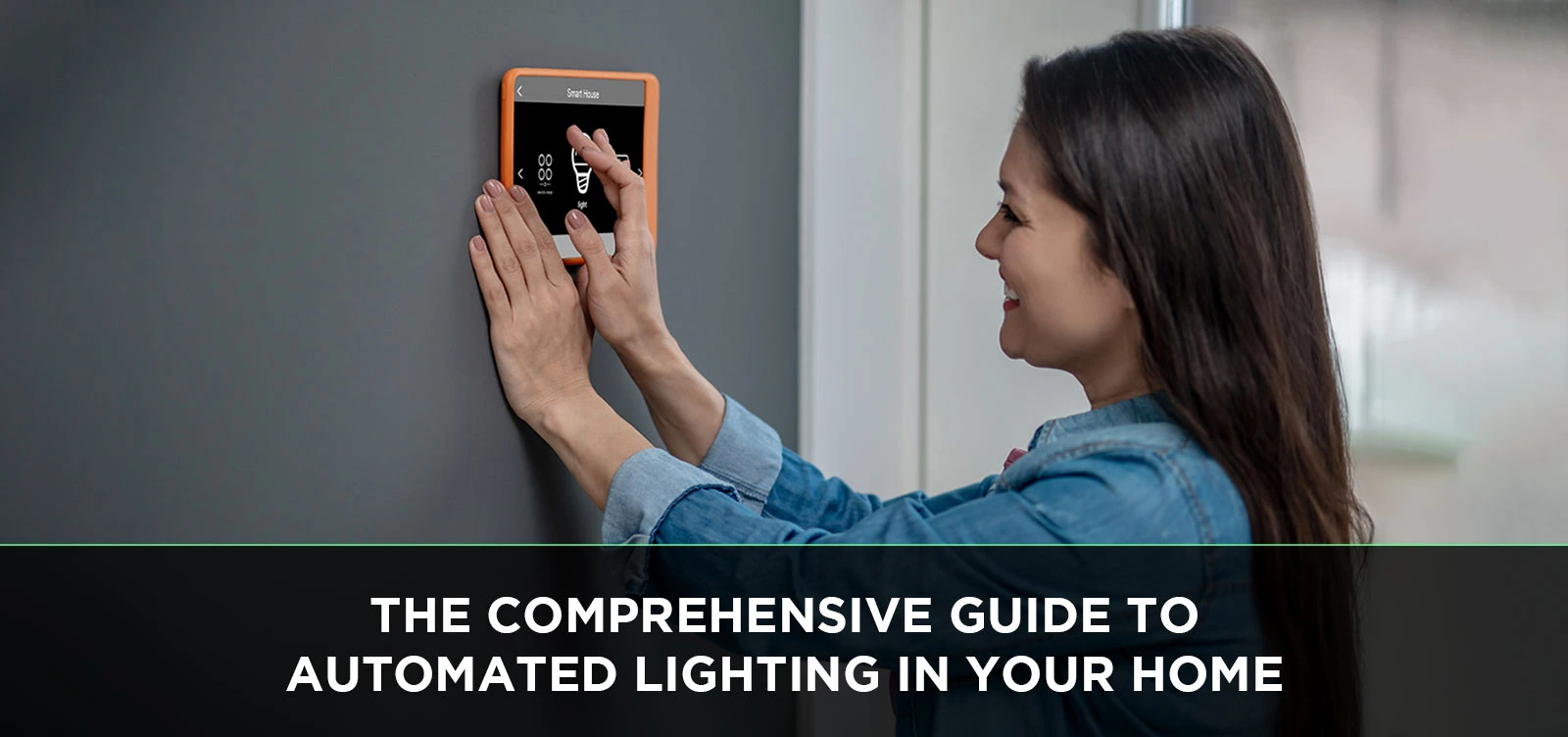
Transform your living space with intelligent illumination. Automated lighting, also known as smart lighting, offers unparalleled convenience, enhanced security, and significant energy savings. This comprehensive guide will demystify the technology, helping you create a perfectly lit home that adapts to your life.
What is Automated Lighting?
Automated lighting, or smart lighting, refers to a system of interconnected lights and controls that can be programmed, scheduled, and remotely operated. Unlike traditional lighting, which relies on manual switches, automated systems leverage technology to provide a dynamic and responsive lighting experience. This can range from simple motion-activated lights to sophisticated whole-home systems that adjust based on time of day, occupancy, or even your mood. The core principle is to bring intelligence and control to how your home is illuminated, moving beyond basic on/off functionality to create environments that are both functional and aesthetically pleasing. This technology is rapidly evolving, with new innovations emerging regularly, making it an increasingly accessible and desirable upgrade for modern homes. By integrating smart bulbs, switches, sensors, and hubs, homeowners can achieve a level of control and personalization previously unimaginable.
How It Works: The Tech Behind the Glow
At its heart, automated lighting relies on a network of smart devices communicating with each other, typically wirelessly. The primary communication protocols include Wi-Fi, Bluetooth, Zigbee, and Z-Wave. Wi-Fi devices connect directly to your home's router, offering broad compatibility but potentially consuming more power. Bluetooth is ideal for short-range communication and simple setups. Zigbee and Z-Wave are low-power mesh networking protocols specifically designed for smart home devices, creating a robust and reliable network where devices can relay signals to extend range.
These devices are controlled via a central hub or directly through a smartphone app. A hub acts as the brain of the system, translating commands from your app or voice assistant into signals that your lights can understand. Many modern systems are moving towards hub-less designs, with devices connecting directly to Wi-Fi, simplifying setup for basic functionalities. Voice assistants like Amazon Alexa, Google Assistant, and Apple's Siri play a crucial role, allowing for hands-free control. You can simply say, "Alexa, dim the living room lights to 50%," and your wish is granted. Sensors, such as motion detectors and ambient light sensors, further enhance automation by triggering lighting changes based on environmental conditions or activity.
Smart Bulbs vs. Smart Switches vs. Smart Plugs
Understanding the different types of smart lighting hardware is crucial for choosing the right solution.
- Smart Bulbs: These are the most common entry point. They screw into existing fixtures and offer individual control over color, brightness, and sometimes even color temperature. They are ideal for accent lighting or when you want granular control over specific lamps or fixtures.
- Smart Switches: These replace your existing wall switches and control the entire circuit connected to them. They offer a more integrated look and are excellent for controlling multiple lights in a room or for fixtures where smart bulbs aren't practical (e.g., ceiling fans with integrated lights).
- Smart Plugs: These plug into standard outlets, and then your traditional lamp or lighting fixture plugs into the smart plug. They are the simplest way to make non-smart lighting smart, offering on/off control and scheduling.
The Transformative Benefits of Automated Lighting
The appeal of automated lighting extends far beyond mere novelty. It offers tangible advantages that enhance daily life, security, and efficiency. By intelligently managing your home's illumination, you unlock a host of benefits that traditional lighting simply cannot provide. These advantages contribute to a more comfortable, secure, and sustainable living environment, making smart lighting a worthwhile investment for any homeowner.
Enhanced Convenience and Comfort
Imagine walking into a dark house and having the lights automatically turn on, or waking up gently to gradually increasing light. Automated lighting makes this a reality. You can control your lights from anywhere using your smartphone, schedule them to turn on and off at specific times (e.g., turning on porch lights at dusk and off at dawn), and even create custom "scenes" for different activities. A "movie night" scene might dim the main lights and turn on accent lighting, while a "reading" scene could provide bright, focused illumination. Voice control adds another layer of convenience, allowing you to adjust lighting without lifting a finger. This level of effortless control significantly enhances the comfort and usability of your home.
Improved Home Security
Smart lighting is a powerful deterrent against potential intruders. You can program lights to turn on and off randomly when you're away, mimicking occupancy and making your home appear lived-in. Motion sensors can trigger lights to illuminate pathways or deter unwelcome visitors. Integrating your lighting with smart security cameras or doorbells can provide an extra layer of protection, with lights illuminating an area when motion is detected near an entry point. This proactive approach to security offers peace of mind, knowing your home is better protected even when you're not there.
Energy Efficiency and Cost Savings
One of the most significant benefits of automated lighting is its contribution to energy conservation. Smart bulbs and systems often use LED technology, which is inherently more energy-efficient than incandescent bulbs. Beyond that, smart controls allow for precise management of light usage. Lights can be programmed to turn off automatically when a room is unoccupied, preventing wasted energy. Dimming capabilities also play a role; reducing brightness by even 20-30% can significantly cut energy consumption without a noticeable impact on illumination quality for many tasks. Scheduling ensures lights aren't left on unnecessarily overnight. According to a 2025 report by the U.S. Department of Energy, smart lighting systems can reduce household lighting energy consumption by up to 30-50% compared to traditional setups, leading to substantial savings on electricity bills over time.
Mood Setting and Ambiance Creation
Beyond functionality, automated lighting excels at transforming the atmosphere of your home. With smart bulbs capable of producing millions of colors and adjustable color temperatures (from warm, cozy yellows to cool, energizing blues), you can craft the perfect ambiance for any occasion. Imagine a vibrant, colorful setting for a party, a calming, warm glow for a relaxing evening, or bright, natural light for focused work. These customizable lighting environments can positively impact mood, productivity, and overall well-being. The ability to create and recall specific lighting "scenes" means you can instantly set the mood with a single command or tap.
Accessibility and Assistance
For individuals with mobility challenges or those who find manual light switches difficult to operate, automated lighting offers a significant improvement in independence and ease of use. Voice control and app-based controls eliminate the need for physical interaction with switches, making it easier to manage lighting throughout the home. Scheduled lighting can also assist individuals with certain medical conditions or sleep disorders by providing consistent and predictable light environments. This technology empowers users, making their homes more comfortable and accessible.
Exploring the Landscape: Types of Automated Lighting Systems
The world of automated lighting is diverse, offering solutions for every need and budget. From simple, standalone devices to complex, integrated whole-home systems, understanding these categories will help you select the best fit for your requirements. Each type offers a unique balance of features, complexity, and cost, allowing for a tailored approach to smart illumination.
Standalone Smart Bulbs and Plugs
These are the most straightforward entry points into automated lighting. Each bulb or plug operates independently or pairs directly with a smartphone app via Wi-Fi or Bluetooth. They don't require a central hub.
- Pros: Easy to set up, affordable for individual lights, great for beginners.
- Cons: Limited integration between devices, functionality is typically confined to individual units, can strain Wi-Fi network if many devices are used.
- Best for: Adding smart control to a few lamps, accent lighting, or renters who can't modify wiring.
Hub-Based Systems (Zigbee and Z-Wave)
These systems utilize a central hub that acts as a translator between your smart devices and your home network. Devices communicate with the hub using low-power protocols like Zigbee or Z-Wave.
- Pros: More reliable and responsive than Wi-Fi-only devices, create a dedicated mesh network for smart devices, allow for more complex automations and integrations between different brands (if compatible with the hub), less strain on your Wi-Fi network.
- Cons: Requires purchasing a hub, slightly more complex initial setup.
- Best for: Users who want robust, scalable systems with advanced automation and integration capabilities.
Example: Philips Hue (uses Zigbee and its own bridge), Samsung SmartThings (supports Zigbee and Z-Wave).
Wi-Fi Based Systems (Without a Hub)
These systems allow smart bulbs and switches to connect directly to your home's Wi-Fi router. Control is typically managed through a dedicated app.
- Pros: No need for an additional hub, generally easy setup, wide availability.
- Cons: Can consume significant Wi-Fi bandwidth, potentially less reliable in areas with weak Wi-Fi signals, may have limited interoperability with other smart home ecosystems.
- Best for: Users who already have a strong Wi-Fi network and prefer a simpler, hub-less setup for a moderate number of devices.
Example: TP-Link Kasa, Wyze.
Integrated Whole-Home Systems
These are the most comprehensive solutions, often installed by professionals. They integrate lighting with other smart home systems like thermostats, security, and entertainment, offering a unified and highly customized experience.
- Pros: Seamless integration, advanced customization, professional installation and support, high reliability.
- Cons: Most expensive option, requires professional installation, less flexibility for DIY changes.
- Best for: New home builds or major renovations where a complete smart home ecosystem is desired.
Example: Control4, Crestron, Lutron Homeworks.
DIY vs. Professional Installation
The choice between a DIY approach and professional installation depends on your technical comfort level, the complexity of the system, and your budget.
DIY: Ideal for simple setups like smart bulbs and plugs, or even replacing a few smart switches if you are comfortable with basic electrical work. Many systems are designed for user-friendly installation.
Professional Installation: Recommended for complex whole-home systems, hardwired smart switches, or if you want to ensure everything is set up correctly and integrated seamlessly. Professionals can also advise on the best system for your needs and ensure compliance with local electrical codes.
Deconstructing the System: Key Components of Automated Lighting
A robust automated lighting system is comprised of several interconnected components, each playing a vital role in delivering intelligent illumination. Understanding these elements will help you design a system that meets your specific needs and integrates seamlessly into your home.
Smart Light Bulbs
These are the workhorses of your smart lighting system. They come in various types:
- Dimmable White: Allows for brightness control.
- Tunable White: Adjusts color temperature from warm to cool white.
- Color-Changing: Offers a full spectrum of colors for ambiance and mood.
They connect via Wi-Fi, Bluetooth, Zigbee, or Z-Wave and are controlled via apps or voice assistants. Many smart bulbs are LEDs, offering significant energy savings.
Smart Switches and Dimmers
Replacing traditional light switches with smart versions provides centralized control for entire circuits.
- Smart Switches: Turn lights on/off.
- Smart Dimmers: Control brightness levels.
- Smart Fan/Light Combos: Control both ceiling fans and lights.
These are ideal for overhead lighting, multi-bulb fixtures, or rooms where you want a unified control point. Installation typically requires basic electrical knowledge or professional help.
Smart Plugs
These simple devices plug into standard wall outlets, allowing you to control any lamp or lighting fixture plugged into them.
- Functionality: On/off control, scheduling. Some may offer energy monitoring.
- Ease of Use: Extremely easy to set up and use, making them a great entry point for smart lighting.
Lighting Control Hubs and Gateways
For systems using Zigbee or Z-Wave, a hub is essential. It acts as the central controller, translating commands and enabling communication between devices and your home network.
- Role: Manages device connections, facilitates automation rules, allows remote access.
- Benefits: Enhances reliability, extends range through mesh networking, enables interoperability between different brands (if supported by the hub).
Sensors (Motion and Occupancy)
These devices detect movement or presence, triggering lighting actions automatically.
- Motion Sensors: Detect movement, ideal for pathways, closets, or areas where lights should turn on when someone enters.
- Occupancy Sensors: More sophisticated, detecting both motion and stillness, ensuring lights turn off only when a room is truly empty.
Sensors are key to creating truly automated and energy-saving lighting experiences.
Ambient Light Sensors
These sensors measure the natural light levels in a room.
- Functionality: Can be used to automatically adjust artificial lighting to maintain a consistent light level, or to turn lights off when sufficient natural light is available.
- Benefit: Optimizes lighting for comfort and energy efficiency.
Voice Assistants and Apps
These are your primary interfaces for controlling the system.
- Voice Assistants: Amazon Alexa, Google Assistant, Apple Siri allow for hands-free control.
- Smartphone Apps: Provide detailed control, scheduling, scene creation, and remote access.
Seamless integration with popular voice assistants is a hallmark of modern smart lighting systems.
Laying the Foundation: Planning Your Automated Lighting Project
A well-planned automated lighting project ensures that your investment delivers maximum value and convenience. Rushing into installation without proper consideration can lead to frustration and suboptimal results. Taking the time to plan thoughtfully will result in a system that perfectly complements your lifestyle and home.
Assess Your Needs and Goals
Before diving into product selection, clearly define what you want to achieve with your automated lighting.
- Convenience: Do you want lights to turn on automatically when you arrive home? Or be controlled by voice?
- Security: Are you looking to simulate occupancy or have lights activate upon detecting motion?
- Ambiance: Do you want to create different lighting moods for various activities (e.g., dining, relaxing, working)?
- Energy Savings: Is reducing your electricity bill a primary objective?
- Accessibility: Are there specific needs for individuals with mobility limitations?
Prioritizing these goals will guide your choices in system type and features.
Map Out Your Lighting Zones
Divide your home into logical lighting zones. This could be by room (living room, kitchen, bedroom) or by function within a room (e.g., task lighting in the kitchen, accent lighting on artwork).
- Identify key areas: Where do you spend most of your time? Which areas require specific lighting conditions?
- Consider control points: How many switches or control points are needed per zone?
- Plan for automation: Which zones would benefit most from motion sensors or scheduling?
Choose Your System Type and Protocol
Based on your needs and goals, decide on the best system type:
- Standalone: For simple, single-room solutions.
- Hub-Based (Zigbee/Z-Wave): For robust, integrated systems with many devices.
- Wi-Fi Based: For simpler, hub-less setups with a strong network.
- Whole-Home: For comprehensive smart home integration.
Consider the communication protocol (Wi-Fi, Zigbee, Z-Wave) and its compatibility with other smart home devices you might own or plan to purchase. Interoperability is key for a unified smart home experience.
Select Your Devices (Bulbs, Switches, Plugs)
Choose the specific hardware that fits your zones and desired functionality.
- Bulbs: For lamps, accent lighting, or fixtures where individual control is paramount.
- Switches: For overhead lighting, chandeliers, or areas with multiple fixtures controlled by one switch.
- Plugs: For easy smartening of existing lamps and non-integrated lighting.
Pay attention to features like dimming capabilities, color options, and compatibility with your chosen system.
Consider Integration with Other Smart Home Devices
Think about how your lighting system will interact with other smart devices in your home.
- Voice Assistants: Ensure compatibility with your preferred assistant (Alexa, Google Assistant, Siri).
- Smart Thermostats: Can lights adjust based on whether the thermostat is in "away" mode?
- Smart Security: Can lights activate when a security camera detects motion?
A well-integrated smart home provides a more seamless and powerful user experience.
Budgeting and Scalability
Determine your budget and consider future expansion.
- Initial Cost: Factor in the price of bulbs, switches, hubs, and any professional installation fees.
- Long-Term Savings: Account for energy cost reductions.
- Scalability: Choose a system that allows you to easily add more devices later as your needs evolve.
It's often wise to start with a few key areas and expand over time.
Bringing it to Life: Installation and Setup Guide
Installing and setting up your automated lighting system can be a rewarding DIY project or a task best left to professionals. This guide covers the general steps involved, from initial setup to configuring your smart devices.
Step 1: Gather Your Tools and Materials
Ensure you have everything needed before you begin.
- Smart Devices: Bulbs, switches, plugs, hub (if applicable).
- Smartphone or Tablet: For app-based setup and control.
- Wi-Fi Network: Stable internet connection and password.
- Tools (for switches): Screwdriver set, voltage tester, wire strippers, electrical tape.
- Ladder: For reaching ceiling fixtures.
- Manufacturer's Instructions: Keep them handy.
Step 2: Install the Hub (If Applicable)
If your system uses a hub (Zigbee/Z-Wave), follow these general steps:
- Connect the Hub: Plug the hub into a power source and connect it to your router using an Ethernet cable (some hubs are Wi-Fi enabled).
- Download the App: Install the manufacturer's app on your smartphone or tablet.
- Set Up the Hub: Follow the app's instructions to discover and configure the hub. This usually involves creating an account and connecting the hub to your Wi-Fi network.
Step 3: Install Smart Switches and Plugs
For Smart Plugs:
- Plug the smart plug into a standard outlet.
- Plug your lamp or lighting fixture into the smart plug.
- Follow the app's instructions to connect the plug to your Wi-Fi network or hub.
For Smart Switches:
- Safety First: Turn off the power to the circuit at your breaker box. Verify the power is off using a voltage tester.
- Remove Old Switch: Unscrew and remove the existing wall plate and switch. Disconnect the wires.
- Connect New Switch: Connect the wires to the new smart switch according to the manufacturer's instructions. This typically involves connecting the line, load, neutral, and ground wires.
- Mount the Switch: Secure the smart switch in the electrical box and attach the new wall plate.
- Restore Power: Turn the power back on at the breaker box.
- Connect to App/Hub: Follow the app's instructions to pair the smart switch.
Disclaimer: If you are not comfortable working with electrical wiring, it is highly recommended to hire a qualified electrician for smart switch installation.
Step 4: Install Smart Bulbs
This is typically the simplest step:
- Ensure the power to the fixture is turned off.
- Screw the smart bulb into the existing socket.
- Turn the power back on.
- Follow the app's instructions to discover and pair the bulb with your hub or Wi-Fi network.
Step 5: Configure Your System in the App
Once devices are connected, the real magic happens in the app:
- Name Devices: Assign clear, descriptive names to each bulb, switch, or plug (e.g., "Living Room Lamp," "Kitchen Overhead"). This is crucial for voice control.
- Create Rooms/Zones: Group devices by room or zone for easier control.
- Set Schedules: Program lights to turn on/off at specific times or based on sunrise/sunset.
- Create Scenes: Define custom lighting settings for different activities (e.g., "Movie Night," "Dinner Party," "Good Morning").
- Configure Automations: Set up rules, such as "If motion detected in hallway after 10 PM, turn on hallway light to 20%."
- Link Voice Assistants: Connect your smart lighting account to Amazon Alexa, Google Assistant, or Apple HomeKit.
Step 6: Test and Troubleshoot
Thoroughly test all your devices, schedules, scenes, and voice commands.
- Check all functions: Ensure dimming, color changes, and on/off commands work as expected.
- Verify schedules: Confirm lights turn on and off at the correct times.
- Test voice commands: Speak clearly and test various commands.
If you encounter issues, consult the manufacturer's troubleshooting guide or online support resources. Common problems include connectivity issues, incorrect pairing, or app glitches.
Beyond the Basics: Advanced Features and Integrations
Once your basic automated lighting system is up and running, you can unlock its full potential by exploring advanced features and integrating it with other smart home technologies. These capabilities elevate your smart lighting from a convenience to a truly intelligent and responsive home feature.
Geofencing and Location-Based Automation
Geofencing uses your smartphone's GPS to trigger actions when you enter or leave a predefined geographic area (your home).
- "Welcome Home" Scenes: Lights can automatically turn on as you approach your house.
- "Away" Mode: Lights can turn off when the last person leaves the house, ensuring energy savings.
- Customization: You can set specific times or conditions for geofencing to activate, preventing lights from turning on unexpectedly.
Integration with Smart Hubs and Platforms
Centralized smart home hubs and platforms (like SmartThings, Home Assistant, or Apple HomeKit) allow for deeper integration and more complex automations across different brands and device types.
- Cross-Brand Compatibility: Control lights from different manufacturers within a single app.
- Complex Routines: Create sophisticated automations involving multiple devices (e.g., "When my smart lock unlocks, turn on the porch light and hallway light, and disarm the security system").
- Local Control: Some hubs offer local processing for automations, meaning they can still function even if your internet connection is down.
Scheduling and Circadian Rhythm Lighting
Beyond simple on/off schedules, advanced systems can mimic natural light patterns throughout the day.
- Circadian Lighting: Adjusts the color temperature and brightness of lights to match the natural progression of the sun. Cooler, brighter light in the morning can promote alertness, while warmer, dimmer light in the evening can aid relaxation and prepare the body for sleep.
- Adaptive Schedules: Some systems can automatically adjust schedules based on seasonal changes in sunrise and sunset times.
Advanced Sensor Integration
Beyond basic motion detection, sensors can enable more nuanced automation.
- Door/Window Sensors: Trigger lights when a door or window is opened.
- Leak Sensors: Activate specific lights or send alerts if a water leak is detected.
- Smart Blinds/Shades: Integrate lighting with automated window coverings to optimize natural light and privacy.
Energy Monitoring and Reporting
Many smart plugs, switches, and even some bulbs offer built-in energy monitoring capabilities.
- Track Usage: Monitor how much electricity individual lights or circuits are consuming.
- Identify Waste: Pinpoint devices or times of day when energy usage is unnecessarily high.
- Optimize Settings: Use the data to refine schedules and automations for maximum energy efficiency.
This data empowers you to make informed decisions about your energy consumption and further reduce your bills.
Theatrical Lighting and Effects
For entertainment spaces like home theaters or game rooms, advanced smart lighting can create immersive experiences.
- Dynamic Scenes: Create synchronized light shows that react to music or video content.
- Color Syncing: Match lighting colors to on-screen action for a more engaging viewing experience.
- Custom Effects: Program unique lighting sequences for parties or special occasions.
Investing in Brilliance: Budgeting for Your Automated Lighting System
Automated lighting represents an investment in your home's comfort, security, and efficiency. Understanding the cost factors involved will help you create a realistic budget and prioritize your spending for the greatest impact. The price can vary significantly based on the system's complexity, the number of devices, and the brands you choose.
Cost Breakdown of Components
Here's a general overview of what you can expect to pay for different components, based on 2025-26 market pricing:
| Component | Estimated Price Range (USD) | Notes |
|---|---|---|
| Smart Bulb (White Dimmable) | $10 - $25 | Basic functionality, good for individual lamps. |
| Smart Bulb (Tunable White) | $15 - $35 | Adjustable color temperature. |
| Smart Bulb (Color-Changing) | $20 - $50+ | Full spectrum of colors, best for ambiance. |
| Smart Plug | $15 - $30 | Easy way to make non-smart devices smart. |
| Smart Switch (Wi-Fi/Bluetooth) | $25 - $50 | Replaces existing switch, controls a whole circuit. |
| Smart Switch (Zigbee/Z-Wave) | $30 - $60 | Requires a hub, often more reliable. |
| Smart Dimmer Switch | $35 - $70 | Allows for brightness control of a circuit. |
| Smart Hub/Bridge | $50 - $150 | Essential for Zigbee/Z-Wave systems, enables advanced features. |
| Motion/Occupancy Sensor | $20 - $50 | For automated activation. |
| Professional Installation (per hour/fixture) | $75 - $150+ per hour or $50-$150 per fixture | Varies by location and complexity. |
Factors Influencing Cost
- Brand Reputation: Premium brands often come with higher price tags but may offer better reliability and support.
- Features: Color-changing bulbs, advanced sensors, and dimmer switches are generally more expensive than basic dimmable white bulbs or simple on/off plugs.
- System Type: Whole-home integrated systems are significantly more expensive than DIY solutions.
- Number of Devices: The more lights, switches, and sensors you install, the higher the overall cost.
- Installation Method: DIY installation saves on labor costs, but professional installation ensures correct setup and can prevent costly mistakes.
ROI and Long-Term Savings
While the initial investment can seem substantial, it's important to consider the return on investment (ROI) and long-term savings.
- Energy Efficiency: As mentioned, smart lighting, particularly with LED technology, can reduce lighting energy consumption by 30-50%. For an average household, this can translate to annual savings of $50-$200 or more on electricity bills.
- Increased Home Value: Smart home features, including automated lighting, are increasingly desirable to homebuyers and can potentially increase your home's resale value.
- Reduced Bulb Replacement: LED smart bulbs have a much longer lifespan than traditional incandescent bulbs, reducing the frequency and cost of replacements.
Budgeting Strategies
- Start Small: Begin with a few key areas, like your living room or entryway, and expand your system gradually.
- Prioritize: Focus on the benefits that are most important to you (e.g., security, convenience, energy savings) and invest in features that support those goals.
- Look for Bundles and Sales: Manufacturers often offer starter kits or discounts during holiday seasons.
- Consider Refurbished Items: Some retailers offer certified refurbished smart home devices at a lower cost.
- DIY Installation: If you're comfortable, doing the installation yourself can save significant money on labor.
Keeping the Lights On: Troubleshooting and Maintenance
Even the most advanced systems can occasionally encounter issues. Understanding common problems and their solutions, along with basic maintenance practices, will ensure your automated lighting system continues to perform optimally. Proactive care and a systematic approach to troubleshooting can resolve most issues quickly.
Common Issues and Solutions
1. Device Not Responding:
- Check Power: Ensure the device (bulb, switch, plug) is receiving power. For bulbs, check if the light switch is on. For switches/plugs, check the circuit breaker.
- Check Network Connection: Verify your Wi-Fi network is operational. For Zigbee/Z-Wave devices, ensure the hub is online and within range.
- Restart Device/Hub: Power cycle the affected device or the smart hub.
- Re-Pair Device: Remove the device from the app and re-pair it.
2. Voice Commands Not Working:
- Check Voice Assistant Connection: Ensure your voice assistant device is online and properly linked to your smart lighting account.
- Verify Device Names: Make sure you are using the exact names you assigned to your devices in the app.
- Speak Clearly: Enunciate your commands clearly.
- Update Apps: Ensure both your smart lighting app and voice assistant app are up to date.
3. Schedules Not Running:
- Check Time Zone Settings: Ensure your app and devices are set to the correct time zone.
- Verify Schedule Settings: Double-check that schedules are enabled and configured correctly within the app.
- Internet Connection: Schedules often rely on cloud connectivity, so ensure your internet is stable.
4. Lights Flickering or Dimming Unexpectedly:
- Compatibility Issues: Ensure your smart bulbs or switches are compatible with each other and with the fixture. Some dimmer switches are not compatible with all LED bulbs.
- Loose Connections: For switches, ensure wiring connections are secure.
- Overloaded Circuit: Check if the circuit is overloaded.
5. Hub Not Discovering Devices:
- Range: Ensure devices are within range of the hub. For mesh networks, try moving the device closer to the hub or another device that can act as a repeater.
- Protocol Mismatch: Confirm the device uses the same protocol (Zigbee/Z-Wave) as your hub.
- Factory Reset: You may need to factory reset the device before attempting to pair it again.
Routine Maintenance Tips
- Keep Apps and Firmware Updated: Manufacturers regularly release updates that fix bugs, improve performance, and enhance security. Enable automatic updates where possible.
- Check Wi-Fi Signal Strength: Ensure your Wi-Fi network is strong and stable, especially in areas where you have smart devices. Consider a mesh Wi-Fi system if you have dead zones.
- Clean Devices: Periodically dust smart switches and sensors. For smart bulbs, ensure they are screwed in securely.
- Review Automations: Periodically review your schedules and automations to ensure they are still relevant and functioning as intended.
- Battery Replacement: If you have battery-powered sensors, check their battery levels regularly and replace them as needed.
When to Call a Professional
While many issues can be resolved with DIY troubleshooting, there are times when professional help is necessary.
- Electrical Safety Concerns: If you suspect any wiring issues or are uncomfortable working with electricity, always call a qualified electrician.
- Complex System Failures: If multiple devices are failing or the entire system is unresponsive, a professional installer or support technician may be needed.
- Integration Problems: If you're struggling to integrate your lighting system with other complex smart home devices or platforms.
Gazing Ahead: The Future of Automated Lighting
The evolution of automated lighting is far from over. As technology advances, we can anticipate even more sophisticated, intuitive, and integrated lighting solutions that will further transform our homes and daily lives. The trends point towards greater intelligence, seamless connectivity, and a focus on well-being.
AI and Machine Learning Integration
Artificial intelligence (AI) and machine learning (ML) will play an increasingly significant role. Systems will learn your habits and preferences over time, proactively adjusting lighting without explicit commands. Imagine lights that anticipate your arrival, adjust based on the weather outside, or even learn your preferred lighting for specific moods or activities. This will lead to a truly personalized and predictive lighting experience.
Enhanced Health and Wellness Features
The focus on human-centric lighting will intensify. Beyond circadian rhythm lighting, future systems may incorporate features to improve sleep quality, boost mood, and enhance productivity. Integration with wearable health trackers could allow lighting to adapt based on your physiological data, creating optimal environments for rest, focus, or relaxation.
Greater Interoperability and Standardization
The smart home landscape is moving towards greater standardization, with initiatives like Matter aiming to ensure devices from different manufacturers can communicate seamlessly. This will simplify setup, expand compatibility, and allow users to build more robust and integrated smart home ecosystems without being locked into a single brand.
Energy Harvesting and Sustainability
While still in early stages, research into energy-harvesting technologies for smart devices, including lighting, could lead to more sustainable solutions. Imagine sensors or even bulbs that can generate their own power from ambient light or motion, reducing reliance on batteries or the grid.
Ambient Computing and Invisible Technology
The trend towards ambient computing means technology will become more integrated and less visible. Lighting controls will likely become even more intuitive, perhaps responding to gestures, subtle environmental cues, or even brain-computer interfaces in the distant future. The goal will be to make technology disappear into the background, serving our needs effortlessly.
Integration with Smart Cities and Infrastructure
As cities become "smarter," home lighting systems may begin to interact with external infrastructure. This could include adaptive street lighting that communicates with home systems, or energy management systems that optimize power consumption across entire neighborhoods.
The future of automated lighting promises a home that is not only intelligently lit but also more responsive, healthier, and seamlessly integrated into our increasingly connected lives.
In conclusion, automated lighting is no longer a futuristic concept but a practical and increasingly accessible upgrade for any home. From the fundamental benefits of convenience and security to the advanced capabilities of mood setting and energy savings, the advantages are clear. By understanding the different system types, components, and planning your project carefully, you can create an intelligent lighting environment that enhances your daily life. Whether you choose simple smart bulbs or a comprehensive whole-home system, the investment in automated lighting pays dividends in comfort, efficiency, and peace of mind. Take the first step today to illuminate your home with the intelligence it deserves.



