
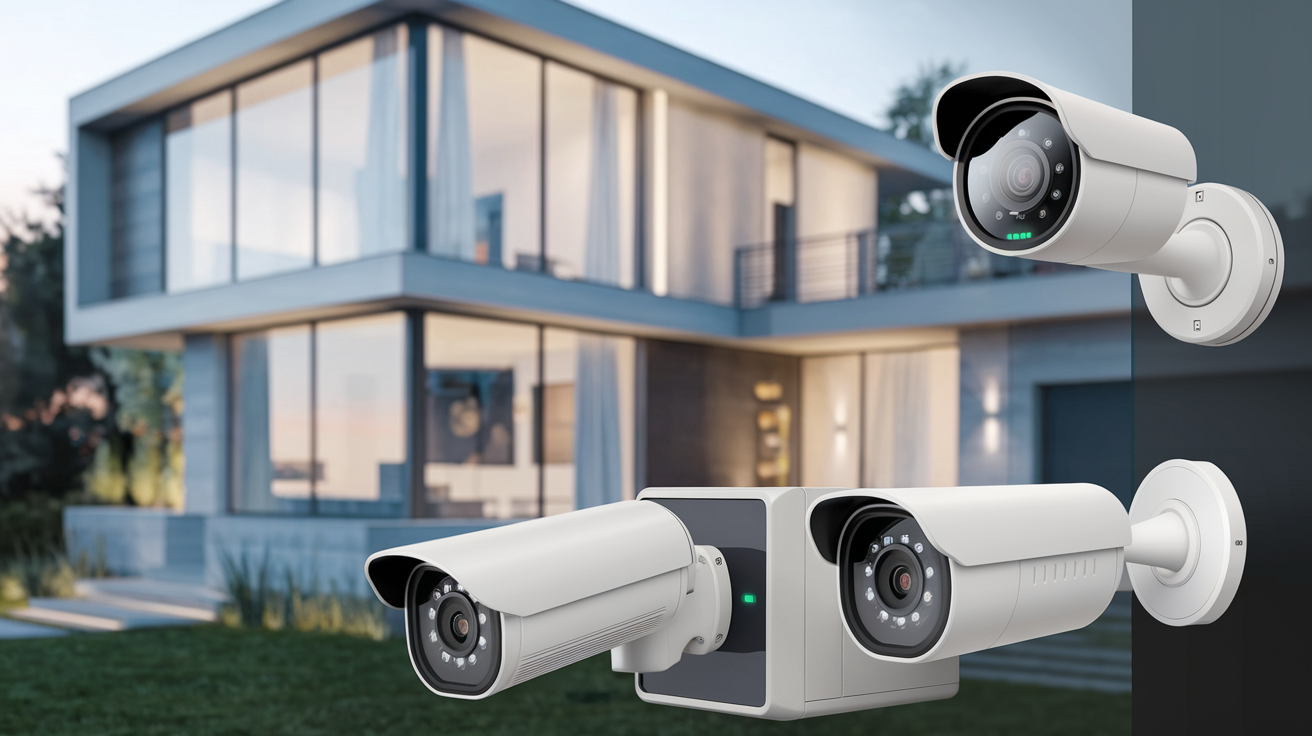
Choosing the right home camera security system can feel overwhelming with the vast array of options. This guide cuts through the noise, offering a clear, data-driven approach to finding a system that perfectly balances your needs, budget, and desired security level. We'll explore key features, installation methods, and essential considerations to empower your decision for a safer home in 2025-26.
Understanding Your Security Needs
Before diving into specific camera models and brands, the most crucial step is to thoroughly assess your unique security requirements. This foundational step will prevent you from overspending on features you don't need or underspending and leaving critical gaps in your home's protection. Consider the following aspects:
Assessing Your Property and Vulnerabilities
Walk around your property, both inside and out, with a critical eye. Identify potential entry points and areas that are less visible or more prone to intrusion. For instance:
- Exterior Entry Points: Front door, back door, garage door, ground-floor windows, basement windows, side gates.
- Interior Vulnerabilities: Hallways, staircases, rooms with valuable items, areas with poor lighting.
- Blind Spots: Areas around your home that are not visible from the street or from inside your home.
- High-Traffic Areas: Where family members and visitors frequently move.
According to recent crime statistics for 2025, burglaries often occur through unsecured doors and windows, particularly on the ground floor. Understanding these common vulnerabilities will help you strategically place your cameras.
Determining Your Security Goals
What do you primarily want your camera security system to achieve? Your goals will significantly influence the type of system and features you prioritize.
- Deterrence: Simply having visible cameras can deter potential intruders.
- Monitoring and Recording: Capturing footage for evidence in case of an incident.
- Real-time Alerts: Receiving immediate notifications on your smartphone when motion is detected.
- Remote Access: The ability to view live feeds from your cameras from anywhere in the world.
- Package Theft Prevention: Focusing on monitoring your porch and delivery areas.
- Child or Pet Monitoring: Keeping an eye on loved ones when you're not home.
In 2025, the demand for systems offering real-time, mobile-accessible alerts has surged, reflecting a desire for constant peace of mind.
Considering Your Lifestyle and Household
Your daily routines and household composition play a vital role. Are you often away from home for extended periods? Do you have children or elderly family members? Do you have pets?
- Frequent Travelers: Remote access and reliable mobile alerts are paramount.
- Families with Children: Indoor cameras can provide reassurance and allow for checking in.
- Pet Owners: Two-way audio and motion-activated recording are useful for monitoring pets.
- Elderly Care: Cameras can offer an extra layer of safety and allow family to check in.
The integration of smart home technology is also a growing trend in 2025, with many homeowners seeking systems that can work seamlessly with other smart devices like voice assistants and smart locks.
Types of Camera Security Systems
Home camera security systems generally fall into a few main categories, each with its own advantages and disadvantages. Understanding these distinctions is key to narrowing down your choices.
Wired Security Systems
Wired systems, often referred to as CCTV (Closed-Circuit Television) systems, use physical cables to connect cameras to a central recording device (DVR - Digital Video Recorder or NVR - Network Video Recorder). These systems are known for their reliability and consistent performance.
Pros:
- High Reliability: Less susceptible to wireless interference.
- Consistent Power: Cameras receive power through the cables, eliminating battery concerns.
- Superior Video Quality: Often offer higher resolution and frame rates, especially in higher-end models.
- Secure Connection: Data transmission is generally more secure as it's not broadcast wirelessly.
Cons:
- Complex Installation: Requires running cables through walls and ceilings, which can be labor-intensive and costly if professionally installed.
- Limited Flexibility: Camera placement is restricted by the availability of cable runs.
- Higher Upfront Cost: Typically more expensive initially due to hardware and installation complexity.
Wireless Security Systems
Wireless systems transmit data and often power over Wi-Fi or other radio frequencies. They offer greater flexibility and ease of installation compared to wired systems.
Pros:
- Easy Installation: No need to run cables, making setup much faster and simpler.
- Flexible Placement: Cameras can be placed almost anywhere within Wi-Fi range.
- Scalability: Easier to add more cameras to the system later.
- Aesthetically Pleasing: Fewer visible wires contribute to a cleaner look.
Cons:
DIY vs. Professionally Installed Systems
This distinction often overlaps with wired vs. wireless, but it's a critical decision point.
DIY (Do-It-Yourself) Systems:
These systems are designed for easy setup by the homeowner. They are typically wireless and come with user-friendly apps for configuration and monitoring. Popular brands like Ring, Arlo, and Wyze fall into this category.
Professionally Installed Systems:
These systems are usually more robust and complex, often requiring a professional installer. Companies like ADT, Vivint, and Brinks offer comprehensive security solutions that include camera installation, monitoring, and maintenance.
In 2025, the DIY market continues to grow, driven by affordability and the increasing user-friendliness of smart home technology. However, for those seeking comprehensive security and peace of mind without the hassle, professional installation remains a strong option.
Standalone vs. Integrated Systems
Standalone Cameras:
These are individual cameras that operate independently or connect to a local storage device (like an SD card). They are often the most affordable option and are great for monitoring specific areas.
Integrated Systems:
These systems comprise multiple cameras that work together, often connected to a central hub or NVR/DVR. They offer a more comprehensive view of your property and usually include advanced features like motion detection zones and smart alerts.
Key Features to Consider
Once you understand the types of systems, it's time to delve into the specific features that will determine the effectiveness and usability of your chosen camera security system.
Video Resolution and Quality
The resolution of your cameras directly impacts the clarity of the footage. Higher resolution means more detail, which is crucial for identifying faces, license plates, or other important information.
- 720p (HD): The minimum acceptable standard, but often too grainy for detailed identification.
- 1080p (Full HD): The most common and recommended resolution for home security. Offers good clarity for most purposes.
- 1440p (2K) and 4K (UHD): Provide significantly more detail, ideal for capturing fine details and offering digital zoom capabilities without significant loss of quality.
In 2025, 1080p is standard, with 2K and 4K becoming increasingly accessible and sought after for enhanced clarity.
Field of View (FOV)
The field of view refers to how wide an area a camera can see. A wider FOV means fewer cameras are needed to cover a large area.
- Narrow FOV (e.g., 60-90 degrees): Best for focusing on specific points, like a doorway.
- Wide FOV (e.g., 110-180 degrees): Ideal for covering larger areas like backyards or living rooms.
Consider the shape of the area you need to monitor. For a long driveway, a narrower FOV might be better, while a wide backyard benefits from a broader FOV.
Night Vision Capabilities
Effective night vision is crucial for round-the-clock security. Most cameras use infrared (IR) LEDs to illuminate the scene in darkness.
- IR Night Vision: Standard black-and-white footage in low light. Look for the range (e.g., 30ft, 60ft).
- Color Night Vision: Some advanced cameras use ambient light or specialized sensors to provide color footage even in very low light conditions, offering better detail.
In 2025, color night vision is a premium feature becoming more common, significantly improving the usability of footage captured at night.
Motion Detection and Alerts
This feature allows cameras to detect movement and send notifications to your smartphone or email. Advanced systems offer:
- Adjustable Sensitivity: To reduce false alarms from pets or passing cars.
- Person/Vehicle Detection: AI-powered features that distinguish between people, animals, and vehicles, sending more relevant alerts.
- Activity Zones: The ability to define specific areas within the camera's view where motion should be monitored.
The accuracy of motion detection and the intelligence of alerts are key differentiators in 2025, with AI-driven features becoming standard in mid-to-high-end systems.
Audio Capabilities
- One-Way Audio: Allows you to hear what's happening through the camera's microphone.
- Two-Way Audio: Enables you to speak through the camera's speaker, allowing for communication with visitors or even deterring intruders.
Two-way audio is a valuable feature for interacting with delivery drivers, family members, or as a deterrent.
Storage Options
Where will your video footage be stored?
- Local Storage (SD Card/NVR/DVR): Footage is stored directly on a device at your home. This offers privacy and avoids ongoing fees but can be lost if the device is stolen or damaged.
- Cloud Storage: Footage is uploaded to a remote server. This is convenient and accessible from anywhere but usually requires a monthly subscription fee.
In 2025, many systems offer a hybrid approach, allowing for both local and cloud storage, providing flexibility and redundancy.
Power Source
- Wired Power: Cameras are plugged into a power outlet or hardwired into your home's electrical system. This is the most reliable option.
- Battery Powered: Cameras run on rechargeable or disposable batteries. They offer maximum placement flexibility but require maintenance.
- Solar Powered: Some battery-powered cameras can be supplemented with solar panels for continuous charging, reducing the need for manual battery changes.
Connectivity and Smart Home Integration
How does the system connect to your network, and does it work with other smart devices?
- Wi-Fi: Most common for wireless systems. Ensure a strong Wi-Fi signal where cameras are placed.
- Ethernet: For wired systems, providing a stable connection.
- Smart Home Compatibility: Look for integration with platforms like Amazon Alexa, Google Assistant, Apple HomeKit, or IFTTT for voice control and automation.
The trend in 2025 is towards seamless integration with existing smart home ecosystems.
Weather Resistance
For outdoor cameras, weatherproofing is essential. Look for IP ratings (e.g., IP65, IP66, IP67) which indicate the level of protection against dust and water. Most outdoor cameras should be at least IP65 rated.
Privacy Features
Consider how your privacy is protected. Features like:
- Encrypted Data Transmission: Secures your video feeds.
- Local Storage Options: Reduces reliance on third-party cloud services.
- Privacy Modes: Ability to disable recording or cameras when you are home.
Installation and Setup Options
The installation process can range from a simple DIY setup to a complex professional job. Your choice will depend on your technical comfort level, the type of system, and your budget.
DIY Installation
DIY systems are designed for ease of use. Typically, this involves:
- Unboxing and Charging: For battery-powered cameras.
- Downloading the App: Most systems come with a dedicated mobile app.
- Connecting to Wi-Fi: Following on-screen prompts to connect cameras to your home network.
- Mounting Cameras: Using provided hardware to attach cameras to walls, ceilings, or other surfaces.
- Configuring Settings: Setting up motion detection, notifications, and recording schedules via the app.
Pros: Significant cost savings, flexibility in scheduling installation, sense of accomplishment.
Cons: Requires some technical aptitude, potential for errors if not done correctly, time commitment.
Professional Installation
For wired systems or if you prefer a hands-off approach, professional installation is the way to go.
- Consultation: A security expert will assess your home and recommend the best system and camera placement.
- Installation: Technicians will run cables (if necessary), mount cameras, and connect them to the recording device and network.
- System Configuration: The installer will set up the system, configure settings, and ensure everything is working correctly.
- Demonstration: You'll receive a walkthrough of how to use the system and its features.
Pros: Expert setup, optimal camera placement, ensures system reliability, time-saving, often includes system maintenance and support.
Cons: Higher upfront cost, scheduling may be required, less flexibility in placement once installed.
Hybrid Approaches
Some homeowners opt for a hybrid approach. For example, they might purchase a DIY wireless system but hire an electrician to discreetly run power cables to specific outdoor camera locations for added convenience, or to ensure a clean aesthetic without visible wires.
Key Considerations for Installation:
- Power Access: Ensure there are accessible power outlets or the ability to hardwire for wired cameras.
- Wi-Fi Signal Strength: For wireless cameras, verify that your Wi-Fi signal is strong enough at each camera location. Consider Wi-Fi extenders or a mesh network if needed.
- Camera Height and Angle: Position cameras to capture the desired view without being easily tampered with. Aim for a height of 8-10 feet for outdoor cameras.
- Weather Protection: Ensure outdoor cameras are protected from direct rain and extreme temperatures, even if they are weatherproof.
Budgeting for Your System
The cost of a home camera security system can vary dramatically. It's essential to establish a realistic budget that accounts for both upfront hardware costs and ongoing expenses.
Upfront Costs
This includes the price of the cameras, the NVR/DVR (if applicable), cables, mounting hardware, and potentially professional installation fees.
- DIY Wireless Systems: Can range from $50-$100 per camera for basic models to $200-$400+ per camera for premium features (e.g., 4K, advanced AI). A starter kit with 2-4 cameras might cost $200-$800.
- Wired Systems (DIY): The cameras themselves might be comparable in price to wireless, but the NVR/DVR can add $150-$500+. The cost of cabling and connectors can also add up.
- Professionally Installed Systems: These often involve a higher initial hardware cost and significant installation fees, which can range from $500 to $2,000+ depending on the system's complexity and the number of cameras.
Ongoing Costs
These are recurring expenses that you need to factor into your long-term budget.
- Cloud Storage Subscriptions: Most wireless systems offer cloud storage for video footage, typically costing $5-$20 per month per camera or per system, depending on the plan and storage duration.
- Professional Monitoring: If you opt for a professionally monitored system, expect monthly fees ranging from $20-$60, which often include system maintenance and support.
- Internet Service: While not directly a cost of the security system, a reliable internet connection is essential, especially for cloud-based systems.
- Electricity: For wired cameras and NVR/DVRs, there will be a slight increase in electricity consumption.
- Battery Replacements: For battery-powered cameras, you'll eventually need to replace or recharge batteries.
Cost-Saving Strategies
- Prioritize Essential Cameras: Start with cameras covering the most critical entry points and expand later.
- Opt for Local Storage: If privacy and avoiding monthly fees are paramount, consider systems with robust local storage options.
- Take Advantage of Sales: Security systems often go on sale during major shopping holidays.
- Compare DIY vs. Professional: Carefully weigh the cost savings of DIY against the potential for errors and the value of professional expertise.
In 2025, the trend towards subscription-based cloud services continues, making it crucial to factor these recurring costs into your decision. However, many manufacturers are also offering more generous free tiers or affordable local storage solutions.
Making the Final Decision
With all the information gathered, it's time to synthesize and make an informed choice. This section will guide you through the final steps.
Comparing Top Brands and Models (2025-26 Landscape)
The market is dominated by several key players, each with its strengths:
| Brand | Typical System Type | Key Strengths | Potential Drawbacks | Estimated Price Range (Mid-Tier System) |
|---|---|---|---|---|
| Ring | DIY Wireless | Excellent ecosystem integration (Alexa), user-friendly app, wide range of affordable devices. | Cloud storage subscription required for full features, video quality can be average on older models. | $200 - $600 |
| Arlo | DIY Wireless | High-quality video, innovative features (e.g., wire-free, solar charging), good battery life. | Can be more expensive, cloud storage subscription often necessary for advanced features. | $300 - $800 |
| Google Nest Cam | DIY Wireless | Seamless integration with Google Home, intelligent alerts, good design. | Subscription required for full history, limited customization on some models. | $200 - $500 |
| Wyze | DIY Wireless | Extremely affordable, good value for money, decent feature set. | Build quality can be less robust, cloud storage plans are essential for full functionality. | $100 - $300 |
| Lorex | Wired & Wireless (DIY & Pro) | Wide range of options, strong focus on local storage, good value for wired systems. | App experience can be less polished than some competitors, more complex setup for some models. | $300 - $1000+ |
| Reolink | Wired & Wireless (DIY) | Excellent value, robust features, good local storage options, often PoE (Power over Ethernet) options. | App interface can be basic, customer support can be inconsistent. | $200 - $700 |
| ADT/Vivint | Professionally Installed | Comprehensive security solutions, professional monitoring, high level of integration and support. | High upfront costs, long-term contracts, less flexibility for DIY enthusiasts. | $1000 - $3000+ (initial setup + monthly fees) |
Note: Prices are estimates for 2025-26 and can vary based on specific models, bundles, and sales.
Step-by-Step Guide to Choosing
- Revisit Your Needs Assessment: Go back to the information you gathered in the first section. What are your absolute must-haves?
- Prioritize Features: Rank the key features (resolution, night vision, audio, etc.) based on your needs.
- Determine Installation Preference: Are you comfortable with DIY, or do you need professional installation?
- Set Your Budget: Be realistic about both upfront and ongoing costs.
- Research Specific Models: Based on your priorities and budget, start looking at specific camera models from reputable brands. Read reviews from trusted tech sites and actual users.
- Check for Compatibility: If you have existing smart home devices, ensure the new system will integrate smoothly.
- Consider Future Needs: Think about whether you might want to expand your system later. Choose a brand that offers a good range of compatible cameras and accessories.
- Read the Fine Print: Pay close attention to subscription terms, warranty information, and return policies.
Common Pitfalls to Avoid
- Overpaying for Unnecessary Features: Don't get swayed by high-end features you'll never use.
- Underestimating Ongoing Costs: Cloud storage and monitoring fees can add up significantly.
- Ignoring Wi-Fi Strength: A weak Wi-Fi signal will cripple a wireless system.
- Poor Camera Placement: Cameras that are too high, too low, or in blind spots are ineffective.
- Neglecting Privacy Concerns: Understand how your data is stored and protected.
- Not Testing the System Thoroughly: After installation, test all features, especially motion detection and alerts.
By following these steps and considering the insights provided, you can confidently select a camera security system that offers robust protection and peace of mind for your home in 2025-26 and beyond.
Conclusion
Selecting the right camera security system for your home is a critical decision that impacts your safety and peace of mind. By thoroughly understanding your property's vulnerabilities, defining your security goals, and carefully evaluating the various types of systems and their features, you can make an informed choice. Whether you lean towards the affordability and flexibility of DIY wireless systems or the comprehensive coverage of professional installations, the key lies in aligning the technology with your specific needs and budget. Remember to consider essential features like video resolution, night vision, motion detection, and reliable storage options. With the current landscape of 2025-26 technology, options abound, from advanced AI-powered alerts to seamless smart home integration. Invest time in research, compare reputable brands, and don't overlook the long-term costs associated with subscriptions. Ultimately, the best camera security system is one that you feel confident using and that provides the robust protection your home deserves.



