
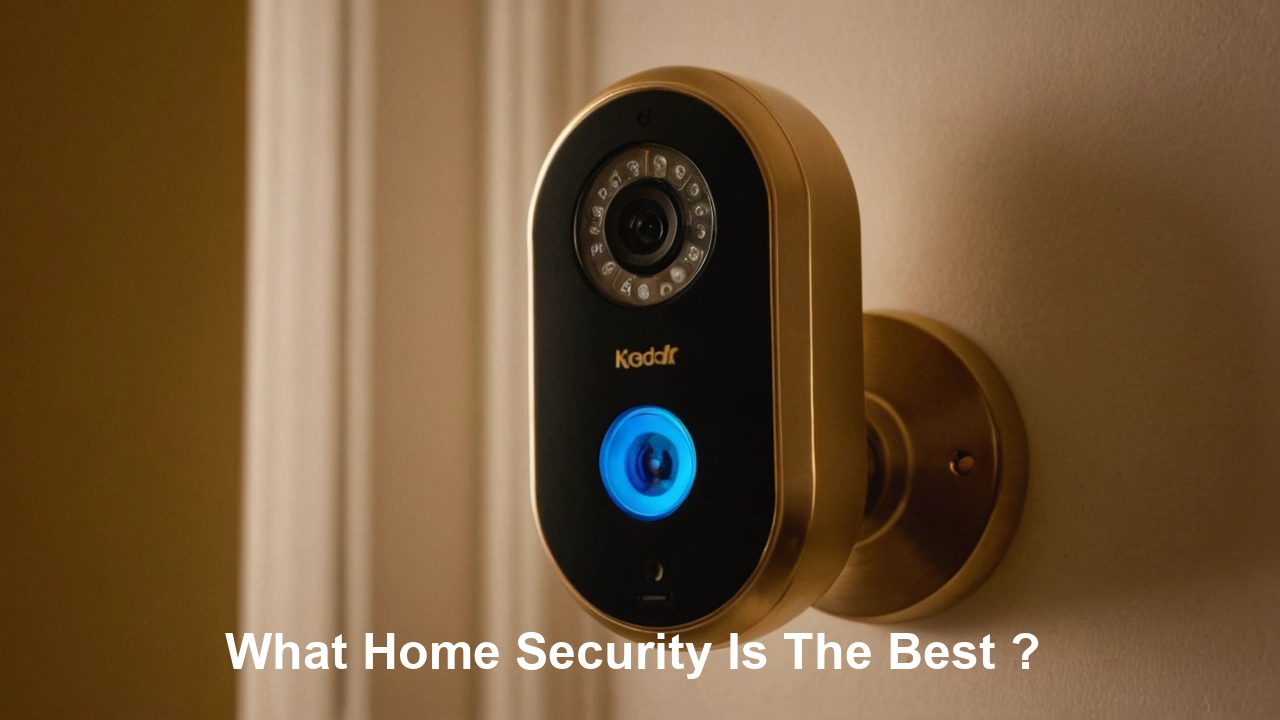
Determining the "best" home security system involves a personalized assessment of your unique needs, budget, and property. This guide will navigate you through the essential factors, system types, and emerging technologies to help you make an informed decision for optimal protection.
What Exactly Is Home Security?
Home security encompasses the measures and technologies implemented to protect a residence and its occupants from unauthorized entry, theft, vandalism, fire, and other potential threats. It’s a multi-faceted approach that can range from simple locks and lighting to sophisticated, interconnected alarm systems, surveillance cameras, and professional monitoring services. The ultimate goal is to deter criminals, alert residents and authorities to intrusions, and provide peace of mind.
Understanding Your Home Security Needs
Before diving into specific systems, a thorough assessment of your individual requirements is paramount. The "best" system for a single apartment dweller will differ significantly from that of a large family in a suburban house or a remote rural property. Consider the following factors:
Property Characteristics
- Size and Layout: Larger homes with multiple entry points, extensive grounds, or multiple levels will require more sensors and potentially more cameras than smaller, more compact residences.
- Location: Is your home in a high-crime area? Are there specific local threats like package theft or vandalism? A more robust system might be necessary in higher-risk environments.
- Entry Points: Count all potential entry points: doors (front, back, patio, garage), windows (ground floor, upper floors), and any other access points like basement hatches.
- Vulnerable Areas: Identify areas that might be more susceptible to intrusion, such as poorly lit exterior spaces, secluded backyards, or easily accessible ground-floor windows.
Occupant Needs
- Family Size and Composition: Do you have young children, elderly relatives, or pets? This can influence the types of sensors needed (e.g., pet-immune motion detectors) and the desired level of monitoring.
- Occupancy Patterns: How often is the home occupied? If it’s frequently empty, remote monitoring and immediate alerts become even more critical.
- Lifestyle: Are you a frequent traveler? Do you often have packages delivered? These factors can guide your choice of smart features and surveillance capabilities.
Budget Considerations
Home security systems vary widely in cost, from affordable DIY kits to premium professionally installed and monitored packages. Establishing a realistic budget upfront will help narrow down your options.
Desired Level of Protection
- Deterrence: Do you want visible signs of security (like cameras or yard signs) to discourage potential intruders?
- Detection: Is your primary goal to detect an intrusion as it happens?
- Notification: Do you want immediate alerts sent to your phone, a monitoring center, or both?
- Response: Do you require professional dispatch of emergency services in case of an alarm?
Types of Home Security Systems
Home security systems can be broadly categorized into a few main types, each with its own set of advantages and disadvantages.
Professionally Monitored Systems
These are the traditional alarm systems, typically installed by a security company. They feature sensors, a control panel, and a siren, all connected to a central monitoring station. When an alarm is triggered, the monitoring station is alerted and can dispatch emergency services. Many modern professionally monitored systems also offer smartphone app control and remote access.
- Pros: High level of security, professional installation and maintenance, 24/7 monitoring, faster emergency response.
- Cons: Higher upfront costs, monthly monitoring fees, potential for long-term contracts.
DIY (Do-It-Yourself) Systems
These systems are designed for self-installation and often come with wireless components that are easy to set up. Many DIY systems offer self-monitoring via smartphone apps, where you receive alerts directly. Some also offer optional professional monitoring services for an additional fee.
- Pros: Lower upfront costs, no long-term contracts, flexibility in choosing components, easy to move or expand.
- Cons: Requires user to be proactive in monitoring, potential for user error during installation, may not offer the same level of immediate professional response.
Smart Home Security Systems
These systems integrate security components with other smart home devices, such as smart locks, thermostats, lighting, and voice assistants. They offer advanced automation and remote control capabilities, allowing users to manage their home's security and comfort from a single app. Many DIY systems fall into this category.
- Pros: Enhanced convenience and automation, remote control, integration with other smart devices, often expandable.
- Cons: Can be more complex to set up and manage, reliance on Wi-Fi connectivity, potential privacy concerns with interconnected devices.
Wired vs. Wireless Systems
- Wired Systems: Components are connected via physical wires. They are generally considered more reliable and less prone to interference but are more complex and costly to install, often requiring professional help.
- Wireless Systems: Components communicate wirelessly using radio frequencies or Wi-Fi. They are easier and quicker to install, more flexible, and can be easily moved or expanded. However, they can be susceptible to signal interference and require battery changes for sensors. Most modern DIY and smart home systems are wireless.
Key Components of a Robust Home Security System
A comprehensive home security system is built upon a foundation of interconnected devices designed to detect, deter, and alert. Understanding each component is crucial for selecting the right combination for your home.
Control Panel/Hub
This is the brain of the system. It communicates with all sensors, receives signals, and either triggers the alarm, sends notifications, or contacts the monitoring center. Modern hubs often have touchscreens, voice control capabilities, and cellular backup for internet outages.
Door and Window Sensors
These are typically two-part magnetic sensors. When the door or window is opened, the magnetic connection is broken, triggering an alert. They are essential for securing all entry points.
Motion Detectors
These devices use infrared technology to detect changes in heat signatures within a room. They are effective for covering larger areas and detecting intruders who bypass doors and windows. Pet-immune models are available to reduce false alarms from animals.
Glass Break Sensors
These sensors detect the specific sound frequency of breaking glass. They are useful for securing windows that might not have contact sensors, providing an extra layer of protection.
Security Cameras (Indoor and Outdoor)
Cameras provide visual verification of events. Outdoor cameras can deter potential intruders and capture evidence, while indoor cameras can monitor activity within the home. Features to consider include resolution, night vision, field of view, two-way audio, and cloud/local storage options. For 2025-26, 4K resolution and advanced AI-powered object detection (person, vehicle, package) are becoming standard.
Smart Locks
These allow you to lock and unlock your doors remotely via a smartphone app, grant temporary access to guests, and receive notifications when the door is used. They integrate seamlessly with many smart home security systems.
Environmental Sensors
- Smoke Detectors: Essential for fire safety, these can be integrated into your security system to alert you and emergency services of a fire.
- Carbon Monoxide (CO) Detectors: Detects the presence of this odorless, colorless, and deadly gas.
- Water Leak Sensors: Can detect leaks from pipes, appliances, or flooding, preventing significant water damage.
Siren
An audible alarm designed to scare off intruders and alert neighbors. The volume and effectiveness of the siren are important considerations.
Yard Signs and Window Decals
While not a technological component, visible signs of security can act as a powerful deterrent. Many burglars scout for properties that appear unprotected.
DIY vs. Professional Installation: Which is Right for You?
The choice between a DIY and a professionally installed system is a significant one, impacting cost, convenience, and effectiveness.
DIY (Do-It-Yourself) Systems
Process: Typically involves ordering a kit online or from a retailer, then following step-by-step instructions to place sensors, connect the hub, and configure settings via a smartphone app. Installation usually takes a few hours, depending on the system's complexity and the size of your home.
Pros:
- Cost-Effective: Significantly lower upfront costs as you're not paying for labor. Many DIY systems also offer no monthly fees for self-monitoring.
- Flexibility: You can choose exactly which components you need and easily add more later. Systems are generally portable if you move.
- Control: You have complete control over the installation process and system configuration.
Cons:
- Time Investment: Requires your time and effort to install and maintain.
- Technical Aptitude: While designed to be user-friendly, some technical understanding might be beneficial for troubleshooting.
- Potential for Error: Incorrect placement of sensors or improper setup can lead to system vulnerabilities or false alarms.
- Self-Reliance: You are responsible for monitoring alerts and contacting authorities if needed (unless you opt for professional monitoring add-ons).
Best For: Tech-savvy homeowners, renters, those on a tighter budget, individuals comfortable with technology, and those who want maximum flexibility.
Professional Installation
Process: A security company dispatches a trained technician to your home. They assess your property, recommend the best system components, and install everything, ensuring optimal placement and functionality. This typically takes several hours to a full day, depending on the system's scope.
Pros:
- Expertise: Technicians ensure the system is installed correctly and optimally for your home's layout and security needs.
- Convenience: Saves you time and effort. The system is ready to go once they leave.
- Comprehensive Setup: Often includes system testing and a walkthrough of how to use it.
- Reliability: Professional installation generally leads to a more reliable and secure system.
Cons:
- Higher Upfront Cost: Installation fees can add significantly to the initial expense.
- Contracts: Many professional services require long-term monitoring contracts, which can be expensive over time.
- Less Flexibility: Once installed, making significant changes or moving the system can be more complicated and costly.
Best For: Homeowners who prefer a hands-off approach, those with complex home layouts, individuals who want the assurance of expert installation, and those prioritizing immediate professional monitoring and response.
Home Security Monitoring Options Explained
The way your security system responds to an event is dictated by its monitoring method. This is a critical decision that directly impacts your safety and response time.
Self-Monitoring
With self-monitoring, your security system is connected to your smartphone or other personal devices. When an alarm is triggered (e.g., a door sensor is tripped), you receive a notification. You are then responsible for assessing the situation (e.g., checking camera feeds) and deciding whether to contact emergency services yourself.
Pros:
- No Monthly Fees: This is the most cost-effective option, as you don't pay for a third-party service.
- Full Control: You decide when and if to contact authorities.
Cons:
- Reliance on You: If you miss a notification, are in an area with no cell service, or are incapacitated, no one else will be alerted.
- Slower Response: There's a delay as you have to manually call emergency services.
- Potential for Panic: In a real emergency, making the right decision under pressure can be challenging.
Best For: Individuals who are home frequently, have reliable cell service, are comfortable with technology, and are on a strict budget. Many DIY systems default to this option.
Professional Monitoring
This is the traditional and most comprehensive monitoring method. Your security system is connected to a central monitoring station staffed 24/7 by trained professionals. When an alarm is triggered, the station receives the signal.
Process:
- Alarm Triggered: A sensor detects a breach, smoke, CO, etc.
- Signal to Monitoring Station: The control panel sends a signal to the monitoring center.
- Verification: Monitoring agents attempt to verify the alarm, often by calling your pre-assigned contact numbers. They may also access camera feeds if available.
- Dispatch: If the alarm is verified or cannot be disproven, the monitoring station dispatches the appropriate emergency services (police, fire department, ambulance) to your home.
Pros:
- 24/7 Protection: Constant oversight ensures your home is protected even when you're asleep or away.
- Faster Emergency Response: Trained professionals can dispatch help immediately, often faster than you could yourself.
- Peace of Mind: Knowing that trained personnel are watching over your home provides significant reassurance.
- Reduced False Alarms: Professional monitoring centers often have protocols to verify alarms, reducing unnecessary dispatches.
Cons:
- Monthly Fees: This service requires a recurring monthly subscription fee, which can range from $20 to $60+ depending on the provider and services.
- Contracts: Many companies require long-term contracts (1-3 years) for professional monitoring.
- Potential for False Alarm Fees: Some municipalities charge fees for excessive false alarms.
Best For: Those who want the highest level of security, frequent travelers, families with elderly members or young children, and anyone prioritizing rapid emergency response and peace of mind.
Cellular Backup
This is a crucial feature, especially for professionally monitored systems. It ensures that your alarm system can still communicate with the monitoring center even if your home's primary internet or landline connection is cut or disabled. For 2025-26, cellular backup is considered a standard, non-negotiable feature for any serious security system.
The Rise of Smart Home Integration
The evolution of home security is inextricably linked with the growth of the smart home ecosystem. What was once solely about alarms and sensors is now about creating a connected, intelligent, and automated living environment.
How Security Integrates with Smart Home Devices
Smart home security systems leverage Wi-Fi and other wireless protocols to connect various devices. This allows for:
- Unified Control: Manage your lights, thermostat, locks, cameras, and alarm system from a single app (e.g., Google Home, Apple HomeKit, Amazon Alexa, or a proprietary app from your security provider).
- Automation and Routines: Create "scenes" or routines. For example, a "Goodnight" routine could arm your alarm, lock the doors, turn off the lights, and adjust the thermostat. A "Leaving Home" routine could do the same.
- Voice Control: Use voice commands to arm/disarm your system (with voice PIN protection), check camera feeds, or lock doors.
- Remote Access: Monitor and control your home from anywhere in the world with an internet connection.
Popular Smart Home Security Components
- Smart Locks: As mentioned, these offer keyless entry, remote locking/unlocking, and access logs. Companies like August, Schlage, and Yale are prominent.
- Smart Doorbells: Integrate a camera and two-way audio into your doorbell. Many allow you to see and speak to visitors remotely, even if you're not home. Ring and Nest are leading examples.
- Smart Lighting: Can be programmed to turn on/off at certain times, or in response to motion, creating the illusion of occupancy when you're away.
- Smart Thermostats: While not directly security-related, they contribute to home automation and can be part of broader smart home routines.
- Voice Assistants: Amazon Echo (Alexa), Google Nest (Google Assistant), and Apple HomePod (Siri) act as central hubs for controlling many smart devices.
Benefits of a Smart Security System
- Enhanced Convenience: Streamlined control over multiple home functions.
- Increased Awareness: Real-time notifications and remote access keep you informed about your home's status.
- Energy Efficiency: Automation can help optimize energy usage (e.g., smart thermostats and lighting).
- Greater Control: Ability to manage your home environment and security from anywhere.
Considerations for Smart Home Security
- Connectivity: A stable and robust Wi-Fi network is essential.
- Compatibility: Ensure that the devices you choose are compatible with each other and your chosen ecosystem.
- Privacy and Security: Like any connected device, smart home systems can be vulnerable. Use strong, unique passwords, enable two-factor authentication, and keep firmware updated.
- Complexity: Setting up and managing multiple interconnected devices can be more complex than a standalone security system.
Budgeting for Your Home Security System
The cost of home security varies significantly, and understanding the different pricing structures will help you find a system that fits your financial comfort zone.
Upfront Costs
These are the initial expenses incurred when purchasing and installing your system. They can include:
- Equipment Purchase: The cost of sensors, control panels, cameras, and other hardware. DIY systems often have lower equipment costs.
- Installation Fees: For professionally installed systems, this is a significant cost, typically ranging from $100 to $500+, depending on the complexity.
- Activation Fees: Some companies may charge a one-time fee to activate your service.
Ongoing Costs
These are the recurring expenses associated with maintaining your security system and its services.
- Monthly Monitoring Fees: For professionally monitored systems, this is the most significant ongoing cost, typically ranging from $20 to $60 per month.
- Cloud Storage Fees: If you opt for cloud storage for your security camera footage, there will likely be a monthly subscription fee, often tiered based on storage duration and number of cameras.
- Maintenance and Repairs: While most systems come with warranties, out-of-warranty repairs or battery replacements for wireless sensors can incur costs.
Average Costs (2025-26 Estimates)
These are general estimates and can vary widely:
- Basic DIY System (Self-Monitored): $100 - $400 upfront for equipment, $0 monthly fees.
- Advanced DIY System (Optional Professional Monitoring): $300 - $800 upfront for equipment, $15 - $40 monthly for optional monitoring.
- Professionally Installed & Monitored System: $0 - $500+ upfront (often subsidized by contracts), $30 - $60+ monthly monitoring fees, potentially with 1-3 year contracts.
- Smart Home Security Integration: Costs can vary greatly depending on the number and type of smart devices added, from a few hundred dollars to several thousand.
Maximizing Value
- Compare Quotes: Get multiple quotes from different providers, both DIY and professional.
- Read the Fine Print: Understand contract lengths, cancellation policies, and what is included in monitoring fees.
- Consider Bundles: Some companies offer discounts when you bundle security with other services like internet or home phone.
- Look for Sales and Promotions: Security companies frequently offer deals, especially around holidays.
Top Home Security Providers for 2025-26
Choosing the right provider is as important as choosing the right system. Based on current trends and anticipated offerings for 2025-26, here are some of the leading contenders, categorized by their primary strengths:
Best Overall (Professional Installation & Monitoring)
ADT:
A long-standing leader, ADT offers comprehensive professionally installed and monitored systems with a vast network of local technicians. They provide robust equipment and 24/7 customer support. Their systems integrate well with smart home devices and offer advanced security features. Expect contracts and monthly fees.
Vivint:
Vivint distinguishes itself with a focus on smart home integration alongside its professional security services. Their systems are sleek, user-friendly, and include advanced features like smart locks, lighting, and climate control integrated with security. They offer professional installation and 24/7 monitoring, typically requiring a contract.
Best DIY Systems
SimpliSafe:
SimpliSafe is renowned for its easy-to-install wireless systems, extensive range of sensors, and flexible monitoring options. They offer both self-monitoring and affordable professional monitoring plans without long-term contracts. Their equipment is reliable and the app is user-friendly.
Ring Alarm (Amazon):
Leveraging Amazon's ecosystem, Ring Alarm offers a cost-effective DIY system that integrates seamlessly with Ring's popular video doorbells and cameras. It’s easy to set up and offers optional professional monitoring through Ring's Protect Pro plan, which also includes enhanced smart home features.
Abode:
Abode provides a highly customizable DIY system that supports a wide range of smart home devices and protocols (including HomeKit, Alexa, and Google Assistant). They offer flexible monitoring plans, including a no-contract option and a 24/7 professional monitoring service. It’s a great choice for tech-savvy users wanting deep integration.
Best Smart Home Focused Systems
Google Nest Secure (Note: Discontinued but influence persists):
While Google has discontinued the Nest Secure alarm system, its influence on smart home security is undeniable. Future offerings from Google will likely build on its legacy of seamless integration with Nest cameras, doorbells, and the Google Assistant ecosystem. Users seeking integrated smart home security will look to Google's evolving product lines.
Apple HomeKit Secure:
Apple's approach to smart home security is through its HomeKit framework, which emphasizes privacy and security. While Apple doesn't sell its own branded security system, it certifies third-party devices that meet its stringent standards. This allows for secure, local control and integration with Apple devices.
Key Considerations for Providers in 2025-26
- AI-Powered Features: Look for providers integrating AI for smarter threat detection, facial recognition (where legally permissible and ethical), and predictive analytics.
- 5G Connectivity: As 5G networks mature, expect providers to leverage faster and more reliable cellular backup.
- Enhanced Privacy Controls: With increasing data concerns, providers offering transparent privacy policies and robust user controls will gain traction.
- Subscription Flexibility: More options for month-to-month or flexible contract terms will likely become standard.
Disclaimer: The home security market is dynamic. Always research the latest reviews and features before making a purchase.
Making Your Final Decision
By now, you should have a clearer understanding of the landscape of home security systems. The "best" system is not a one-size-fits-all solution but rather a carefully chosen combination of components and services tailored to your specific circumstances. Let's consolidate the key steps to finalize your decision.
Recap Your Needs Assessment
Revisit the initial assessment of your property, occupants, and desired level of protection. Did your priorities change as you learned more?
Compare System Types and Features
Weigh the pros and cons of DIY versus professional installation, and self-monitoring versus professional monitoring. Consider which features are non-negotiable (e.g., camera quality, smart home integration, specific sensor types) and which are nice-to-haves.
Evaluate Providers Based on Your Priorities
- For budget-conscious individuals prioritizing flexibility: Focus on reputable DIY brands like SimpliSafe or Ring Alarm.
- For those seeking a comprehensive, hands-off solution with expert support: Explore professional services like ADT or Vivint.
- For tech enthusiasts wanting deep smart home integration: Consider Abode or systems that heavily leverage platforms like HomeKit, Alexa, or Google Assistant.
Read Reviews and Seek Recommendations
Look for independent reviews from trusted tech publications and consumer advocacy groups. If possible, ask friends, family, or neighbors about their experiences with specific systems or providers.
Understand the Contractual Obligations
If you're considering a professionally installed system, scrutinize the contract. Pay attention to the length of the term, cancellation clauses, equipment ownership, and any hidden fees.
Test Drive (If Possible)
Some companies offer trial periods. If available, this can be an excellent way to experience the system firsthand before committing fully.
Don't Forget the Basics
Regardless of the system you choose, remember that robust physical security measures are foundational. Ensure your doors have deadbolts, windows are secure, and consider good outdoor lighting. Technology complements, but doesn't always replace, these fundamental safeguards.
Ultimately, the best home security system is the one that provides you with the most confidence and peace of mind, knowing your home and loved ones are protected. By carefully considering your needs and the options available, you can make an informed decision that offers the optimal balance of security, convenience, and cost.



