
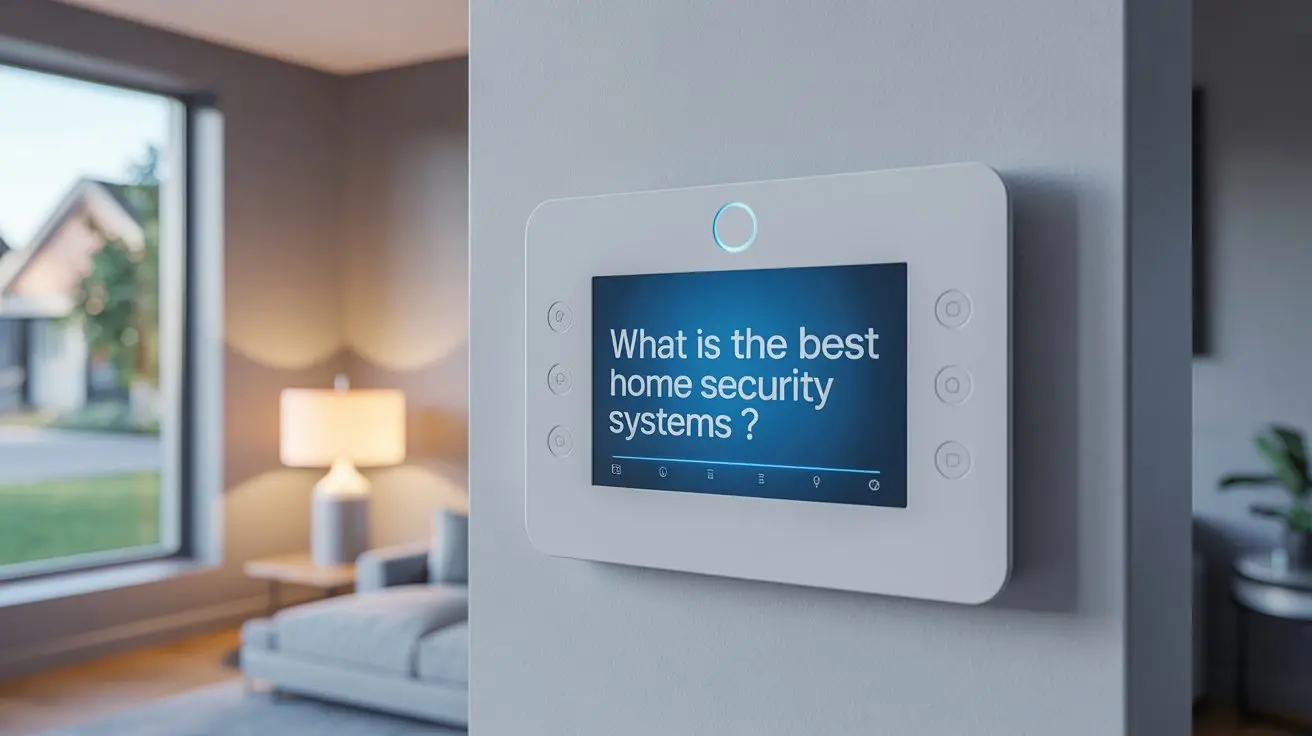
Choosing the best home security system in 2025-26 involves understanding your unique needs, budget, and the evolving landscape of smart home technology. This guide will equip you with the knowledge to make an informed decision, covering everything from essential components to advanced features and professional installation versus DIY options.
Understanding Home Security Systems
In today's world, safeguarding your home and loved ones is paramount. A home security system acts as your first line of defense against intruders, fires, and other emergencies. These systems have evolved dramatically from simple alarm bells to sophisticated, interconnected networks that offer peace of mind whether you're home or away. Understanding the core principles and evolving technologies is the first step in selecting the best solution for your specific needs.
The primary goal of any home security system is deterrence, detection, and response. Deterrence comes from visible signs of security, like cameras or yard signs, which can discourage potential criminals. Detection involves sensors that identify unauthorized entry or environmental hazards. Response can range from local alarms to professional monitoring services that dispatch emergency personnel. As of 2025-26, the integration of artificial intelligence (AI) and advanced analytics is revolutionizing how these systems operate, offering more proactive and intelligent protection.
Key Components of a Modern System
A comprehensive home security system is built upon several interconnected components that work in harmony to protect your property. Understanding each part will help you assess what's essential for your home and family.
Control Panel/Hub
This is the brain of your security system. It's where all the sensors communicate and where you arm or disarm the system. Modern hubs often connect to your home's Wi-Fi and can be controlled via a smartphone app. Some advanced hubs also include voice control capabilities and integrate with other smart home devices.
Door and Window Sensors
These are small, two-piece magnetic sensors. When a door or window is opened, the magnetic connection is broken, triggering the alarm. They are crucial for detecting forced entry and are typically the most fundamental component of any system.
Motion Detectors
Motion detectors use various technologies, such as passive infrared (PIR) or microwave, to sense movement within a specific area. Advanced systems in 2025-26 often feature pet-friendly motion sensors that can distinguish between human and animal movement, reducing false alarms. Placement is key, often covering high-traffic areas or rooms with valuable possessions.
Security Cameras
Cameras provide visual verification of events. They can be indoor or outdoor, wired or wireless, and often come with features like night vision, motion-activated recording, two-way audio, and high-definition resolution. Many modern cameras also offer AI-powered person detection, package detection, and facial recognition, providing more relevant alerts.
Glass Break Sensors
These sensors detect the specific sound frequency of breaking glass, providing an additional layer of security for windows. They are particularly useful for homes with many large windows or glass doors.
Environmental Sensors
Beyond intrusion detection, modern systems often include sensors for environmental hazards. These can include smoke detectors, carbon monoxide detectors, and flood sensors. Integrating these with your security system ensures that a single alert can notify you and emergency services of a wider range of threats.
Key Fobs and Keypads
Keypads, usually mounted near entry points, allow for arming and disarming using a PIN code. Key fobs offer a more convenient way to arm and disarm the system, especially when entering or exiting quickly.
Sirens
A loud siren is a critical component to alert occupants and deter intruders. Many systems offer indoor and outdoor sirens with varying decibel levels.
Types of Home Security Systems
The home security market offers a spectrum of solutions, from basic setups to fully integrated smart home ecosystems. Understanding the different types will help you narrow down your choices.
Monitored vs. Unmonitored Systems
Monitored systems are connected to a professional monitoring center that receives alerts from your system. If an alarm is triggered, the center will attempt to contact you and, if necessary, dispatch emergency services. This offers the highest level of security and peace of mind.
Unmonitored systems, also known as self-monitored systems, send alerts directly to your smartphone or other designated devices. You are responsible for assessing the situation and contacting emergency services yourself. These systems are typically less expensive as they don't involve monthly monitoring fees.
Wired vs. Wireless Systems
Wired systems are installed by running wires through your walls to connect sensors and the control panel. They are generally considered more reliable and less prone to interference but require professional installation and can be more difficult to move or modify.
Wireless systems use radio frequencies to communicate between components. They are easier and faster to install, more flexible for expansion, and ideal for renters or those who prefer not to have wires visible. However, they rely on batteries for sensors and can be susceptible to signal interference, though modern wireless technology has significantly improved reliability.
DIY (Do-It-Yourself) vs. Professionally Installed Systems
DIY systems are designed for easy self-installation. Components are typically wireless and communicate with a central hub. This option offers flexibility and can be more budget-friendly upfront. Examples include Ring Alarm Pro, SimpliSafe, and Abode.
Professionally installed systems are set up by trained technicians. This ensures optimal placement of components and proper system configuration. Companies like ADT and Vivint are well-known for their professional installation services. While often more expensive, they offer a hands-off approach and can provide more robust, integrated solutions.
Smart Home Integrated Systems
These systems go beyond basic security, integrating with other smart home devices like smart locks, thermostats, lighting, and voice assistants (e.g., Alexa, Google Assistant). They allow for automation, such as lights turning on when an alarm is triggered or the thermostat adjusting when the system is armed. Many modern DIY systems are designed with smart home integration in mind.
DIY vs. Professional Installation
The choice between DIY and professional installation is a significant one, impacting cost, convenience, and system effectiveness. As of 2025-26, both options have become highly sophisticated, catering to different user preferences.
DIY (Do-It-Yourself)
Pros:
- Cost Savings: Eliminates installation fees, which can be substantial. Many DIY systems also offer lower monthly monitoring fees or no fees at all (for self-monitoring).
- Flexibility: You can install the system on your own schedule and customize placement to your liking. Moving is also easier, as wireless systems can often be taken with you.
- Control: You have direct control over the setup process and can troubleshoot issues yourself.
- Rapid Deployment: Many wireless DIY systems can be set up and operational within a few hours.
Cons:
- Requires Time and Effort: You need to be comfortable with basic technical tasks and follow instructions carefully.
- Potential for Errors: Incorrect placement of sensors or improper configuration can lead to false alarms or gaps in security coverage.
- Limited Support: While support is available, it's often via phone or chat, and you're the one performing the physical installation.
- Scalability Challenges: While expansion is possible, integrating complex wired components or ensuring optimal wireless range across a large property might be challenging.
Professional Installation
Pros:
- Expertise: Technicians are trained to assess your home's layout and identify optimal sensor placement for maximum effectiveness.
- Convenience: The entire installation process is handled for you, saving you time and effort.
- Comprehensive Setup: Professionals ensure all components are correctly connected, configured, and tested, minimizing the risk of errors.
- System Integration: They can often integrate your security system with other home systems (e.g., smart locks, home automation) seamlessly.
- Troubleshooting: Post-installation support is typically robust, with technicians available to address any issues.
Cons:
- Higher Upfront Cost: Installation fees can add a significant amount to the initial system cost.
- Scheduling: You need to schedule an appointment, which might involve waiting for availability.
- Less Flexibility: Once installed, modifying the system can sometimes require professional intervention.
- Contractual Obligations: Many professionally installed systems come with long-term contracts for monitoring.
For 2025-26, the lines are blurring. Many DIY systems now offer optional professional installation services, providing a hybrid approach. If you're comfortable with technology and have a relatively standard home layout, a DIY system can be an excellent choice. For larger, more complex homes, or if you prefer a hands-off approach, professional installation remains the gold standard.
Monitoring Options Explained
The way your security system responds to an alert is crucial. The two primary monitoring options are self-monitoring and professional monitoring.
Self-Monitoring
In a self-monitored system, alerts are sent directly to your smartphone, tablet, or computer. This could be a notification that a door has opened, motion has been detected, or a smoke alarm has been triggered. You then have the responsibility to assess the situation and decide whether to contact the authorities. Many DIY systems offer this as a primary or optional mode, often with no monthly fees for the monitoring itself, though app access or cloud storage for cameras might incur costs.
Pros:
- Cost-Effective: Typically no monthly fees for monitoring, making it a budget-friendly option.
- Direct Control: You are in direct control of how alerts are handled.
- App-Based Convenience: Manage alerts and system status from anywhere via a mobile app.
Cons:
- Responsibility: You must be vigilant and responsive to alerts. If your phone is off, out of service, or you miss a notification, response can be delayed.
- No Automatic Dispatch: Emergency services are not automatically contacted, which can be critical in urgent situations.
- Potential for Overwhelm: Multiple alerts can become overwhelming, leading to potential oversight.
Professional Monitoring
With professional monitoring, your security system is connected to a central monitoring station staffed by trained professionals 24/7. When an alarm is triggered, the monitoring center receives the signal. They will then typically follow a protocol that involves verifying the alarm (e.g., by calling you or using two-way audio) and, if necessary, dispatching the appropriate emergency services (police, fire department, ambulance).
Pros:
- Peace of Mind: Knowing that trained professionals are watching over your home provides significant reassurance.
- Immediate Response: Emergency services can be dispatched quickly, even if you are unavailable or unable to respond.
- Reduced False Alarms: Monitoring centers often have protocols to verify alarms, reducing unnecessary dispatches.
- Insurance Discounts: Many insurance providers offer discounts for homes with professionally monitored security systems.
Cons:
- Monthly Fees: This service comes with a recurring monthly cost, which can range from $15 to $60 or more, depending on the provider and features.
- Contractual Obligations: Many professional monitoring services require a long-term contract, often 2-3 years.
- Less Direct Control: While you receive notifications, the monitoring center manages the dispatch process.
In 2025-26, many companies offer hybrid monitoring solutions, allowing users to switch between self-monitoring and professional monitoring as needed, or offering tiered professional monitoring services. The best choice depends on your budget, lifestyle, and how much you value constant, automated oversight.
Top Home Security Systems 2025-26 Comparison
Selecting the "best" system is subjective and depends on individual needs. However, based on current market offerings, features, reliability, and user reviews for 2025-26, here are some of the top contenders, categorized by their strengths:
| System Name | Type | Installation | Monitoring | Key Features (2025-26) | Typical Monthly Cost (Monitoring) | Pros | Cons |
|---|---|---|---|---|---|---|---|
| ADT Command/Control | Professionally Installed, Monitored | Professional | Professional (24/7) | Smart home integration, AI-powered cameras, remote access, flood/fire/CO detection, medical alert options. Advanced cybersecurity protocols. | $35 - $60+ | Extensive professional installation and support, reliable monitoring, comprehensive features, strong brand reputation. | Higher upfront costs, long-term contracts, less DIY flexibility. |
| Vivint Smart Home | Professionally Installed, Monitored | Professional | Professional (24/7) | Integrated smart home ecosystem (locks, lights, thermostats), AI-driven security analytics, professional monitoring, mobile app control, video doorbell integration. Enhanced cloud storage options. | $30 - $50+ | Seamless smart home integration, high-quality equipment, professional setup and support, robust mobile app. | Higher upfront costs, mandatory professional installation, long-term contracts, can be more expensive than DIY. |
| SimpliSafe (SS4) | DIY, Monitored or Self-Monitored | DIY (Optional Professional) | Professional (24/7) or Self-Monitored | Wireless, easy setup, customizable packages, 24/7 professional monitoring, HD cameras with advanced motion detection, environmental sensors, smart lock integration. New AI-driven false alarm reduction. | $15 - $25 (Monitored) / $0 (Self-Monitored) | Affordable, flexible packages, no long-term contracts, easy to install and use, reliable monitoring options. | Camera features are good but not as advanced as some higher-end systems, limited smart home integration compared to Vivint/ADT. |
| Ring Alarm Pro | DIY, Monitored or Self-Monitored | DIY | Professional (24/7 via Ring Protect Pro) or Self-Monitored | Built-in Eero Wi-Fi 6 router, Alexa integration, DIY setup, cellular backup, environmental sensors, advanced motion detection, package detection, local video processing. | $20 (Ring Protect Pro) / $0 (Self-Monitored) | Excellent value, integrated Wi-Fi, strong ecosystem with other Ring devices, affordable monitoring, cellular backup included with Pro plan. | Relies heavily on Ring ecosystem, professional installation not offered, video quality can be inconsistent in low light without Pro plan. |
| Abode | DIY, Monitored or Self-Monitored | DIY | Professional (24/7) or Self-Monitored | HomeKit, Alexa, Google Assistant compatible, IFTTT integration, customizable automation, cellular backup, no long-term contracts, wide range of compatible sensors. Enhanced AI features for 2025. | $20 - $30 (Monitored) / $0 (Self-Monitored) | Highly customizable, excellent smart home compatibility, flexible monitoring options, no contracts, good value for tech-savvy users. | App interface can be less intuitive for beginners, relies on third-party integrations for some advanced features. |
| Google Nest Secure (Discontinued but ecosystem continues) | DIY, Self-Monitored (with limited professional options via partners) | DIY | Self-Monitored (alerts to phone) | Sleek design, motion sensing, NFC tags for arming/disarming, Google Assistant integration, works with Nest cameras. Focus on user-friendly experience. | N/A (System discontinued, but existing users can integrate with Nest cameras and Google Home) | User-friendly, aesthetically pleasing, good integration with Google ecosystem. | Discontinued product, limited professional monitoring options, fewer sensor types than competitors. |
Note: Pricing and features are subject to change and may vary based on region and specific package chosen. "Typical Monthly Cost" refers to monitoring fees. Equipment costs are separate.
Factors to Consider When Choosing
Beyond the basic components and types of systems, several other factors should influence your decision when selecting the best home security system for your needs in 2025-26.
Your Home's Size and Layout
A small apartment might only need a few door/window sensors and a central hub. A large, multi-story house will require more sensors, potentially multiple motion detectors, and careful consideration of wireless signal strength or the necessity of wired components. Professional installation is often recommended for larger, more complex properties.
Your Budget
Home security systems vary significantly in cost. Consider both the upfront equipment cost and the ongoing monthly fees for monitoring and any cloud storage for cameras. DIY systems generally have lower upfront costs and optional or no monthly fees, while professionally installed systems often involve higher initial investment and mandatory monthly contracts.
Your Technical Proficiency
If you're comfortable with technology and enjoy setting up smart devices, a DIY system will likely be a good fit. If you prefer a seamless, hands-off experience, professional installation is the better route. Many systems offer a middle ground with optional professional setup for DIY kits.
Smart Home Integration Needs
Are you looking to create a fully integrated smart home? If so, prioritize systems that offer robust compatibility with voice assistants (Alexa, Google Assistant, Siri), smart locks, thermostats, lighting, and other smart devices. Companies like Vivint and Abode excel in this area.
Monitoring Preferences
Do you want the peace of mind that comes with 24/7 professional monitoring, or are you comfortable with self-monitoring and receiving alerts on your phone? Consider your lifestyle and how responsive you can be to potential emergencies.
Camera Requirements
What do you want your cameras to do? Do you need indoor, outdoor, or both? Do you require features like night vision, two-way audio, motion-activated recording, high-definition resolution, or advanced AI detection (person, package, facial recognition)? The quality and features of cameras can significantly impact cost.
Cellular Backup
In the event of a power outage or internet disruption, a system with cellular backup can continue to communicate with the monitoring center. This is a critical feature for ensuring continuous protection.
Customer Support and Reputation
Research the company's reputation for customer service, reliability, and technical support. Read reviews and check their track record for responding to issues and providing ongoing assistance.
Smart Home Integration and Automation
The convergence of home security and smart home technology is one of the most exciting developments in 2025-26. A well-integrated system can enhance both convenience and security.
Voice Assistant Control
Arm or disarm your system, check sensor status, or even view camera feeds using voice commands through devices like Amazon Echo or Google Nest Hub. For example, saying "Alexa, arm the security system in away mode" or "Hey Google, show me the front door camera."
Automated Routines
Create custom routines that trigger based on your security system's status or other smart home events.
- "Good Morning" Routine: When you disarm the system, lights can turn on, the thermostat can adjust, and a smart coffee maker can start.
- "Good Night" Routine: Arming the system can automatically lock doors, turn off lights, and lower the thermostat.
- Security-Triggered Actions: If a motion sensor is triggered while the system is armed, lights can flash, and doors can automatically lock.
Smart Locks and Access Control
Integrate smart locks with your security system to remotely lock or unlock doors, grant temporary access to guests, and receive notifications when doors are opened or closed. This is particularly useful when combined with video doorbells.
Smart Lighting and Thermostats
Automate your lighting to turn on or off based on whether your system is armed or disarmed, or to simulate occupancy when you're away. Smart thermostats can adjust to energy-saving modes when the system is armed, further enhancing efficiency.
Video Doorbell Integration
See who is at your door, communicate with visitors via two-way audio, and receive motion alerts, all from your smartphone. Many video doorbells integrate seamlessly with security systems, allowing for synchronized recording and alerts.
The Role of AI in Smart Home Security
Artificial intelligence is increasingly powering smart home security. AI can differentiate between people, pets, vehicles, and even packages, providing more relevant alerts and reducing false alarms. Facial recognition capabilities are also emerging, allowing systems to identify familiar faces and alert you to unknown individuals.
Budgeting for Home Security
Creating a realistic budget is crucial for selecting a system that meets your needs without breaking the bank. Consider these cost factors:
Equipment Costs
This is the one-time purchase of your security system components: the control panel, sensors, cameras, keypads, etc. Prices can range from a few hundred dollars for basic DIY kits to several thousand for comprehensive, professionally installed systems.
Installation Fees
If you opt for professional installation, expect to pay an installation fee. This can range from $100 to $500 or more, depending on the complexity of the installation and the provider.
Monthly Monitoring Fees
This is the recurring cost for professional monitoring services. As noted, these typically range from $15 to $60+ per month. Self-monitored systems often have no direct monitoring fees, but may charge for app features or cloud video storage.
Contract Lengths
Many professionally monitored systems require a contract, often 2-3 years. Be sure to understand the terms, cancellation policies, and any early termination fees. DIY systems are generally contract-free.
Add-on Services and Equipment
Consider the cost of additional sensors, cameras, smart home devices, or enhanced cloud storage plans you might want in the future. These can increase your overall investment.
Insurance Discounts
Inquire with your homeowner's insurance provider about potential discounts for having a monitored security system. This can offset some of the monthly costs.
Example Budgeting Scenarios (2025-26):
- Budget-Conscious DIYer: A basic SimpliSafe or Ring Alarm kit might cost $200-$300 upfront. Self-monitoring is free, or professional monitoring is around $15-$20/month. Total first year: $200-$540.
- Mid-Range DIYer: A more robust DIY system like Abode or an expanded Ring/SimpliSafe package with multiple cameras could be $400-$700 upfront. Professional monitoring at $20-$30/month. Total first year: $640-$1060.
- Professionally Installed System: A system from ADT or Vivint might have equipment costs of $500-$1500+, plus installation fees of $100-$500. Monthly monitoring could be $30-$50+. Total first year: $960-$3500+.
Always compare the total cost of ownership over several years, not just the initial price.
Future Trends in Home Security
The home security landscape is constantly evolving. Here are some trends to watch for in the coming years, building on 2025-26 advancements:
Hyper-Personalized AI Security
AI will become even more sophisticated, learning your household's routines and distinguishing between authorized and unauthorized activity with unprecedented accuracy. This will lead to fewer false alarms and more intelligent alerts.
Proactive Threat Detection
Systems will move beyond reacting to events to proactively identifying potential threats. This could involve analyzing patterns in neighborhood activity, detecting unusual network traffic, or even predicting potential vulnerabilities before they are exploited.
Seamless Integration with Smart City Infrastructure
As smart cities develop, home security systems may integrate with public safety networks, allowing for faster and more coordinated emergency response. This could include direct communication with local law enforcement or emergency services based on verified threats.
Advanced Biometrics
Beyond fingerprint or facial recognition, expect more advanced biometric authentication methods, such as gait analysis or voice recognition, for even more secure access control.
Energy Harvesting and Self-Powered Devices
Innovations in battery technology and energy harvesting (e.g., solar, kinetic) could lead to sensors and devices that require minimal or no battery replacement, further enhancing reliability and reducing maintenance.
Enhanced Cybersecurity Measures
With increased connectivity, cybersecurity will remain a critical focus. Systems will incorporate more robust encryption, secure network protocols, and continuous vulnerability assessments to protect against hacking and data breaches.
Making Your Final Decision
Choosing the best home security system is a significant investment in your family's safety and peace of mind. By now, you should have a clear understanding of the components, types of systems, monitoring options, and the factors that matter most to you. Remember to:
- Assess Your Needs: What are your primary concerns? Intrusion, environmental hazards, smart home integration?
- Define Your Budget: Consider both upfront costs and ongoing monthly expenses.
- Weigh DIY vs. Professional: Are you comfortable with self-installation, or do you prefer expert setup?
- Read Reviews: Look for current reviews (2025-26) from reputable sources and actual users.
- Check for Contracts: Understand the terms and conditions, especially for professionally monitored systems.
- Prioritize Features: Focus on the features that directly address your security needs and lifestyle.
Whether you opt for a comprehensive, professionally installed system from a major provider like ADT or Vivint, or a flexible, contract-free DIY solution from SimpliSafe, Ring Alarm Pro, or Abode, the key is to select a system that you will use consistently and that provides reliable protection.
By carefully considering these aspects, you can confidently select the best home security system that offers robust protection, advanced features, and the ultimate peace of mind for your home in 2025-26 and beyond.



