
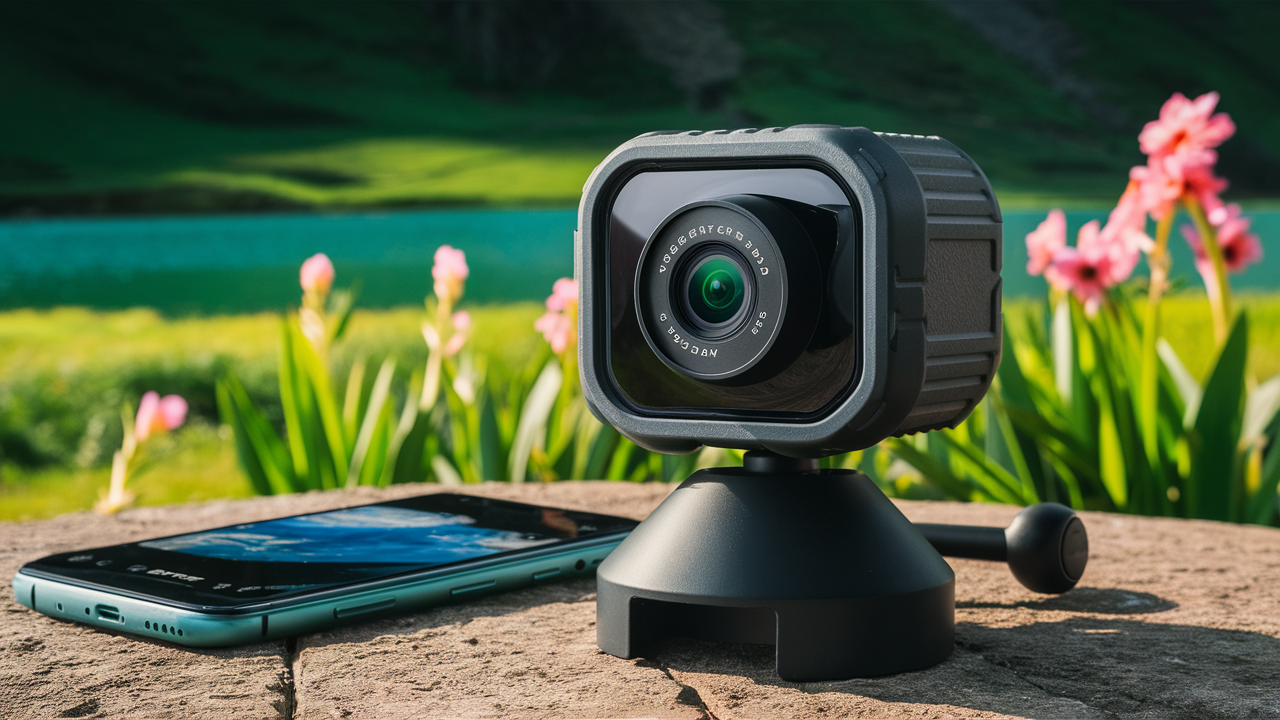
Finding the best wireless camera involves balancing advanced features, ease of use, and budget. This guide breaks down the top contenders for 2025-26, helping you choose a system that offers reliable surveillance, smart integration, and peace of mind for your home or business.
Understanding Wireless Cameras
In today's interconnected world, the demand for accessible and effective security solutions has never been higher. Wireless cameras, often referred to as Wi-Fi cameras, represent a significant leap forward in home and business surveillance. Unlike their wired counterparts, these devices transmit data wirelessly, typically over a Wi-Fi network, eliminating the need for cumbersome cables running through walls and ceilings. This inherent flexibility makes them incredibly versatile, allowing for placement in virtually any location with Wi-Fi coverage. The market has exploded with options, ranging from simple indoor monitoring devices to sophisticated outdoor systems with advanced analytics. Understanding what makes a wireless camera "best" requires a deep dive into their capabilities, limitations, and how they integrate into your existing digital ecosystem.
The core appeal of wireless cameras lies in their ease of installation and use. For many homeowners, the prospect of professional installation for a wired system can be daunting and expensive. Wireless cameras, on the other hand, can often be set up by the user in a matter of minutes, connecting to a home's Wi-Fi network and pairing with a smartphone app. This democratization of security technology has empowered individuals to take greater control over their property's safety. Furthermore, the evolution of wireless technology has led to significant improvements in image quality, battery life, and connectivity, making these devices more reliable and feature-rich than ever before. As we move further into 2025 and beyond, the capabilities of these devices continue to expand, incorporating AI-powered detection, cloud storage integration, and seamless smart home compatibility.
Types of Wireless Cameras
The landscape of wireless cameras is diverse, catering to a wide array of needs and environments. Understanding the different types available is crucial for making an informed decision. Each category offers distinct advantages and is suited for specific applications. From basic indoor monitoring to robust outdoor security, there's a wireless camera designed for almost every scenario.
Indoor Wireless Cameras
Indoor wireless cameras are designed for monitoring the interior of a home or office. They are typically compact, discreet, and easy to set up on shelves, tables, or mounted on walls. Their primary purpose is often for monitoring pets, children, or as a deterrent against potential intruders when the premises are unoccupied. Many indoor models offer features like two-way audio, allowing users to communicate with individuals in the room, and night vision for low-light conditions. Some advanced models can even detect specific sounds like smoke alarms or glass breaking, sending instant alerts to the user's smartphone.
Outdoor Wireless Cameras
Built to withstand the elements, outdoor wireless cameras are designed for external surveillance. They are typically weather-resistant, with IP ratings indicating their ability to protect against dust and water. These cameras are crucial for monitoring entry points, driveways, yards, and other exterior areas. Key features often include enhanced night vision capabilities, wider fields of view, and motion detection zones to minimize false alarms from passing vehicles or wildlife. Many outdoor cameras are also battery-powered or solar-powered, offering greater flexibility in placement where power outlets are not readily available. The robustness and advanced detection capabilities of outdoor cameras make them a cornerstone of comprehensive home security.
Doorbell Cameras
Doorbell cameras combine the functionality of a traditional doorbell with a built-in wireless camera. They allow homeowners to see, hear, and speak to visitors at their doorstep from anywhere using their smartphone. These devices are excellent for screening visitors, receiving packages securely, and deterring package theft. Most doorbell cameras offer motion detection, night vision, and two-way audio. Some higher-end models also feature facial recognition or package detection, providing more granular alerts. The integration with existing doorbell wiring or battery-powered options makes them a popular choice for enhancing front-door security.
Pan-Tilt-Zoom (PTZ) Wireless Cameras
PTZ wireless cameras offer a higher degree of control and coverage. They can remotely pan (horizontally), tilt (vertically), and zoom in on specific areas. This makes them ideal for larger spaces or areas where a single camera needs to monitor a wide field of view. PTZ cameras are often used in commercial settings, warehouses, or large residential properties. Their ability to be manually controlled or programmed with preset patrol routes makes them a powerful surveillance tool. While generally more expensive, their comprehensive coverage can sometimes reduce the need for multiple fixed cameras.
Wire-Free vs. Wi-Fi Cameras
It's important to distinguish between "wire-free" and "Wi-Fi" cameras. Wi-Fi cameras connect to your home's Wi-Fi network for data transmission but still require a power source, usually via an AC adapter or a wired connection. Wire-free cameras, on the other hand, are completely untethered, meaning they run on batteries and transmit data wirelessly. This offers the ultimate flexibility in placement but requires periodic battery recharging or replacement. Understanding this distinction is key to selecting a camera that fits your installation preferences and maintenance tolerance.
Key Features to Consider
When evaluating wireless cameras, a multitude of features can influence your choice. Prioritizing these features based on your specific needs will lead to a more effective and satisfactory surveillance system. The "best" camera is not a one-size-fits-all solution; it's the one that best meets your individual requirements.
Video Quality and Resolution
The clarity of the video feed is paramount. Look for cameras offering at least 1080p (Full HD) resolution. Higher resolutions like 2K or 4K provide even greater detail, allowing for better identification of individuals or objects. Consider the frame rate (FPS) as well; a higher FPS results in smoother video playback, especially for capturing fast-moving events. The field of view (FOV) is also critical, determining how much of an area the camera can capture. A wider FOV means less blind spots.
Night Vision Capabilities
Effective surveillance doesn't stop when the sun goes down. Most wireless cameras come with infrared (IR) night vision, which illuminates the scene with invisible light. The range and quality of night vision vary significantly between models. Some cameras offer color night vision, which uses ambient light to produce color images in low-light conditions, providing more detail than traditional black-and-white IR footage. Look for specifications on the effective range of the night vision.
Motion Detection and Alerts
Sophisticated motion detection is a hallmark of modern wireless cameras. Basic systems detect any movement, but advanced cameras offer customizable motion zones, human detection, and even package or vehicle detection. This significantly reduces false alerts from swaying trees or passing cars. Instantaneous alerts sent to your smartphone via push notifications are essential for timely response. Some systems also offer sound detection for events like glass breaking or alarms.
Audio Capabilities
Two-way audio allows you to not only hear what's happening but also to speak through the camera's speaker. This is invaluable for communicating with family members, pets, or deterring intruders. The quality of the microphone and speaker can greatly impact the effectiveness of this feature.
Storage Options
Video footage needs to be stored somewhere. Common options include:
- Local Storage: Via a microSD card inserted into the camera. This is cost-effective but can be vulnerable if the camera is stolen.
- Cloud Storage: Footage is uploaded to remote servers. This offers greater security and accessibility but usually requires a subscription fee. Many services offer tiered plans based on storage duration and number of cameras.
- Network Video Recorder (NVR) / Digital Video Recorder (DVR): For multi-camera systems, an NVR or DVR can store footage locally on a hard drive.
Power Source
As mentioned, cameras are either wired for power or battery-operated. Battery-powered cameras offer flexibility but require regular charging or replacement. Some outdoor battery cameras can be paired with solar panels for continuous charging, reducing maintenance significantly. Wired cameras offer uninterrupted power but limit placement options.
Connectivity and Wi-Fi Range
The camera's ability to connect reliably to your Wi-Fi network is crucial. Ensure your router's signal is strong enough in the desired camera locations. Some systems offer mesh Wi-Fi extenders or base stations that can improve connectivity for multiple cameras. Check the Wi-Fi standards supported (e.g., Wi-Fi 5, Wi-Fi 6) for optimal performance.
Smart Home Integration
For a truly integrated security experience, consider cameras that work with smart home ecosystems like Amazon Alexa, Google Assistant, or Apple HomeKit. This allows for voice control, integration with other smart devices (e.g., turning on lights when motion is detected), and viewing feeds on smart displays.
Durability and Weather Resistance
For outdoor cameras, weatherproofing is non-negotiable. Look for IP ratings (e.g., IP65, IP66, IP67) which indicate the level of protection against dust and water. Extreme temperature resistance is also important depending on your climate.
Top Wireless Camera Systems 2025-26
The market for wireless cameras is highly competitive, with numerous brands offering excellent solutions. Based on performance, features, user reviews, and recent advancements for the 2025-26 period, here are some of the top contenders. It's important to note that "best" is subjective and depends on your specific needs, but these represent the leading edge of wireless surveillance technology.
1. Arlo Pro Series (e.g., Arlo Pro 5, Arlo Ultra 2)
Arlo is consistently at the forefront of wireless camera innovation. Their Pro and Ultra lines offer a compelling blend of high-resolution video (up to 4K on Ultra), excellent wireless connectivity, and robust features. Key advantages include wire-free operation (battery-powered), advanced AI detection, and a smart hub that can improve connectivity and local storage options. Arlo's cloud service is comprehensive, though it comes with a subscription cost. They are particularly strong in outdoor surveillance, offering weather resistance and impressive night vision.
2. Google Nest Cam (Battery)
Google's Nest Cam line, especially the battery-powered version, offers seamless integration with the Google Home ecosystem. These cameras are known for their user-friendly setup, excellent motion detection with familiar face alerts (requires Nest Aware subscription), and crisp video quality. The battery option provides installation flexibility, and the cameras can be easily recharged or paired with a solar panel. They offer a good balance of features for both indoor and outdoor use, with a focus on smart alerts and ease of use.
3. Ring Spotlight Cam Plus/Pro
Ring, a subsidiary of Amazon, is renowned for its doorbell cameras but also offers excellent standalone wireless cameras like the Spotlight Cam series. These cameras often feature integrated spotlights, sirens, and two-way talk, providing a multi-layered security approach. They offer battery-powered and wired options, along with good motion detection and integration with the Ring ecosystem and Alexa. The video quality is generally good, and the app is intuitive. Subscription plans are available for cloud storage and advanced features.
4. Wyze Cam v3 / Wyze Cam Pan v3
For budget-conscious users, Wyze offers exceptional value. The Wyze Cam v3 provides 1080p video, color night vision, and two-way audio at a remarkably low price point. It requires continuous power but is incredibly affordable. The Wyze Cam Pan v3 adds pan and tilt functionality for wider coverage. While they may lack some of the premium features or build quality of higher-end brands, they deliver a surprisingly robust set of capabilities for the cost, making them a popular choice for basic home monitoring.
5. Eufy Security (e.g., EufyCam 3, Eufy S330)
Eufy focuses on privacy and local storage, offering systems that often come with a HomeBase that stores footage locally (on an SD card or internal storage) without mandatory cloud subscriptions. Their cameras, like the EufyCam 3, boast impressive battery life (often a year or more), 2K or 4K resolution, and integrated solar panels for continuous charging. They also offer AI-powered human detection. Eufy provides a compelling alternative for those who want to avoid recurring fees and maintain greater control over their data.
6. Reolink (e.g., Reolink Argus 3 Pro, Reolink Duo)
Reolink offers a wide range of wireless cameras, from affordable battery-powered options to more advanced dual-lens cameras that provide a wider field of view. They often provide good value with features like 2K/4K resolution, color night vision, and local storage options (microSD or NVR). Many Reolink cameras are designed for outdoor use and offer robust build quality. They are a strong contender for users looking for a balance of features, performance, and price, with flexible storage solutions.
Comparison Table: Top Wireless Camera Systems (2025-26)
| Brand/Model | Resolution | Power Source | Storage | Key Features | Price Range (Approx.) |
|---|---|---|---|---|---|
| Arlo Pro 5 / Ultra 2 | Up to 4K | Rechargeable Battery | Cloud (Subscription), Base Station (SD Card) | Wire-free, Advanced AI, Weatherproof, Color Night Vision | $$$ |
| Google Nest Cam (Battery) | 1080p HDR | Rechargeable Battery | Cloud (Subscription) | Google Home Integration, Familiar Face Alerts, Easy Setup | $$ |
| Ring Spotlight Cam Plus/Pro | 1080p | Rechargeable Battery or Wired | Cloud (Subscription) | Integrated Spotlight/Siren, Two-way Talk, Alexa Integration | $$ |
| Wyze Cam v3 / Pan v3 | 1080p | Wired (USB) | MicroSD Card | Color Night Vision, Two-way Audio, Very Affordable | $ |
| Eufy Security (EufyCam 3) | 2K/4K | Rechargeable Battery (Solar Option) | Local (HomeBase) | No Subscription Fees, AI Detection, Long Battery Life | $$$ |
| Reolink (Argus 3 Pro) | 2K | Rechargeable Battery | MicroSD Card, Optional NVR | Color Night Vision, Two-way Talk, Good Value | $$ |
Note: Price ranges are approximate and can vary based on sales, bundles, and specific models. ($ = Budget-friendly, $$ = Mid-range, $$$ = Premium)
Installation and Setup: A Step-by-Step Guide
One of the primary advantages of wireless cameras is their relatively straightforward installation. While specific steps may vary by manufacturer, the general process is consistent. Following these steps will help ensure a smooth setup for your new wireless camera system.
Step 1: Unboxing and Charging (if applicable)
Carefully unbox your camera and all its accessories. If your camera is battery-powered, ensure the battery is fully charged before proceeding. Most manufacturers recommend using the provided charging cable and adapter. This initial charging can take several hours.
Step 2: Download the Manufacturer's App
Most wireless camera systems are controlled via a dedicated smartphone app. Search for the manufacturer's app in your device's app store (iOS App Store or Google Play Store) and download it. Create an account or log in if you already have one.
Step 3: Connect the Camera to Your Wi-Fi Network
This is the most critical step. The app will guide you through connecting the camera to your home's Wi-Fi network. This typically involves:
- Putting the camera into pairing mode (often by pressing a button or powering it on).
- Using the app to scan a QR code displayed on your phone screen with the camera, or entering your Wi-Fi network name (SSID) and password into the app.
- The camera will then attempt to connect to your network.
Tip: Ensure your Wi-Fi password is correct and that your router is broadcasting on a 2.4GHz network, as many cameras are not compatible with 5GHz networks.
Step 4: Choose a Mounting Location
Consider the camera's purpose and field of view. For outdoor cameras, choose a location that covers key entry points, driveways, or vulnerable areas. For indoor cameras, place them where they can monitor the most important activity (e.g., living room, nursery). Ensure the location has good Wi-Fi signal strength. You might need a Wi-Fi extender if the signal is weak.
Step 5: Mount the Camera
Most cameras come with mounting hardware. Follow the instructions to securely attach the mount to the wall or ceiling. If using a battery-powered camera, you can position it more freely. For wired cameras, ensure there's a power outlet nearby or plan for routing the power cable discreetly.
Step 6: Configure Camera Settings in the App
Once the camera is mounted and connected, use the app to fine-tune its settings:
- Motion Detection: Set up motion zones, adjust sensitivity, and enable specific detection types (human, vehicle, etc.).
- Notifications: Configure how and when you want to receive alerts.
- Video Quality: Select the desired resolution and frame rate.
- Night Vision: Choose between automatic, on, or off.
- Two-Way Audio: Test the microphone and speaker.
- Storage: Set up microSD card recording or activate cloud subscription if applicable.
Step 7: Test the System
Walk in front of the camera to trigger motion detection and ensure you receive alerts. Check the live feed to verify the video quality and field of view. Test two-way audio and night vision functionality. If you have multiple cameras, repeat the process for each one.
Troubleshooting Tips:
- If the camera won't connect to Wi-Fi, double-check your password, ensure you're on the 2.4GHz band, and try moving the camera closer to the router during setup.
- Weak Wi-Fi signal can cause dropped connections or poor video quality. Consider a Wi-Fi extender or mesh system.
- Ensure the camera's firmware is up to date via the app for optimal performance and security.
Advanced Considerations
Beyond the core features, several advanced considerations can elevate your wireless camera system from basic surveillance to a sophisticated security solution. These factors often differentiate premium systems and cater to users with more specific or demanding needs.
AI-Powered Analytics and Person Detection
The integration of Artificial Intelligence (AI) has revolutionized motion detection. Instead of just detecting movement, AI algorithms can differentiate between people, animals, vehicles, and even package deliveries. This significantly reduces false alarms, allowing you to focus on genuine security events. Features like "familiar face detection" can even notify you when a recognized individual is on your property, adding another layer of intelligent monitoring. For 2025-26, AI capabilities are becoming standard in mid-to-high-end cameras.
Local vs. Cloud Storage and Privacy
The debate between local and cloud storage continues. Local storage (microSD cards, NVRs) offers privacy and avoids subscription fees but can be lost if the device is stolen. Cloud storage provides off-site backups and remote access but typically involves recurring costs and reliance on a third-party provider. Some systems offer a hybrid approach, allowing for both. For users highly concerned about data privacy, cameras with robust local storage options and end-to-end encryption are paramount. Brands like Eufy and Reolink often emphasize these aspects.
Power Over Ethernet (PoE) for Wireless Systems
While primarily associated with wired systems, some advanced "wireless" cameras (meaning they transmit data wirelessly but may connect to a base station or hub) might utilize PoE. This technology allows power and data to be transmitted over a single Ethernet cable, simplifying installation and providing reliable power. However, for true wire-free cameras, battery and solar power remain the primary solutions.
Integration with Alarm Systems and Professional Monitoring
For a comprehensive security setup, consider how your wireless cameras integrate with existing alarm systems or professional monitoring services. Some systems can trigger alarms, and certain cloud services offer optional professional monitoring, where trained personnel review alerts and can dispatch emergency services. This adds a significant layer of security, especially for businesses or individuals who want round-the-clock oversight.
Cybersecurity and Firmware Updates
With any connected device, cybersecurity is a critical concern. Ensure the manufacturer has a strong track record of providing regular firmware updates to patch vulnerabilities. Look for cameras that support strong encryption protocols (like WPA3 for Wi-Fi) and offer two-factor authentication for app access. Research the brand's commitment to security and privacy before purchasing.
Power Efficiency and Battery Life
For wire-free cameras, battery life is a major consideration. Manufacturers often quote figures based on ideal conditions. Real-world usage, especially with frequent motion detection and recording, can significantly reduce battery life. Look for cameras with advanced power-saving modes, efficient processors, and consider solar panel accessories for continuous charging, which are becoming more common and effective in 2025-26.
Durability and Environmental Resilience
Outdoor cameras must withstand a range of environmental conditions. Beyond basic weatherproofing (IP ratings), consider their operating temperature range. Extreme heat or cold can affect battery performance and the longevity of electronic components. Robust build materials are also important for deterring vandalism or accidental damage.
User Interface and App Experience
The usability of the accompanying mobile app is often overlooked but is crucial for daily interaction with your cameras. A well-designed app should be intuitive, easy to navigate, and provide quick access to live feeds, recordings, and settings. Features like customizable alert schedules, easy sharing of footage, and clear event timelines enhance the user experience significantly.
Making Your Final Decision
Choosing the "best" wireless camera system is a personalized journey, not a one-size-fits-all destination. By now, you should have a clear understanding of the types of cameras available, the essential features to look for, and the leading contenders in the 2025-26 market. The key to making the right decision lies in aligning these options with your specific needs, budget, and technical comfort level.
Start by defining your primary security goals. Are you looking to monitor a nursery, deter package theft, keep an eye on a large property, or simply have peace of mind while you're away? Your answers will dictate whether you need a compact indoor camera, a robust outdoor unit, a doorbell camera, or a PTZ model. Consider the environment: Will the camera be exposed to the elements? Are power sources readily available?
Next, prioritize features. High resolution and excellent night vision are almost universally beneficial. However, advanced AI detection, two-way audio, and specific smart home integrations might be crucial for some and less important for others. Think about storage: Are you comfortable with a monthly subscription for cloud storage, or do you prefer the one-time cost and privacy of local storage? Battery life is a significant factor for wire-free installations; if frequent charging is a hassle, consider solar-powered options or wired cameras.
Evaluate the brands mentioned, paying attention to their reputation for reliability, customer support, and cybersecurity practices. Read recent reviews from users who have similar needs to yours. While the initial cost is a factor, consider the total cost of ownership, including any subscription fees for cloud storage or advanced features.
Ultimately, the best wireless camera for you will be one that provides reliable performance, meets your essential security needs, integrates seamlessly into your lifestyle, and offers a user experience that you find intuitive and empowering. Take your time, do your research, and invest in a system that brings you lasting peace of mind.
By carefully considering the factors outlined in this guide, you are well-equipped to navigate the market and select a wireless camera system that offers the optimal blend of technology, functionality, and value for your specific situation. Whether you prioritize cutting-edge AI, long-lasting battery life, or budget-friendly solutions, the 2025-26 landscape offers a wealth of excellent choices to secure your world.



