What The Best Home Security System
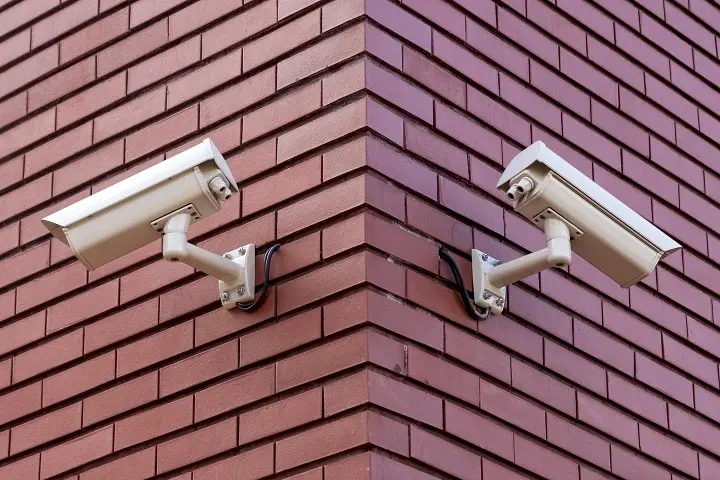
Finding the best home security system involves balancing advanced features, affordability, and ease of use to protect your loved ones and property effectively. This comprehensive guide will navigate you through the essential considerations and top options for 2025-26.
Understanding Your Home Security Needs
Before diving into specific systems, it's crucial to assess your unique requirements. What are your primary concerns? Are you looking to deter burglars, monitor children and pets, manage package deliveries, or simply gain peace of mind? Your answers will significantly influence the type of system and features that are most suitable. Consider the size and layout of your home, the number of entry points, and whether you live in a high-crime area. For instance, a sprawling suburban home might require more extensive coverage than a compact city apartment. Furthermore, think about your technical proficiency and willingness to manage a system yourself versus relying on professional installation and monitoring. Understanding these foundational elements will guide you towards making an informed decision that aligns with your lifestyle and budget.
Assessing Your Property and Lifestyle
Your home's physical characteristics play a vital role. A multi-story house with numerous windows and doors will necessitate a different approach than a single-level dwelling. Identify all potential entry points, including basement windows, garage doors, and any less obvious access points. The presence of valuable items, whether visible from the outside or stored within, also influences the level of security needed. Beyond the physical structure, your lifestyle is a key consideration. If you travel frequently, robust remote monitoring and alert capabilities are paramount. For families with young children or elderly relatives, features like two-way audio and medical alert buttons might be essential. Pet owners will want to ensure motion sensors are pet-friendly to avoid false alarms. Even your neighborhood's crime statistics can inform your decision; areas with higher reported incidents might warrant more comprehensive and visible security measures.
Defining Your Security Goals
What does "security" mean to you? For some, it's about preventing unauthorized entry. For others, it extends to environmental monitoring, such as smoke or carbon monoxide detection, or even water leak alerts. Think about the specific threats you want to mitigate. Are you primarily concerned about intrusion, or do you also want to be alerted to fires, floods, or gas leaks? Some systems offer comprehensive solutions that cover a wide range of potential hazards, while others focus more narrowly on intrusion detection. Consider whether you want a system that simply alerts you or one that can actively deter intruders, perhaps through audible alarms or automated lighting. Your goals will shape the types of sensors and devices you prioritize. For example, if package theft is a concern, video doorbells and outdoor cameras become critical. If you have elderly parents living with you, a panic button or a system with voice control for emergency services could be a top priority.
Key Components of a Home Security System
A robust home security system is typically comprised of several interconnected components, each serving a specific function. Understanding these elements is crucial for building a comprehensive and effective security setup. From the central hub that orchestrates everything to the individual sensors that detect threats, each piece plays a vital role in safeguarding your home. The integration of these components creates a layered defense, ensuring that potential issues are detected and addressed promptly.
Control Panel or Hub
The control panel, often referred to as the hub, is the brain of your security system. It's the central unit that communicates with all other devices, processes signals, and initiates alarms. Modern systems often feature touchscreens for easy operation and can be controlled via a smartphone app. This hub is where you arm and disarm the system, customize settings, and receive notifications. Its connectivity is vital, often relying on Wi-Fi, cellular, or landline connections to communicate with monitoring centers or alert you directly.
Sensors
Sensors are the eyes and ears of your security system, designed to detect specific events. The most common types include:
- Door and Window Sensors: These are typically two-part magnetic sensors. When a door or window is opened, the magnetic connection is broken, triggering an alert.
- Motion Sensors: These devices detect movement within a specific area. Advanced models use passive infrared (PIR) technology, which senses body heat, and can often be adjusted to ignore pets to prevent false alarms.
- Glass Break Sensors: These sensors listen for the specific sound frequency of breaking glass, triggering an alarm before an intruder can even enter.
- Environmental Sensors: These include smoke detectors, carbon monoxide detectors, flood sensors, and freeze sensors, which alert you to potential hazards beyond intrusion.
Cameras
Security cameras provide visual verification of events and can act as a deterrent. They range from indoor cameras for monitoring living spaces to outdoor cameras designed to withstand the elements. Features to look for include:
- Resolution: Higher resolution (e.g., 1080p or 4K) provides clearer images.
- Night Vision: Essential for effective monitoring in low-light conditions.
- Field of View: A wider field of view covers more area.
- Two-Way Audio: Allows you to communicate with individuals on camera.
- Motion Detection: Alerts you when movement is detected.
- Cloud or Local Storage: Options for recording and storing footage.
Alarms and Sirens
When a sensor is triggered, the system will activate an alarm or siren to alert occupants and potentially deter intruders. These can range from loud audible sirens to more subtle notifications sent to your smartphone. Some systems offer integrated sirens within the control panel, while others use separate, powerful external sirens.
Keypads and Remotes
Keypads, usually located near entry points, allow you to arm and disarm the system using a unique code. Key fobs or remote controls offer a more convenient way to manage the system, especially for quick entry and exit. Many modern systems also allow for full control via a smartphone app.
Types of Home Security Systems
The landscape of home security has evolved significantly, offering various types of systems to suit different needs and preferences. Understanding these categories will help you narrow down your options and find a solution that best fits your home and lifestyle. From traditional hardwired systems to cutting-edge wireless and smart home integrated solutions, each type offers distinct advantages and disadvantages.
Professionally Monitored Systems
These systems are connected to a central monitoring station staffed 24/7 by security professionals. When an alarm is triggered, the monitoring center receives the alert and can dispatch emergency services (police, fire, or medical) if necessary. This offers a high level of security and peace of mind, especially for those who are away from home frequently or live in areas with slower police response times. Companies like ADT and Vivint are well-known providers of these services, often requiring a monthly monitoring fee.
Pros: 24/7 professional oversight, rapid emergency response, potential insurance discounts.
Cons: Typically involve longer contracts, higher monthly fees, and professional installation.
Self-Monitored Systems
With self-monitored systems, you are responsible for monitoring your home's security. When an alarm is triggered, you receive notifications directly on your smartphone or other connected devices. You then decide how to respond, whether to check security cameras, contact neighbors, or call emergency services yourself. Companies like SimpliSafe and Ring offer popular DIY self-monitored options.
Pros: Lower monthly costs (often no fees), greater control over response, flexible and easy to install.
Cons: Relies on your availability and responsiveness, no automatic dispatch of emergency services.
Wireless vs. Wired Systems
The primary distinction here is how the components communicate. Wired systems use physical wires to connect sensors and the control panel, offering a reliable connection but requiring professional installation and potentially causing aesthetic disruption. Wireless systems use radio frequencies or Wi-Fi, making them easy to install and move, but they can be susceptible to signal interference and require battery replacements for sensors.
Wireless Systems:
- Pros: Easy DIY installation, flexible placement, no drilling or wiring required.
- Cons: Battery maintenance, potential for signal interference, may be less reliable in very large homes.
Wired Systems:
- Pros: Highly reliable, no battery changes, generally more secure against jamming.
- Cons: Complex and costly installation, difficult to move or expand, requires professional expertise.
Smart Home Integrated Systems
These systems go beyond basic security, integrating with other smart home devices like lights, thermostats, and locks. They can be controlled via voice assistants (like Alexa or Google Assistant) and allow for complex automation routines. For example, you can set your lights to turn on and your doors to lock when the alarm is armed. Companies like Google Nest and Amazon Ring are at the forefront of this integration.
Pros: Enhanced convenience and automation, unified control of home devices, advanced features.
Cons: Can be more expensive, may require a compatible smart home ecosystem, potential for increased complexity.
Top Home Security Systems for 2025-26
The home security market is dynamic, with new technologies and improved services emerging regularly. Based on current trends and anticipated developments for 2025-26, here are some of the top contenders, categorized by their primary strengths. It's important to note that the "best" system is subjective and depends on individual needs. We'll examine systems that offer a balance of features, reliability, and value.
Best Overall: Professionally Monitored
Vivint Smart Home
Vivint consistently ranks high for its comprehensive smart home integration and professional monitoring services. Their systems are known for their sleek design, user-friendly interface, and advanced features like AI-powered security cameras and integrated smart home devices. Vivint offers a complete package that includes installation, equipment, and 24/7 professional monitoring, making it a top choice for those seeking a seamless, high-end security solution.
Key Features: Integrated smart home control, professional installation, advanced video analytics, 24/7 professional monitoring, mobile app control.
Pricing: Typically requires a 42-month contract with equipment costs varying based on chosen components. Monthly monitoring fees apply.
Best for: Homeowners who want a fully integrated smart home and security system with professional installation and ongoing support.
Best DIY: Self-Monitored
SimpliSafe Security System
SimpliSafe has built a strong reputation for its easy-to-install DIY systems that offer robust protection without mandatory monthly fees or long-term contracts. Their components are wireless and simple to set up, and users can opt for optional 24/7 professional monitoring for a competitive price. SimpliSafe offers a wide range of sensors and cameras, making it highly customizable for various home sizes and needs.
Key Features: Easy DIY installation, no long-term contracts, optional 24/7 professional monitoring, wide range of sensors, reliable performance.
Pricing: Equipment costs vary based on the package. Optional monitoring plans start around $15-$25 per month.
Best for: Renters or homeowners who prefer a flexible, DIY approach with no long-term commitments and the option for professional monitoring.
Best for Smart Home Enthusiasts
Google Nest Secure (and integrated Nest ecosystem)
While Nest Secure itself has been discontinued, its underlying technology and integration into the broader Google Nest ecosystem make it a compelling option for smart home enthusiasts. Systems leveraging Google Assistant and Nest cameras, doorbells, and other devices offer sophisticated automation and control. Users can create complex routines, manage security from a single app, and benefit from Google's AI capabilities for enhanced detection and alerts. The focus is on seamless integration with other smart home products.
Key Features: Deep integration with Google Assistant and Nest devices, robust automation capabilities, advanced AI features in cameras, unified app control.
Pricing: Varies greatly depending on the chosen Nest devices and any optional monitoring services. No mandatory monthly fees for basic functionality.
Best for: Users already invested in the Google Nest ecosystem or those prioritizing advanced smart home integration and voice control.
Best Budget-Friendly Option
Ring Alarm Security Kit
Ring, known for its video doorbells, also offers a highly affordable and effective DIY alarm system. The Ring Alarm Security Kit is simple to set up and integrates seamlessly with other Ring devices, such as cameras and doorbells. It offers optional professional monitoring through Ring Protect Pro for a low monthly fee, making it an excellent choice for budget-conscious consumers who still want reliable security and the option for emergency dispatch.
Key Features: Affordable pricing, easy DIY installation, integrates with Ring cameras and doorbells, optional professional monitoring, mobile app control.
Pricing: Starter kits are very reasonably priced. Optional professional monitoring is around $20 per month.
Best for: Budget-conscious homeowners and renters looking for a simple, expandable security system that integrates with video surveillance.
Best for Renters
Cove Security
Cove offers a compelling package for renters due to its emphasis on easy, no-drilling installation and flexible, month-to-month monitoring plans. Their systems are designed for quick setup and can be easily moved if you relocate. Cove provides a good balance of essential security features and affordability, with options for professional monitoring without long-term contracts, making it an ideal choice for those who cannot make permanent modifications to their living space.
Key Features: Easy DIY setup, no long-term contracts, affordable monthly monitoring, quick installation, portable for renters.
Pricing: Equipment costs are moderate, and monthly monitoring plans are competitive and flexible.
Best for: Renters who need a secure, easy-to-install system that can be taken with them when they move.
Factors to Consider When Choosing Your System
Selecting the right home security system involves more than just picking a brand. Several critical factors should guide your decision-making process to ensure you invest in a solution that meets your specific needs and provides long-term value. Overlooking these details can lead to a system that is either inadequate for your security requirements or overly expensive for the features it offers.
Installation Method
The choice between professional installation and DIY setup is a significant one. Professional installation ensures that the system is set up correctly and optimized for your home, but it comes at a higher cost and may require scheduling appointments. DIY installation, on the other hand, offers flexibility and cost savings, but requires a certain level of technical comfort and time commitment. For those who are not tech-savvy or have complex home layouts, professional installation is often the safer bet. Conversely, renters or individuals on a tighter budget might find DIY solutions more appealing.
Monitoring Options
As discussed earlier, you can choose between self-monitoring and professional monitoring. Self-monitoring is cheaper but puts the responsibility of responding to alerts on you. Professional monitoring provides 24/7 oversight from a dedicated team, which can be crucial for rapid emergency response. Consider your lifestyle, how often you are away from home, and your comfort level with managing alerts yourself when making this decision. Some systems offer a hybrid approach, allowing you to switch between self and professional monitoring plans as needed.
Equipment Costs and Contracts
The upfront cost of equipment can vary dramatically. Some systems require a significant initial investment, while others spread the cost over a monthly fee. Equally important are the contract terms. Many professionally monitored systems require long-term contracts (e.g., 3-5 years), which can be restrictive and costly if you wish to cancel or upgrade. Look for systems with flexible month-to-month options or no contracts if you prefer not to be locked in.
Scalability and Customization
Your security needs may change over time. A good system should be scalable, allowing you to easily add more sensors, cameras, or other devices as needed. Customization is also key; the ability to tailor the system to your specific home layout and security concerns (e.g., adding more motion sensors in high-traffic areas or outdoor cameras for perimeter surveillance) ensures optimal protection. Check if the system supports a wide range of compatible devices and if adding new components is a straightforward process.
Smart Home Compatibility
If you have or plan to build a smart home, compatibility with your existing ecosystem is crucial. Ensure the security system integrates seamlessly with your smart assistants (Amazon Alexa, Google Assistant), smart locks, lighting, and other connected devices. This allows for greater convenience, automation, and a more unified control experience. For example, you might want your security system to automatically turn off lights and lock doors when you arm it.
Mobile App and Remote Access
A well-designed mobile app is essential for managing your security system remotely. It should provide easy access to arm/disarm the system, view camera feeds, receive alerts, and adjust settings. Look for an app that is intuitive, reliable, and offers features like geofencing (which can automatically arm/disarm the system based on your location) or customizable notifications. The quality of the app can significantly impact your overall user experience.
Customer Support and Reviews
Before making a purchase, research the company's customer support reputation. Look for reviews that comment on the responsiveness and helpfulness of their support team. Understanding how the company handles technical issues, warranty claims, and general inquiries can save you a lot of frustration down the line. Online reviews from existing customers can provide valuable insights into the real-world performance and reliability of the system and the company.
Installation and Setup: DIY vs. Professional
The decision between installing your home security system yourself (DIY) or hiring a professional is a significant one that impacts cost, time, and the overall effectiveness of your system. Each approach has its own set of advantages and disadvantages, and the best choice depends heavily on your technical aptitude, budget, and the complexity of your home.
DIY Installation
Process: DIY systems are designed for easy setup by the homeowner. Components are typically wireless and connect to a central hub. Installation usually involves placing sensors on doors and windows, mounting motion detectors, and plugging in the hub. The entire process can often be completed in a few hours. Most systems come with detailed instructions, video tutorials, and customer support to guide you.
Pros:
- Cost Savings: Eliminates professional installation fees, which can range from $100 to $500 or more.
- Flexibility: You can install the system on your own schedule, without needing to book appointments.
- Control: You have complete control over the placement of every sensor and device.
- Portability: Ideal for renters, as DIY systems can often be easily removed and reinstalled in a new home.
Cons:
- Time Commitment: Requires you to dedicate time to installation and setup.
- Technical Aptitude: You need to be comfortable with basic technology and following instructions.
- Potential for Errors: Incorrect placement or setup can lead to false alarms or missed events.
- Troubleshooting: You are responsible for troubleshooting any issues that arise.
Examples of DIY-friendly systems: SimpliSafe, Ring Alarm, Cove, Abode.
Professional Installation
Process: With professional installation, a certified technician from the security company will visit your home to assess your needs, recommend equipment, and install the entire system. This includes wiring (if applicable), mounting devices, configuring the control panel, and testing all components. They will also walk you through how to use the system.
Pros:
- Expertise: Technicians ensure optimal placement and configuration for maximum effectiveness.
- Convenience: Saves you time and effort, especially for complex systems or larger homes.
- Reliability: Reduces the risk of installation errors, leading to a more dependable system.
- Warranty: Often includes a warranty on the installation itself.
Cons:
- Cost: Professional installation fees can be substantial.
- Scheduling: Requires coordinating appointments, which can sometimes be inconvenient.
- Less Flexibility: You have less control over the exact placement and timing.
- Less Portable: Difficult to move if you relocate, especially for wired systems.
Examples of systems typically professionally instaADTd: ADT, Vivint.
Choosing the Right Path
Consider these questions when deciding:
- Your Comfort Level: Are you confident in your ability to set up electronics?
- Your Home: Is your home large, complex, or do you have specific wiring needs?
- Your Budget: Can you afford the upfront cost of professional installation?
- Your Time: Do you have the time to dedicate to DIY setup?
For most modern wireless systems, DIY installation is straightforward and highly recommended for its cost-effectiveness and flexibility. However, if you prefer a hands-off approach or have a particularly intricate home layout, professional installation offers peace of mind and expert setup.
Monitoring Options Explained
The way your home security system responds to alerts is a critical decision. The two primary monitoring options are self-monitoring and professional monitoring, each offering distinct levels of oversight and response.
Self-Monitoring
How it Works: In a self-monitored system, when a sensor is triggered (e.g., a door opens, motion is detected), the system sends an alert directly to your smartphone via a dedicated app. This alert can be a push notification, text message, or email. You are then responsible for assessing the situation and deciding on the appropriate course of action, which might include checking live camera feeds, contacting neighbors, or calling the police yourself.
Pros:
- Cost-Effective: Typically involves no monthly monitoring fees, or significantly lower fees compared to professional monitoring.
- Full Control: You decide when and how to respond to alerts.
- Flexibility: No contracts are usually required for self-monitored plans.
Cons:
- Responsibility: You must be available and responsive to alerts. If your phone is off, you're in an area with no service, or you miss the notification, there may be no one to respond.
- No Automatic Dispatch: Emergency services are not automatically contacted.
- Potential for Delays: Response times depend entirely on your ability to act quickly.
Best for: Tech-savvy individuals who are frequently at home, have reliable mobile service, and are comfortable taking charge of their own security response.
Professional Monitoring
How it Works: With professional monitoring, your security system is connected to a central monitoring station staffed by trained professionals, 24 hours a day, 7 days a week. When an alarm is triggered, the monitoring center receives the signal. They will typically attempt to contact you first to verify the alarm. If they cannot reach you or if you confirm an emergency, they will dispatch the appropriate authorities (police, fire department, or medical services) on your behalf. Many services also offer video verification, where monitoring agents can view camera footage to confirm an event before dispatching.
Pros:
- Peace of Mind: Ensures that your home is monitored even when you are asleep, away, or unable to respond.
- Rapid Response: Trained professionals can quickly dispatch emergency services, potentially reducing response times.
- Reduced False Alarms: Monitoring centers often have protocols to verify alarms, reducing unnecessary dispatches.
- Insurance Discounts: Many insurance companies offer discounts for homes with professionally monitored security systems.
Cons:
- Monthly Fees: Requires a recurring monthly fee, which can add up over time.
- Contracts: Often involves long-term contracts, limiting flexibility.
- Potential for Fees: Some municipalities may charge fees for false alarms, though professional monitoring services often help mitigate this.
Best for: Individuals and families who want the highest level of security and peace of mind, especially those who travel frequently, live in remote areas, or want to ensure a swift response in emergencies.
Hybrid and On-Demand Monitoring
Some companies now offer hybrid solutions or on-demand monitoring. This allows you to start with a self-monitored system and then opt-in for professional monitoring on a monthly basis when you go on vacation, for example. This provides a flexible approach, allowing you to tailor your monitoring level to your current needs and budget.
Smart Home Integration Capabilities
The evolution of home security systems has moved beyond simple intrusion detection. Today's systems are increasingly integrated into the broader smart home ecosystem, offering enhanced convenience, automation, and a more connected living experience. Understanding these integration capabilities can help you choose a system that not only protects your home but also complements your existing smart devices.
Voice Assistant Compatibility
Most leading security systems are compatible with popular voice assistants like Amazon Alexa and Google Assistant. This allows you to control your system using voice commands. You can arm or disarm your system, check the status of sensors, and even view camera feeds (on compatible smart displays) simply by speaking. For example, you might say, "Alexa, arm the security system in away mode," or "Hey Google, show me the front door camera."
Key Benefits: Hands-free control, convenience, accessibility.
Integration with Smart Locks and Lighting
Security systems can work in tandem with smart locks and smart lighting to create automated security routines. For instance, when you arm your system in "away" mode, it can automatically lock all smart doors and turn off specific lights. Conversely, when you disarm the system upon arriving home, it can unlock the front door and turn on entry lights. This creates a seamless transition between security and comfort.
Key Benefits: Enhanced security, convenience, energy savings.
Automation Routines and IFTTT
Advanced systems allow for the creation of complex automation routines. This can be done through the security system's own app or via platforms like IFTTT (If This Then That). IFTTT enables you to connect different smart devices and services to create custom "applets." For example, you could set up an applet where if your security camera detects motion, it triggers a smart light to turn on, or if your smoke detector goes off, it unlocks all doors for easier escape.
Key Benefits: Highly customizable automation, personalized security scenarios, enhanced functionality.
Smart Thermostat and Appliance Control
Some integrated systems can also communicate with smart thermostats and appliances. This might involve adjusting the thermostat when the system is armed to save energy or receiving alerts if a smart appliance malfunctions. While not directly a security function, it contributes to the overall smart home management and can indirectly enhance safety and efficiency.
Key Benefits: Energy efficiency, convenience, comprehensive home management.
App Consolidation
A significant advantage of smart home integration is the potential to consolidate control into a single app. Instead of juggling multiple applications for your security, lights, thermostat, and locks, a well-integrated system allows you to manage everything from one central interface, whether it's the security system's app or a broader smart home platform app.
Key Benefits: Simplified control, improved user experience.
Budgeting for Home Security
Investing in a home security system is a crucial step towards protecting your property and loved ones, but it's essential to approach it with a clear understanding of the costs involved. The total investment can vary significantly based on the type of system, the equipment you choose, and the monitoring services you opt for. A well-planned budget ensures you get the best possible protection without overspending.
Initial Equipment Costs
This is the upfront cost for the hardware. It includes the control panel or hub, door/window sensors, motion detectors, cameras, keypads, and any other accessories. DIY systems often have lower upfront costs for basic kits, which can be expanded over time. Professionally installed systems may bundle equipment into a larger package, sometimes with financing options, but the initial outlay can be higher.
- DIY Systems: Starter kits can range from $200 to $500. Additional sensors or cameras can cost $20-$100 each.
- Professionally Installed Systems: Equipment packages can range from $500 to $1500+, depending on the complexity and features.
Installation Fees
If you opt for professional installation, you'll incur an installation fee. This fee covers the cost of the technician's time, expertise, and travel. For DIY systems, this cost is zero.
- Professional Installation: Typically ranges from $100 to $500+, depending on the provider and the scope of the installation.
Monthly Monitoring Fees
This is a recurring cost for the service that monitors your system. The price varies based on whether you choose self-monitoring (often free or very low cost) or professional monitoring. Professional monitoring plans can also differ in features, such as video verification or cellular backup, which can affect the price.
- Self-Monitoring: $0 - $15 per month (for app access, cloud storage, etc.).
- Professional Monitoring: $15 - $60+ per month, depending on the provider and features.
Contract Obligations
Many professionally monitored systems require long-term contracts (e.g., 3-5 years). It's crucial to factor in the total cost over the contract period. Some companies offer month-to-month options, which are more flexible but may have slightly higher monthly fees or require a larger upfront equipment investment.
Actionable Tip: Always ask about contract length, early termination fees, and what happens to your equipment if you move.
Potential Additional Costs
- Battery Replacements: For wireless sensors, batteries will need replacing periodically (typically every 1-5 years, depending on the device and usage).
- Equipment Upgrades: You may decide to add more components or upgrade existing ones over time.
- Cloud Storage Fees: If you use cameras, you might pay for cloud storage to save video footage.
- False Alarm Fines: While professional monitoring can help reduce these, some municipalities charge fines for repeated false alarms.
Budgeting Strategies
- Prioritize: Determine which features are essential for your security needs and which are "nice-to-haves."
- Compare Providers: Get quotes from multiple companies and compare not just the monthly fees but also the total cost over the contract term.
- Consider DIY: If you're comfortable with technology, a DIY system can significantly reduce upfront and ongoing costs.
- Look for Deals: Many companies offer promotions, especially for new customers.
- Factor in Long-Term Costs: Don't just look at the initial price; consider the total cost of ownership over several years.
Future-Proofing Your Home Security
The landscape of home security is constantly evolving with advancements in technology. To ensure your investment remains effective and relevant for years to come, it's wise to consider future-proofing your system. This involves selecting components and services that are adaptable, upgradable, and aligned with emerging trends in smart home technology and security protocols.
Choosing Wireless and Expandable Systems
Wireless systems offer inherent flexibility. As new sensor types or devices become available, they can often be easily integrated into an existing wireless setup without the need for extensive rewiring. Look for systems that explicitly state compatibility with a wide range of add-on components, allowing you to scale your security as your needs or technological options change.
Prioritizing Software Updates and Support
The intelligence and functionality of modern security systems are heavily reliant on their software. Companies that regularly provide software updates for their hubs, apps, and devices are more likely to keep their systems secure and introduce new features. Choose providers known for their ongoing support and commitment to improving their platforms. This ensures your system benefits from the latest security patches and performance enhancements.
Embracing Smart Home Integration
As smart home technology becomes more ubiquitous, security systems that integrate seamlessly with other smart devices will offer greater long-term value. Compatibility with major voice assistants (Alexa, Google Assistant), smart lighting, locks, and thermostats means your security system can be a central part of a larger, automated, and more convenient home environment. This integration also opens up possibilities for more sophisticated security routines and energy management.
Considering Cellular Backup
While Wi-Fi is convenient, it can be vulnerable to power outages or internet disruptions. Systems that include cellular backup ensure that your security system can still communicate with the monitoring center even if your home internet goes down. This is a critical feature for maintaining continuous protection and is becoming a standard expectation for robust security solutions.
Evaluating Video Capabilities
Video surveillance is an increasingly important aspect of home security. Future-proofing your video strategy means looking for systems that offer high-resolution cameras (1080p or 4K), good low-light performance, and intelligent features like AI-powered person detection or package detection. The ability to store footage securely (either locally or via reliable cloud services) and access it easily through a mobile app is also crucial.
Researching Company Longevity and Innovation
When choosing a security provider, consider the company's track record and commitment to innovation. A company that has been in business for a while and consistently introduces new technologies is more likely to support its products for the long term. This reduces the risk of your system becoming obsolete or unsupported in the near future.
Security Protocol Awareness
As cybersecurity threats evolve, so do the protocols used to protect smart devices. While end-users may not need to be experts, choosing systems that utilize modern encryption standards and are transparent about their security practices provides an added layer of confidence that your data and system are well-protected against emerging threats.
By considering these aspects, you can select a home security system that not only meets your current needs but is also well-positioned to adapt to the technological advancements and evolving security landscape of the future.
Conclusion
Choosing the best home security system in 2025-26 hinges on a personalized assessment of your unique needs, property characteristics, and lifestyle. Whether you prioritize robust professional monitoring for ultimate peace of mind, the cost-effectiveness and flexibility of a DIY self-monitored setup, or seamless integration with your smart home ecosystem, there is a solution tailored for you. We've explored the essential components, diverse system types, and top-tier options available, emphasizing critical factors like installation, monitoring, budget, and future-proofing. By carefully weighing these elements and understanding the strengths of providers like Vivint, SimpliSafe, Google Nest, Ring, and Cove, you can make an informed decision. Ultimately, the best home security system is one that provides reliable protection, fits your budget, and offers the convenience and control you desire, ensuring the safety and security of your home and family for years to come.