Which Doorbell Camera Does Not Require Subscription?
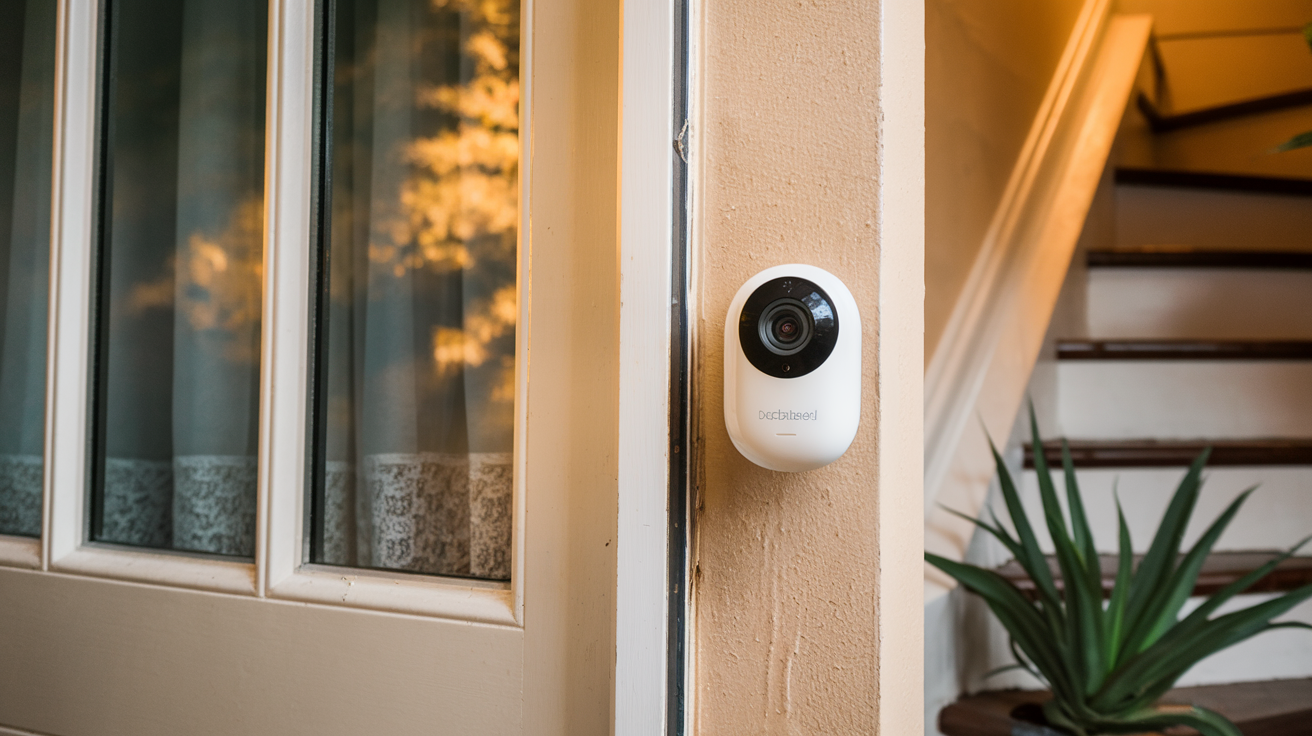
Searching for a doorbell camera that offers robust features without the recurring monthly fees? You're not alone. Many consumers are seeking privacy-focused, cost-effective solutions. This guide explores top doorbell cameras that don't require a subscription, empowering you to monitor your home without ongoing expenses.
Why Choose a Doorbell Camera Without a Subscription?
The primary allure of a doorbell camera that does not require a subscription is cost savings. Eliminating monthly fees can significantly reduce your overall home security expenditure, especially when managing multiple devices. Beyond affordability, many users prioritize data privacy and control. Subscription services often store your video footage on company servers, raising concerns about data breaches and third-party access. Opting for a no-subscription model, particularly one with local storage, keeps your sensitive video data within your home network, offering greater peace of mind and control over your personal information.
Understanding Doorbell Camera Subscription Models
The smart home security market has largely adopted a subscription-based model for doorbell cameras. This model typically offers a tiered service, with free basic features and paid tiers unlocking advanced functionalities. These functionalities often include extended cloud video storage (e.g., 7, 30, or 60 days of recording history), person detection, package detection, rich notifications with image previews, and advanced activity zones. While convenient, these recurring costs can add up. For instance, a common subscription might range from $3 to $10 per month per device, or a bundled plan for multiple devices could cost $10 to $30 per month. By 2025, it's projected that over 70% of smart home devices will offer some form of subscription service, making the search for truly subscription-free options more critical for budget-conscious consumers.
Key Features to Look For in a Subscription-Free Doorbell Camera
When evaluating doorbell cameras that bypass subscription requirements, several key features should be prioritized to ensure you're not sacrificing essential functionality. These include:
- Local Storage Options: This is paramount. Look for cameras that support microSD cards for on-device recording or have a base station/hub that accepts a hard drive or microSD card. This allows you to store footage locally without relying on cloud servers.
- Video Quality: Aim for at least 1080p HD resolution for clear images. Higher resolutions (2K or 4K) offer even more detail, which can be crucial for identifying individuals or license plates.
- Field of View (FOV): A wide FOV (160 degrees or more) ensures you can see a large area, including the entire porch and any approaching visitors.
- Night Vision: Infrared (IR) night vision is standard, but look for cameras with advanced capabilities like color night vision or superior IR range for better visibility in low-light conditions.
- Two-Way Audio: Essential for communicating with visitors remotely.
- Motion Detection: While basic motion detection is usually free, advanced features like AI-powered person detection, package detection, or customizable activity zones might be limited without a subscription on some models. However, some brands offer these without fees.
- Power Source: Decide between wired (requires existing doorbell wiring) or battery-powered options. Battery-powered offers more flexibility in placement but requires periodic recharging.
- Durability and Weather Resistance: Ensure the camera is built to withstand various weather conditions (IP rating).
- Connectivity: Reliable Wi-Fi connectivity is crucial for seamless streaming and notifications.
Top Subscription-Free Doorbell Cameras (2025-26)
The market for doorbell cameras without mandatory subscriptions is evolving, with several brands offering compelling alternatives. Here are some of the top contenders for 2025-26, focusing on their subscription-free capabilities:
Ring Doorbell Options with Local Storage
While Ring is heavily associated with its optional Ring Protect subscription plans, some of their older or specific models can offer limited functionality without it, and their newer systems are increasingly pushing towards cloud. However, it's crucial to understand that Ring's core functionality, especially extended video history, is tied to subscriptions. For truly subscription-free operation with local storage, Ring is generally not the primary recommendation. Their older models like the original Ring Video Doorbell might offer live view and motion alerts without a subscription, but recorded events are severely limited or unavailable. For users who are already invested in the Ring ecosystem and are looking for minimal, free functionality, it's worth checking the specific model's capabilities. However, for users prioritizing comprehensive local storage and no subscription at all, other brands are more suitable.
Eufy Security Doorbell Cameras
Eufy has emerged as a leading brand for users seeking robust smart home security without recurring fees. Their doorbell cameras, such as the Eufy Video Doorbell 2K and the Eufy Dual Camera Doorbell, are designed with local storage as a primary feature. Most Eufy doorbells come with an integrated microSD card slot or are compatible with the Eufy HomeBase, which offers significant local storage capacity. This allows you to store all your video recordings directly on the device or the HomeBase, eliminating the need for cloud subscriptions for video history. Eufy also offers AI-powered features like human detection and customizable activity zones directly on the device, without requiring a paid plan. Notifications are pushed to your smartphone via the Eufy Security app, providing real-time alerts. While Eufy does offer an optional cloud storage plan for added redundancy, it is entirely optional, making their entire range of doorbell cameras a strong contender for the "no subscription" requirement.
Key Eufy Subscription-Free Benefits:
- Local storage via microSD card or HomeBase.
- AI-powered features (human detection, etc.) included.
- No mandatory monthly fees for core functionality.
- 1080p to 2K video resolution.
- Wide field of view.
- Two-way audio.
Wyze Doorbell Cameras
Wyze is renowned for its budget-friendly smart home devices, and their doorbell cameras are no exception. The Wyze Video Doorbell Pro and the original Wyze Video Doorbell offer a compelling value proposition for those avoiding subscriptions. While Wyze does offer a "Cam Plus" subscription for enhanced features and cloud storage, their core functionality, including live streaming and motion alerts, is available without it. For local storage, Wyze doorbells typically support microSD cards, allowing you to record events directly onto the card. The free tier of Wyze's service offers short, 12-second event recordings stored locally. For continuous recording or longer event clips stored locally, a microSD card is essential. The "Cam Plus" subscription enhances features like unlimited cloud recording, person detection, and package detection, but the fundamental ability to see and hear visitors, and record locally, remains accessible without it.
Key Wyze Subscription-Free Benefits:
- Affordable hardware.
- Local storage via microSD card.
- Basic motion alerts and live view without subscription.
- 1080p video resolution.
- Two-way audio.
Note: For extended local recording or advanced AI detection without a subscription, a microSD card is necessary, and some advanced features might be more limited compared to brands prioritizing local-first design like Eufy.
Google Nest Doorbell Options
Google Nest doorbells, such as the Google Nest Doorbell (battery) and the Google Nest Doorbell (wired, 2nd gen), offer a unique approach. While they do not require a subscription for basic functionality like live view, two-way talk, and motion alerts, their video history is limited without a Google Nest Aware subscription. The battery-powered version offers up to 3 hours of event video history stored locally on the device. The wired version offers up to 3 hours of event video history stored locally. For longer video history (30 or 60 days), familiar face detection, and package detection, a Nest Aware subscription is required. Therefore, while you can use them without a subscription for immediate alerts and live viewing, the ability to review past events is significantly restricted. This makes them a partial fit for the "no subscription" requirement, best suited for users who primarily need real-time alerts and don't require extensive historical footage.
Google Nest Subscription-Free (Limited) Benefits:
- Live view, motion alerts, and two-way audio without subscription.
- Limited local event video history (3 hours).
- Integration with Google Assistant and Google Home ecosystem.
Important Limitation: Extended video history and advanced AI features are subscription-dependent.
Other Notable Brands
Beyond the major players, several other brands are making strides in offering doorbell cameras with minimal or no subscription requirements. These often focus on local storage solutions:
- Reolink: Reolink offers a range of Wi-Fi and PoE (Power over Ethernet) doorbell cameras that support microSD card storage for local recording. Many of their models offer advanced features like person detection without a subscription.
- Amcrest: Amcrest provides IP-based doorbell cameras that often support local recording to microSD cards or Network Video Recorders (NVRs). They are known for offering a good balance of features and affordability, with many advanced functionalities available without ongoing fees.
- Lorex: Lorex also offers doorbell cameras, some of which can be integrated into their NVR systems for comprehensive local storage. Their focus is often on professional-grade security solutions that prioritize local recording.
When exploring these brands, always verify the specific model's storage capabilities and whether advanced features are truly included without a subscription plan.
Local Storage vs. Cloud Storage: What's the Difference?
Understanding the distinction between local and cloud storage is crucial when choosing a subscription-free doorbell camera.
Local Storage:
- How it works: Video footage is recorded directly onto a physical storage medium within your home. This is typically a microSD card inserted into the doorbell camera itself, or a microSD card/hard drive within a dedicated base station or hub (like Eufy's HomeBase). Some systems might use a Network Video Recorder (NVR) for centralized local storage.
- Pros:
- No Subscription Fees: The primary advantage is avoiding recurring monthly costs.
- Data Privacy: Your video data remains within your home network, reducing concerns about third-party access or data breaches on remote servers.
- Faster Access to Footage: Often, accessing recorded footage is quicker as it doesn't require downloading from a remote server.
- Independence from Internet Outages: Recording can continue even if your internet connection is temporarily down.
- Cons:
- Risk of Theft/Damage: If the doorbell camera or storage device is stolen or damaged, the recorded footage can be lost.
- Limited Capacity: microSD cards have finite storage space. Once full, older footage is typically overwritten (loop recording).
- Remote Access Limitations: Accessing footage remotely might be slower or require more complex network configuration compared to cloud-based solutions.
- Device Dependency: If the device fails, you lose access to stored footage.
Cloud Storage:
- How it works: Video footage is uploaded and stored on remote servers managed by the device manufacturer. Access is typically provided through a mobile app or web portal.
- Pros:
- Data Security from Local Threats: Footage is safe even if the camera or your home is compromised.
- Remote Accessibility: Easily access footage from anywhere with an internet connection.
- Automatic Backups: Footage is automatically backed up to the cloud.
- Scalability: Storage capacity can often be increased by upgrading subscription plans.
- Cons:
- Recurring Subscription Fees: The main drawback, leading to ongoing costs.
- Privacy Concerns: Data is stored on third-party servers, raising potential privacy and security risks.
- Internet Dependency: Requires a stable internet connection for recording and access.
- Slower Access: Downloading footage can be slower depending on your internet speed and server load.
- Potential for Service Discontinuation: If the company goes out of business or discontinues the service, your footage could be lost.
For those specifically seeking a doorbell camera that does not require a subscription, local storage is the definitive path. Brands like Eufy excel in this area by making local storage the default and primary method of recording, offering a true subscription-free experience for video history.
Setting Up Your Subscription-Free Doorbell Camera
Setting up a doorbell camera, especially one designed for local storage, is generally straightforward. While specific steps vary by brand, the core process remains consistent. By 2025, most manufacturers aim for user-friendly, DIY installation.
Installation Process
- Powering the Device:
- Wired: If your doorbell is wired, you'll typically need to turn off the power at your circuit breaker for safety. Then, disconnect your old doorbell button and connect the wires to the new doorbell camera according to the manufacturer's instructions. Ensure your existing doorbell transformer can provide sufficient voltage (usually 16-24V AC).
- Battery-Powered: For battery-powered models, charge the battery fully before installation. Mount the bracket to your doorframe or wall using the provided screws and anchors. Then, attach the doorbell camera to the bracket.
- Mounting: Choose a location that offers a clear view of your entryway and is within range of your Wi-Fi signal. Most kits include mounting hardware and angle adjustments to optimize the camera's view.
Connecting to Wi-Fi
- Download the App: Install the manufacturer's dedicated mobile app on your smartphone or tablet (e.g., Eufy Security, Wyze, Reolink).
- Create an Account: Open the app and follow the prompts to create a user account.
- Add Device: Select the option to add a new device and choose your doorbell camera model.
- Pairing: The app will guide you through the pairing process. This usually involves scanning a QR code displayed on your phone with the doorbell camera, or the camera emitting a sound that the app detects.
- Wi-Fi Credentials: When prompted, select your home Wi-Fi network (ensure it's a 2.4GHz network, as many smart devices don't support 5GHz for initial setup) and enter your Wi-Fi password.
- Confirmation: Once connected, the app will confirm the successful pairing and Wi-Fi connection.
Configuring Storage
This is the critical step for subscription-free operation:
- Insert microSD Card: If your doorbell camera uses a microSD card, locate the card slot (often under a cover or behind the device) and insert a compatible microSD card (check the manufacturer's specifications for recommended class and size).
- Format the Card: Within the mobile app's settings for the doorbell camera, you'll usually find an option to format the microSD card. This ensures it's correctly set up for recording.
- Base Station/NVR Setup (if applicable): If your system uses a base station (like Eufy HomeBase) or an NVR, follow the manufacturer's instructions to set up the storage device. This might involve inserting a microSD card or hard drive into the base station/NVR and configuring it through the app.
- Recording Settings: In the app, configure your recording preferences. For subscription-free operation, you'll typically select "Local Storage" or "microSD Card" as the primary recording destination. You can often choose between continuous recording (if supported) or event-based recording (triggered by motion).
App Setup and Customization
Once storage is configured, personalize your doorbell camera's settings:
- Motion Detection Zones: Define specific areas within the camera's view where you want motion to be detected. This helps reduce false alerts from passing cars or swaying branches.
- Sensitivity Levels: Adjust the motion detection sensitivity to find a balance between capturing all relevant events and minimizing unnecessary notifications.
- Notification Preferences: Customize how and when you receive alerts on your smartphone. You can often choose between push notifications, email alerts, or even audible alerts from a smart speaker.
- Video Quality: Select your preferred video resolution (e.g., 1080p, 2K) based on your network speed and storage capacity.
- Two-Way Audio: Test the two-way audio feature to ensure clear communication with visitors.
- Firmware Updates: Regularly check for and install firmware updates through the app. These updates often include security patches, performance improvements, and new features.
By following these steps, you can successfully set up and configure your subscription-free doorbell camera, ensuring it's ready to protect your home without ongoing costs.
Advanced Features Without Subscriptions
The landscape of smart home technology is rapidly evolving, and the perception that advanced features are exclusively tied to subscriptions is becoming outdated. By 2025-26, many manufacturers are integrating sophisticated capabilities directly into their hardware or offering them as standard features, particularly in models designed for local storage. Here are some advanced features you can often find without a recurring fee:
- AI-Powered Person Detection: Instead of simply alerting you to any motion, these cameras can distinguish between people, vehicles, animals, and general motion. This significantly reduces false alerts and provides more relevant notifications. Brands like Eufy and Reolink are strong proponents of on-device AI for this.
- Package Detection: Some advanced doorbell cameras can specifically identify when a package is delivered to your doorstep and alert you. This feature is increasingly becoming standard on higher-end models, even those focused on local storage.
- Customizable Activity Zones: Beyond basic motion detection, you can define specific areas within the camera's field of view to monitor. This allows you to ignore high-traffic areas like a public sidewalk while focusing on your porch or driveway.
- High-Resolution Video (2K/4K): While 1080p is common, more subscription-free models are offering higher resolutions, providing sharper details for identification purposes.
- Color Night Vision: Traditional night vision uses infrared, producing black and white images. Color night vision uses ambient light or built-in spotlights to provide color images even in very low light, offering better detail and color accuracy.
- Local Storage Management: Advanced apps for local storage devices often provide robust management tools, allowing you to easily search, filter, and download recorded footage directly from your phone or computer without relying on cloud servers.
- Integration with Smart Home Ecosystems: Many subscription-free cameras can still integrate with platforms like Google Assistant or Amazon Alexa for voice control and routines, even if advanced video features are not cloud-dependent.
- On-Device Processing: The trend is moving towards processing AI and other complex tasks directly on the device or a local hub, rather than offloading it to the cloud. This enhances privacy and reduces reliance on internet connectivity.
When selecting a doorbell camera, carefully review the product specifications to confirm which advanced features are included as standard and which, if any, require an optional subscription. Brands that emphasize local storage are often the best bet for unlocking these powerful capabilities without ongoing costs.
Potential Drawbacks of No-Subscription Models
While the appeal of avoiding monthly fees is strong, it's important to be aware of potential drawbacks associated with doorbell cameras that do not require subscriptions:
- Limited Remote Access to Historical Footage: The most significant drawback. If a camera relies solely on local storage (e.g., microSD card), accessing older footage when you're away from home might be less convenient. You might need to physically retrieve the card or rely on potentially slower direct-to-device streaming. Some brands offer app-based remote access to local storage, but performance can vary.
- Risk of Data Loss Due to Device Theft or Damage: If your doorbell camera is stolen or damaged, any footage stored locally on a microSD card or internal memory will be lost. Cloud storage offers protection against these local physical threats.
- Shorter Video History: MicroSD cards have limited capacity. Without continuous cloud backup or frequent manual downloads, you might only retain a few days or weeks of footage before older recordings are overwritten through loop recording.
- Fewer Advanced AI Features (Sometimes): While this is changing, some manufacturers reserve their most sophisticated AI features (like advanced facial recognition or highly granular object detection) for their premium subscription tiers, even if basic motion detection is free. Always check specifics.
- Firmware Updates Might Be Less Frequent: Companies that rely heavily on subscription revenue may prioritize updates and new feature rollouts for their paid services. While critical security updates are usually provided, feature enhancements might be slower for their free-tier or local-storage-focused products.
- Reliance on Local Network Stability: While recording might continue during an internet outage, accessing live feeds or receiving notifications remotely will be impossible.
- Potential for More Basic User Interfaces: Some budget-friendly, no-subscription models might have less polished or intuitive mobile apps compared to their subscription-heavy counterparts.
Despite these potential drawbacks, for many users, the cost savings and privacy benefits of a no-subscription doorbell camera significantly outweigh these limitations. It often comes down to prioritizing what features are most important to your home security needs.
Making the Right Choice for Your Home
Selecting the ideal doorbell camera that does not require a subscription hinges on understanding your personal priorities and how they align with the available features. The market in 2025-26 offers more compelling subscription-free options than ever before, moving beyond basic functionality to incorporate advanced capabilities.
Prioritize Local Storage: If your primary goal is to avoid monthly fees and maintain control over your data, look for brands that make local storage (microSD card or base station) the default and primary method of recording. Eufy stands out here, offering robust local storage and AI features without mandatory subscriptions. Reolink and Amcrest are also strong contenders if you're comfortable with slightly more technical setups or NVR integration.
Consider Your Video History Needs: If you need to review footage from weeks or months ago, a purely local storage solution might be insufficient unless you have a very large microSD card and are diligent about managing recordings. In such cases, a hybrid approach or a brand that offers optional cloud backup for redundancy (like Eufy) might be beneficial. Google Nest's battery model offers a limited 3-hour local history, which is useful for immediate events but not for long-term review.
Evaluate Essential Features: Ensure the camera meets your needs for video quality (1080p or higher), field of view, night vision, and two-way audio. Most subscription-free models will offer these core features.
Weigh the Trade-offs: Be realistic about the potential drawbacks. Are you comfortable with the risk of local data loss? Is the convenience of remote access to historical footage critical for you? If the answer is yes to these, a subscription-free model might require more effort in managing your recordings.
Budget for Hardware: While you save on subscriptions, invest in a quality hardware unit. A slightly higher upfront cost for a reliable camera with good local storage capabilities will serve you better in the long run.
Ultimately, the best doorbell camera that does not require a subscription is one that balances your budget, privacy concerns, and essential security features. By carefully researching brands like Eufy, Wyze, Reolink, and Amcrest, and understanding the nuances of local versus cloud storage, you can find a solution that provides peace of mind without the ongoing financial commitment.
Conclusion: For the discerning homeowner in 2025-26 seeking robust security without recurring costs, the quest for a doorbell camera that does not require a subscription is not only achievable but increasingly practical. Brands like Eufy lead the charge, offering advanced features, high-definition video, and crucially, reliable local storage as standard. This empowers users with greater data privacy and significant long-term cost savings. While some brands offer limited free functionality, true subscription-free operation for video history is best found in devices prioritizing local storage solutions. Carefully assess your needs for video retention, essential features, and your comfort with potential drawbacks like local data vulnerability. By making an informed choice, you can secure your home effectively and economically, ensuring peace of mind that lasts.