Which Is The Best Doorbell Camera?
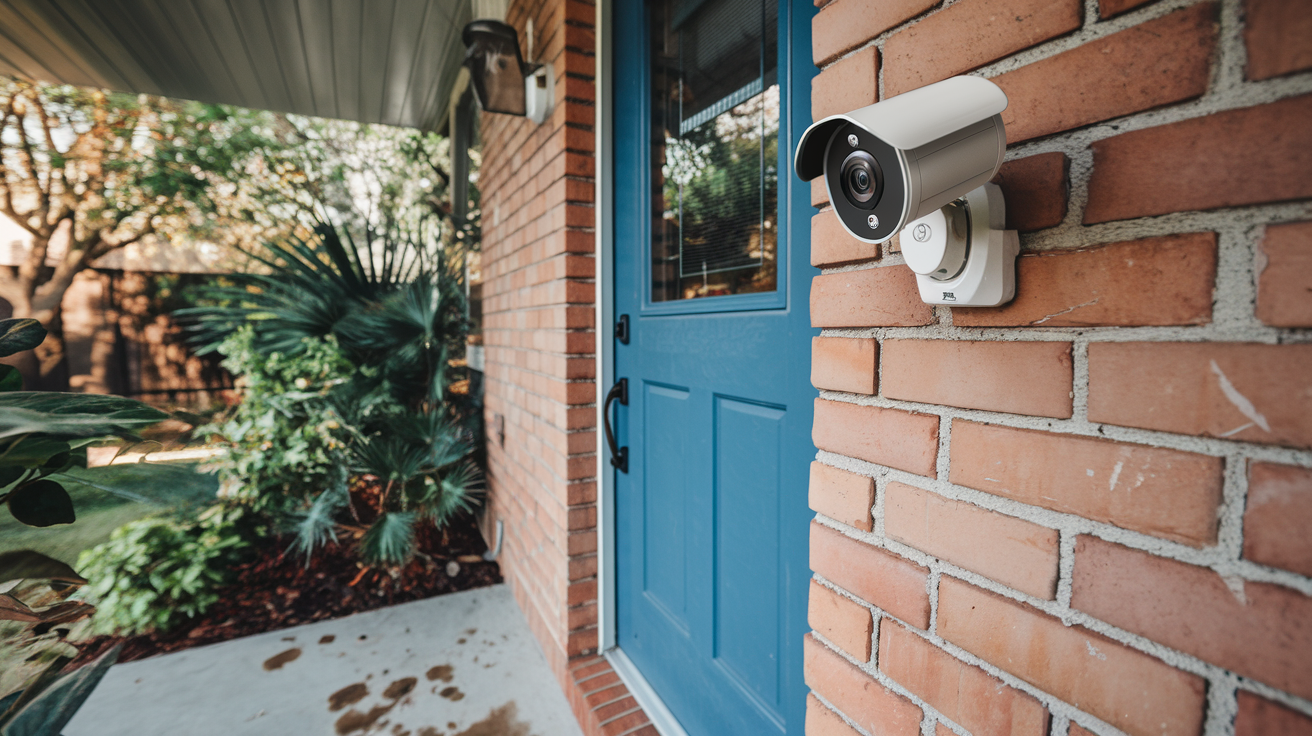
Choosing the best doorbell camera involves balancing features, budget, and your specific home security needs. This guide cuts through the noise to help you find the perfect smart doorbell for enhanced safety and convenience in 2025-26.
Why Install a Doorbell Camera?
In today's increasingly connected world, home security is paramount. Doorbell cameras have evolved from a niche gadget to an essential component of modern home protection. They offer a powerful blend of convenience and security, allowing homeowners to see, hear, and speak to visitors at their doorstep, whether they are home or away. The rise in porch piracy, package theft, and the general need for peace of mind has driven the adoption of these smart devices. By providing a visual record of who approaches your home, doorbell cameras act as a deterrent to potential intruders and offer crucial evidence should an incident occur. Furthermore, they enhance convenience, enabling you to grant access to trusted visitors remotely or simply screen deliveries without needing to be physically present. With advancements in AI and smart home integration, doorbell cameras are no longer just about seeing who's there; they're about proactive security and seamless home management.
Key Features to Consider
When evaluating the best doorbell camera for your needs, several critical features demand your attention. These elements directly impact the device's effectiveness, usability, and overall value. Understanding these components will empower you to make an informed decision that aligns with your security priorities and budget.
Video Quality and Field of View
The clarity of the video feed is fundamental. Look for resolutions of at least 1080p HD, with many premium models offering 2K or even 4K. Higher resolution means sharper images, making it easier to identify faces and details. Equally important is the field of view (FOV). A wider FOV, typically 160 degrees or more, ensures you can see more of your porch and surrounding area, including packages left on the ground. Some cameras offer a vertical FOV that is particularly useful for package detection.
Night Vision Capabilities
Security doesn't stop when the sun goes down. Effective night vision is crucial. Most doorbell cameras use infrared LEDs to provide black-and-white images in low-light conditions. The range and clarity of the night vision are important factors. Some advanced models also offer color night vision, which can provide more detail and better facial recognition in the dark.
Motion Detection and Alerts
The ability to detect motion and send timely alerts to your smartphone is a core function. Look for customizable motion zones, which allow you to define specific areas where motion should trigger an alert, reducing false alarms from passing cars or swaying trees. Advanced models employ AI-powered person detection, differentiating between people, vehicles, and animals, leading to more relevant notifications. The speed and reliability of these alerts are paramount for timely response.
Two-Way Audio
This feature allows you to communicate with visitors in real-time through the camera's built-in speaker and microphone. It's invaluable for greeting guests, instructing delivery drivers, or deterring unwanted visitors. The audio quality, including clarity and volume, should be a consideration.
Power Source: Wired vs. Wireless
Doorbell cameras can be powered either by existing doorbell wiring or by a rechargeable battery. Wired cameras offer continuous power, eliminating the need for battery charging, but require existing doorbell wiring. Wireless cameras offer greater installation flexibility but necessitate periodic battery charging or replacement. The lifespan of battery-powered cameras is a key consideration.
Storage Options: Local vs. Cloud
Video footage needs to be stored. Options include local storage (e.g., microSD card) or cloud storage (requiring a subscription). Local storage offers privacy and no recurring fees but can be lost if the device is stolen or damaged. Cloud storage provides off-site backup and accessibility from anywhere but typically involves monthly or annual subscription costs. Many services offer tiered plans based on storage duration and the number of cameras.
Smart Home Integration
Compatibility with other smart home devices and platforms like Amazon Alexa, Google Assistant, or Apple HomeKit can significantly enhance functionality. This allows for voice control, integration into smart home routines (e.g., turning on lights when motion is detected), and viewing feeds on smart displays.
Durability and Weather Resistance
Doorbell cameras are exposed to the elements. Ensure the device has a suitable IP rating (e.g., IP65 or higher) for dust and water resistance, ensuring it can withstand rain, snow, and extreme temperatures.
Field of View and Viewing Angles
A wider field of view (FOV) is crucial. Look for cameras with at least a 160-degree horizontal FOV. Some cameras also offer a wider vertical FOV, which is excellent for capturing packages placed at the doorstep. The best models offer a balanced view that captures both width and height effectively.
Connectivity and Wi-Fi Requirements
A stable Wi-Fi connection is essential for reliable performance. Ensure the doorbell camera supports your home's Wi-Fi network (2.4GHz or dual-band 2.4GHz/5GHz) and has a strong signal at your front door. Some devices offer advanced connectivity options or require a specific Wi-Fi strength.
Top Doorbell Cameras of 2025-26
The market for doorbell cameras is dynamic, with new models and features constantly emerging. Based on performance, innovation, and user feedback, here are some of the top contenders for 2025-26, categorized by their strengths:
Best Overall: Ring Video Doorbell Pro 2
The Ring Video Doorbell Pro 2 continues to be a benchmark for smart doorbells. It boasts 1536p HD+ resolution with a 150-degree field of view, offering exceptional clarity. Its advanced 3D Motion Detection with Bird's Eye View provides highly accurate motion alerts, pinpointing exactly when and where motion was detected. Color night vision enhances visibility in the dark. It's hardwired, ensuring continuous power. Integration with Alexa is seamless, and its robust app offers extensive customization. While it requires a Ring Protect subscription for full functionality, its comprehensive feature set makes it a leading choice for many homeowners.
Best Value: Wyze Video Doorbell v2
For budget-conscious consumers, the Wyze Video Doorbell v2 offers incredible value. It delivers 1080p HD video with a 150-degree FOV and excellent night vision. Its standout feature is the inclusion of local storage via a microSD card slot, meaning no mandatory subscription fees for basic recording. It also supports cloud storage for those who prefer it. The Wyze app is user-friendly, and the camera integrates with other Wyze smart home products. While it may lack some of the advanced AI features of premium models, it provides essential doorbell camera functionality at an unbeatable price point.
Best Wireless Option: Arlo Essential Video Doorbell Wire-Free
Arlo is known for its high-quality wireless security cameras, and the Essential Video Doorbell Wire-Free is no exception. It offers 1080p HD video, a 180-degree diagonal FOV, and color night vision. Its wire-free design makes installation incredibly simple, powered by a rechargeable battery that typically lasts several months on a single charge. It features two-way audio, motion detection, and smart alerts. Arlo's ecosystem is robust, and its cloud service provides reliable storage, though a subscription is required for advanced features and longer video history. This is an excellent choice for renters or those who cannot easily wire a doorbell.
Best for Advanced Features: Google Nest Doorbell (Battery)
The Google Nest Doorbell (Battery) excels in intelligent features and seamless integration with the Google ecosystem. It offers 1080p HDR video with a 180-degree FOV and HDR. Its AI capabilities are top-notch, with advanced person, package, and animal detection. The battery-powered design offers flexibility, and the camera can be hardwired for continuous power. Its integration with Google Assistant and Google Nest Hubs is unparalleled, allowing for easy viewing and communication. While cloud storage is a subscription-based service (Google Nest Aware), the intelligence and user experience are compelling.
Best for Apple Users: Logitech Circle View Doorbell
Designed specifically for Apple HomeKit Secure Video, the Logitech Circle View Doorbell offers end-to-end encryption and privacy. It records in 1080p HDR with a 160-degree diagonal FOV and advanced night vision. Its integration with HomeKit means video is stored securely in iCloud, and you can view it on Apple devices. It requires a wired connection and a HomeKit hub (like an Apple TV or HomePod). For users deeply invested in the Apple ecosystem, this doorbell provides a secure and integrated solution.
Comparison Table: Top Doorbell Cameras 2025-26
| Feature | Ring Video Doorbell Pro 2 | Wyze Video Doorbell v2 | Arlo Essential Video Doorbell Wire-Free | Google Nest Doorbell (Battery) | Logitech Circle View Doorbell |
|---|---|---|---|---|---|
| Resolution | 1536p HD+ | 1080p HD | 1080p HD | 1080p HDR | 1080p HDR |
| Field of View | 150° Horizontal | 150° Diagonal | 180° Diagonal | 180° Diagonal | 160° Diagonal |
| Power | Wired | Wired | Battery (Rechargeable) | Battery (or Wired) | Wired |
| Night Vision | Color | Infrared | Color | Infrared | Infrared |
| Storage | Cloud (Subscription) | Local (microSD) & Cloud | Cloud (Subscription) | Cloud (Subscription) | Cloud (iCloud via HomeKit) |
| Smart Home Integration | Alexa | Alexa, Google Assistant | Alexa, Google Assistant | Google Assistant | Apple HomeKit |
Wired vs. Wireless Doorbell Cameras
The decision between a wired and a wireless doorbell camera is often one of the first major choices a consumer faces. Each type offers distinct advantages and disadvantages that can significantly impact installation, maintenance, and overall user experience. Understanding these differences is key to selecting the best fit for your home and lifestyle.
Wired Doorbell Cameras
Wired doorbell cameras leverage your home's existing doorbell wiring. This typically means they connect to the low-voltage transformer that powers your traditional doorbell chime. This connection provides a constant, uninterrupted power supply.
Advantages of Wired Cameras:
- Continuous Power: Never worry about charging batteries. This is the most significant advantage, ensuring the camera is always operational and recording.
- Reliability: Consistent power often leads to more reliable performance, especially for features like live streaming and continuous recording (if supported).
- Potentially Better Wi-Fi: Some wired models may offer more robust Wi-Fi connectivity due to a more stable power source, though this is not a universal rule.
- No Battery Maintenance: Eliminates the hassle of removing batteries for charging or replacement.
Disadvantages of Wired Cameras:
- Installation Complexity: Requires existing doorbell wiring. If your home lacks this infrastructure, installation can be complex and may require an electrician.
- Limited Placement: You are generally limited to installing the camera where the existing doorbell wiring is located.
- Potential for Transformer Issues: Older or inadequate doorbell transformers may not provide sufficient power for modern, feature-rich doorbell cameras, sometimes requiring an upgrade.
Examples of popular wired doorbell cameras include the Ring Video Doorbell Pro 2, Google Nest Doorbell (Wired, 2nd Gen), and the Logitech Circle View Doorbell.
Wireless Doorbell Cameras
Wireless doorbell cameras are powered by rechargeable batteries. This design prioritizes ease of installation and flexibility in placement, making them an attractive option for renters or homeowners without existing doorbell wiring.
Advantages of Wireless Cameras:
- Easy Installation: Can be installed almost anywhere with a strong Wi-Fi signal, without the need for electrical work.
- Placement Flexibility: Ideal for renters or for mounting in locations where traditional wiring is not feasible.
- Portability: Can be easily moved or removed if necessary.
Disadvantages of Wireless Cameras:
- Battery Management: The primary drawback is the need to periodically recharge or replace batteries. Battery life varies significantly based on usage, settings, and environmental factors. Some may need charging every few weeks, while others can last several months.
- Potential for Interruption: If the battery dies, the camera will stop functioning until recharged, leaving a gap in your security coverage.
- May Sacrifice Features: To conserve battery life, some wireless models may have limitations on recording duration, frame rates, or the frequency of motion detection alerts compared to their wired counterparts.
- Signal Strength Concerns: While not exclusive to wireless, ensuring a strong Wi-Fi signal is critical, as a weak signal can drain the battery faster due to the camera constantly searching for a connection.
Examples of popular wireless doorbell cameras include the Arlo Essential Video Doorbell Wire-Free, Ring Video Doorbell 4, and the Google Nest Doorbell (Battery).
When to Choose Wired: If your home has existing doorbell wiring, you value uninterrupted power, and you don't plan on moving the camera frequently, a wired doorbell camera is likely the superior choice for consistent performance and minimal maintenance.
When to Choose Wireless: If you are a renter, lack existing doorbell wiring, or desire maximum flexibility in camera placement, a wireless doorbell camera is the practical solution. Be prepared for the routine of battery charging.
Doorbell Camera Installation: A Step-by-Step Guide
Installing a doorbell camera can seem daunting, but for most models, it's a manageable DIY project. This guide outlines the general steps involved. Always refer to your specific model's manual for precise instructions.
Step 1: Gather Your Tools and Materials
Before you begin, ensure you have the following:
- Your new doorbell camera and its mounting hardware.
- A screwdriver set (often Phillips head).
- A drill with appropriate drill bits (if mounting on brick or stucco).
- A level.
- Wire strippers and wire nuts (if working with existing wiring).
- Safety glasses.
- Your smartphone with the manufacturer's app installed.
- Your Wi-Fi network name and password.
Step 2: Power Off Your Existing Doorbell
Crucial Safety Step: Locate your home's circuit breaker panel and turn off the power to your doorbell circuit. If you're unsure which breaker controls your doorbell, you may need to test it by trying to ring your existing doorbell or by consulting your home's electrical diagram. Failure to do this can result in electric shock or damage to the device.
Step 3: Remove Your Old Doorbell Button
Carefully unscrew your existing doorbell button from the wall. Gently pull it away from the surface. You will see two wires connected to the back of the button. Note how they are connected. Disconnect these wires.
Step 4: Install the Mounting Bracket
Hold the new doorbell camera's mounting bracket against the wall where you want to install it. Use a level to ensure it's straight. Mark the screw hole locations. If mounting on a hard surface like brick or stucco, you may need to pre-drill holes and insert wall anchors (often included with the camera).
Step 5: Connect the Wires (for Wired Models)
Take the two wires that were connected to your old doorbell button. Connect them to the terminals on the back of the new doorbell camera or its mounting bracket. The order of the wires usually doesn't matter for most doorbell cameras, but check your manual. Secure the connections with wire nuts if necessary. Ensure the wires are tucked neatly back into the wall cavity.
Step 6: Mount the Doorbell Camera
Align the new doorbell camera with the mounting bracket and secure it according to the manufacturer's instructions. This often involves sliding it into place and tightening a small security screw at the bottom.
Step 7: Power Up and Configure the App
Turn the power back on at the circuit breaker. Your doorbell camera should power up. Follow the on-screen instructions in the manufacturer's app to connect the camera to your Wi-Fi network. This usually involves putting the camera into pairing mode and selecting your network. You'll likely need to create an account or log in.
Step 8: Test and Adjust Settings
Once connected, test the doorbell button to ensure it rings your chime (if applicable) and sends a notification to your phone. Check the live video feed. Adjust motion detection zones, sensitivity, and notification settings within the app to optimize performance and minimize false alerts. Ensure the camera captures the desired areas, including your package delivery spot.
For Wireless Models:
The process is similar, but Step 5 is replaced by charging the battery fully and inserting it into the camera. The mounting bracket installation (Steps 4, 6, and 7) remains the same, followed by app configuration and testing.
Advanced Features and Integrations
Beyond basic video and audio, modern doorbell cameras offer a suite of advanced features and smart home integrations that significantly enhance their utility and security capabilities. These innovations are transforming how we interact with our homes and manage security.
AI-Powered Detection
Artificial intelligence is revolutionizing motion detection. Instead of simply alerting you to any movement, AI can differentiate between various types of events:
- Person Detection: Alerts you specifically when a human is detected, ignoring pets or passing cars. This dramatically reduces nuisance notifications.
- Package Detection: Some cameras can recognize when a package is delivered or removed from your doorstep, providing specific alerts for deliveries.
- Vehicle Detection: Identifies when a car is present, useful for monitoring driveways or street parking.
- Facial Recognition: More advanced (and sometimes controversial) systems can learn to recognize familiar faces, differentiating between family members, friends, and strangers.
Pre-Roll and Extended Recording
Many doorbell cameras record only when motion is detected to save power and storage. However, some offer a "pre-roll" feature, which records a few seconds of video *before* the motion event is triggered. This means you can see what happened just before the alert, providing crucial context. Similarly, some cloud services allow for continuous recording or extended event recordings, offering a more comprehensive video history.
Two-Way Talk Enhancements
Beyond basic two-way audio, some cameras offer:
- Noise Cancellation: Improves audio clarity by filtering out background noise.
- Customizable Quick Replies: Pre-recorded messages you can send with a tap (e.g., "Please leave the package at the door," "We'll be right there").
Smart Home Ecosystem Integration
The true power of a smart doorbell often lies in its ability to integrate with your existing smart home setup:
- Amazon Alexa: View live feeds on Echo Show devices, receive announcements when someone is at the door, and use voice commands to arm/disarm.
- Google Assistant: Similar to Alexa, you can view feeds on Nest Hub displays, get voice alerts, and control certain functions via voice.
- Apple HomeKit: Offers enhanced privacy and security through HomeKit Secure Video, allowing encrypted storage in iCloud and integration with the Home app. Requires a HomeKit hub.
- IFTTT (If This Then That): Allows for custom automation routines, such as turning on your smart lights when motion is detected by the doorbell.
Advanced Connectivity Options
While most rely on Wi-Fi, some higher-end models might offer:
- Dual-Band Wi-Fi (2.4GHz and 5GHz): The 5GHz band offers faster speeds, which can be beneficial for high-resolution video streaming, though it has a shorter range than 2.4GHz.
- Power over Ethernet (PoE): For wired installations, PoE can provide both power and data over a single Ethernet cable, offering a very robust connection.
Professional Monitoring Integration
Some doorbell cameras can integrate with professional monitoring services. If motion is detected or the doorbell is pressed, the service can be alerted and take appropriate action, such as contacting you or emergency services. This is typically a more expensive subscription tier.
When evaluating these advanced features, consider which ones directly address your security concerns and daily needs. For instance, if package theft is a major worry, package detection is a must-have. If you have a busy household with frequent visitors, advanced person detection and quick replies can be very beneficial.
Budget Considerations and Subscription Costs
The initial purchase price of a doorbell camera is only one part of the total cost of ownership. Subscription fees for cloud storage and advanced features can add up significantly over time. Understanding these costs is crucial for making a financially sound decision.
Initial Purchase Price
Doorbell cameras vary widely in price. You can find basic models for under $50, while premium devices with top-tier features can range from $150 to $300 or more. Factors influencing price include video resolution, field of view, AI capabilities, build quality, and brand reputation.
Subscription Services (Cloud Storage & Advanced Features)
Most manufacturers offer cloud storage plans that allow you to review recorded video events, download footage, and access advanced features like extended history, rich notifications, and specific AI detection capabilities. These plans are typically tiered based on the number of cameras and the duration of video history you wish to retain.
- Ring Protect: Plans start around $3/month per device or $10/month for unlimited devices, offering 180 days of video history.
- Google Nest Aware: Plans start around $6/month for 30 days of event history and 24/7 continuous recording for one camera, with higher tiers for more cameras and longer history.
- Arlo Secure: Plans begin around $4.99/month per camera or $12.99/month for unlimited cameras, providing cloud storage and advanced detection features.
- Wyze: Offers a free tier with limited event recording (12-second clips) and a Cam Plus subscription for continuous recording and advanced features, starting at $1.99/month per camera.
- Logitech Circle View: Relies on Apple's iCloud storage. A 200GB iCloud plan (which supports one camera) costs $2.99/month, and a 2TB plan (supporting up to five cameras) costs $9.99/month.
It's essential to check the specifics of each plan, as features and pricing can change. Some manufacturers offer free trials, which are a great way to test the service before committing.
Local Storage Options
Devices like the Wyze Video Doorbell v2 offer local storage via a microSD card. This eliminates the need for a monthly subscription for basic recording, making it a very cost-effective option. However, if the camera is stolen or damaged, the footage is lost. You also lose the convenience of remote access to recordings that cloud storage provides.
Power Source Costs
While not a direct purchase cost, consider the long-term implications of battery-powered devices. The cost of replacement batteries (if not rechargeable) or the electricity used to recharge rechargeable batteries should be factored in, though this is generally a minor expense compared to subscription fees.
Installation Costs
If you opt for professional installation, factor in the cost of an electrician or security installer. This can range from $100 to $300 or more, depending on your location and the complexity of the installation.
Long-Term Value
When comparing options, consider the total cost over several years. A cheaper initial purchase with a high monthly subscription might end up being more expensive than a pricier device with a more affordable or free storage option. For example, the Wyze Video Doorbell, despite its low initial cost, becomes incredibly cost-effective due to its local storage option.
Making Your Final Decision
Selecting the "best" doorbell camera is a personal journey, as the ideal choice hinges on your unique circumstances, priorities, and budget. By now, you're equipped with a comprehensive understanding of the features, types, and costs involved. Let's consolidate this knowledge to guide your final decision.
Revisit Your Core Needs
Start by honestly assessing what you absolutely need:
- Security Level: Are you primarily concerned about package theft, general deterrence, or monitoring a busy entryway?
- Power Preference: Do you have existing doorbell wiring, or is a wireless, battery-powered solution essential?
- Budget: What is your upfront spending limit, and what are you willing to pay monthly for cloud services?
- Smart Home Ecosystem: Are you heavily invested in Alexa, Google Assistant, or Apple HomeKit?
- Installation Comfort: Are you comfortable with basic DIY electrical work, or do you prefer a plug-and-play experience?
Weighing the Top Contenders
- For the Ultimate Feature Set & Performance: If budget is less of a concern and you want the most advanced AI, highest resolution, and best overall user experience, the Ring Video Doorbell Pro 2 or the Google Nest Doorbell (Battery) are strong contenders. Ring excels with its 3D motion detection and ecosystem, while Nest leads in AI and Google integration.
- For the Best Value & Budget-Conscious: The Wyze Video Doorbell v2 is hard to beat. It offers essential features at an incredibly low price point, with the significant advantage of local storage that avoids subscription fees. It's perfect for those who want core functionality without breaking the bank.
- For Wireless Convenience & Flexibility: If you need a wire-free solution, the Arlo Essential Video Doorbell Wire-Free stands out. Its excellent battery life, wide field of view, and Arlo's reputable ecosystem make it a top choice for renters or those who can't wire a doorbell.
- For Apple HomeKit Enthusiasts: The Logitech Circle View Doorbell is the go-to if you're committed to the Apple ecosystem, offering robust privacy and seamless integration with HomeKit Secure Video.
Don't Forget the Subscriptions
Always factor in the ongoing cost of cloud storage and advanced features. If a subscription is a deal-breaker, prioritize models with robust local storage options or those with very affordable plans. For instance, the Wyze and Logitech options offer significant cost savings in the long run due to their reliance on local or iCloud storage.
Read Recent Reviews
Technology evolves rapidly. Before making your final purchase, read recent reviews (from late 2025 and early 2026) for the models you're considering. Pay attention to user experiences with battery life, app reliability, customer support, and any new firmware updates that may have improved or altered performance.
Ultimately, the best doorbell camera is the one that best fits your home, your lifestyle, and your peace of mind. By carefully considering these factors, you can confidently invest in a device that enhances your home security and convenience for years to come.
By understanding the nuances of video quality, power sources, storage options, and smart home integration, you can confidently navigate the market. Whether you prioritize cutting-edge AI, budget-friendly solutions, or seamless integration with your existing smart home, there's a doorbell camera designed to meet your needs. Thorough research and a clear understanding of your priorities will lead you to the perfect choice for a safer, more connected home.