Which Is The Best Home Security System
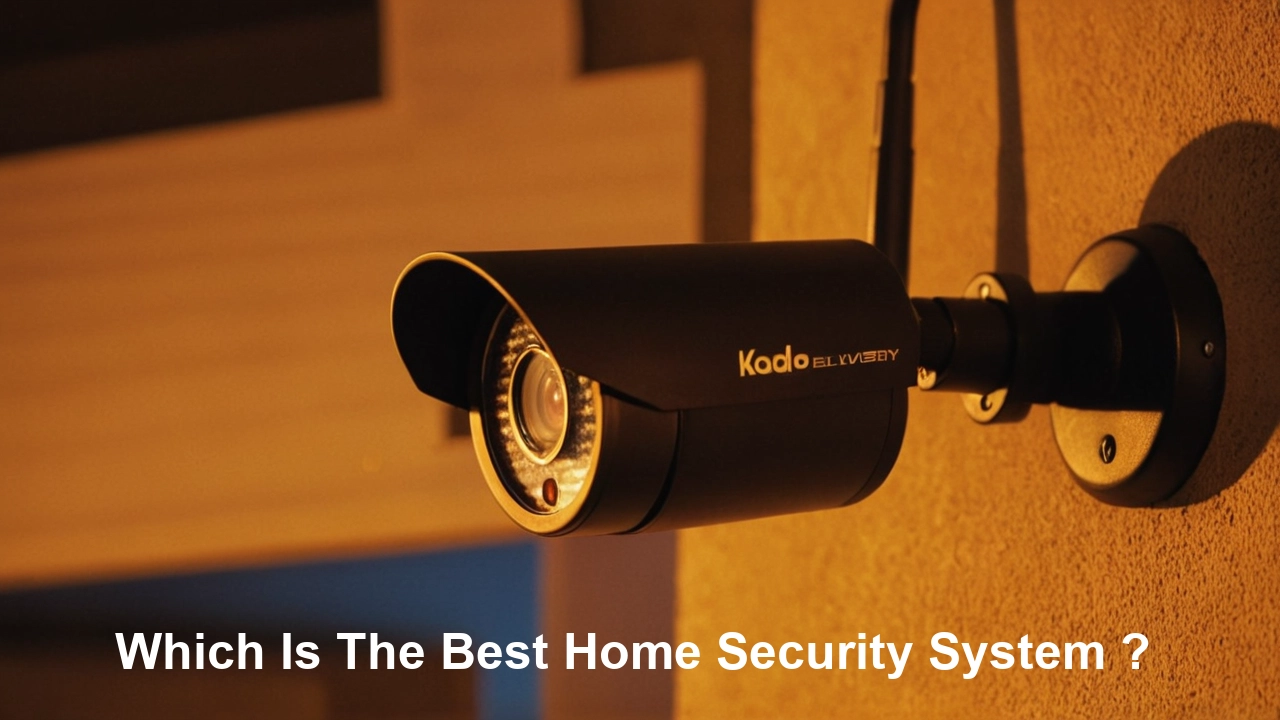
Choosing the best home security system involves balancing advanced technology, affordability, and your unique needs. This comprehensive guide will navigate you through the essential features, top providers, and crucial considerations to ensure your home and loved ones are protected effectively in 2025-26.
Understanding Home Security Systems
In today's world, home security is no longer a luxury but a necessity. The landscape of home protection has evolved dramatically, moving beyond simple alarm bells to sophisticated, interconnected systems. A home security system is designed to deter intruders, alert occupants and authorities to potential threats, and provide peace of mind. The "best" system isn't a one-size-fits-all solution; it's the one that most effectively addresses your specific concerns, budget, and lifestyle. As we enter 2025-26, advancements in AI, wireless technology, and smart home integration are redefining what's possible in home protection.
The primary goal of any security system is to prevent unauthorized entry and respond swiftly to emergencies like burglaries, fires, or medical incidents. This is achieved through a combination of sensors, cameras, control panels, and often, professional monitoring services. The effectiveness of a system is measured by its reliability, ease of use, responsiveness, and the comprehensiveness of its coverage. With crime rates fluctuating and the increasing value of smart home technology, understanding the nuances of different systems is paramount for making an informed decision.
Key Components of a Modern Home Security System
A robust home security system is built upon several interconnected components, each playing a vital role in safeguarding your property. Understanding these core elements will help you assess the comprehensive nature of any system you consider.
Control Panel/Hub
This is the brain of your security system. It's where you arm and disarm the system, receive alerts, and manage settings. Modern control panels are often touchscreen-enabled and can be controlled remotely via a smartphone app. Some hubs also integrate with other smart home devices, acting as a central command center for your entire connected home.
Door and Window Sensors
These are typically magnetic contact sensors. When the door or window is opened, the magnetic contact is broken, triggering an alarm. They are crucial for detecting unauthorized entry at perimeter points. For 2025-26, advancements include improved battery life and more discreet designs.
Motion Detectors
Motion detectors use various technologies (like infrared or microwave) to sense movement within a designated area. They are effective for covering larger spaces and can be strategically placed to detect intruders who bypass perimeter sensors. Pet-friendly motion detectors are common, preventing false alarms from your furry friends.
Security Cameras
Indoor and outdoor cameras provide visual verification of events. High-definition video, night vision, and motion-activated recording are standard. Advanced systems in 2025-26 offer AI-powered person detection, facial recognition, and two-way audio for communication. Wireless and wired options are available, each with its own installation considerations.
Glass Break Sensors
These sensors are designed to detect the specific sound frequency of breaking glass. They are an excellent addition to complement door and window sensors, especially for properties with large windows.
Environmental Sensors
Beyond intrusion detection, many systems offer sensors for environmental hazards. These include smoke detectors, carbon monoxide detectors, and flood/water leak sensors. These are critical for comprehensive home safety, not just security against burglary.
Siren
A loud siren is essential for deterring intruders and alerting neighbors. The decibel level and duration of the siren are important factors to consider.
Yard Signs and Window Decals
While not a technological component, these are powerful deterrents. Visible signs of a security system can make potential intruders think twice before targeting your home.
DIY vs. Professionally Installed Systems
The choice between a DIY (Do-It-Yourself) and a professionally installed home security system is a significant one, impacting cost, complexity, and the level of support you receive. Both approaches have distinct advantages and disadvantages that cater to different user needs and technical proficiencies.
DIY Home Security Systems
DIY systems, popularised by companies like SimpliSafe and Ring Alarm, are designed for easy self-installation. Components are typically wireless and connect to a central hub. Users purchase the equipment upfront and set up the sensors, cameras, and control panel themselves, often with the help of clear instructions and online tutorials.
Pros of DIY Systems:
- Lower Upfront Costs: You avoid installation fees, and equipment costs can be more flexible.
- Flexibility and Scalability: Easily add or move components as your needs change.
- No Long-Term Contracts: Many DIY systems offer optional, month-to-month monitoring, giving you freedom.
- Ease of Installation: Designed for the average homeowner with no technical expertise.
Cons of DIY Systems:
- Requires User Effort: You are responsible for setup, troubleshooting, and maintenance.
- Potential for Installation Errors: Improper placement of sensors could lead to false alarms or missed events.
- Limited Support for Complex Setups: While basic setup is easy, advanced integrations might be trickier.
Professionally Installed Home Security Systems
Companies like ADT and Vivint offer professionally installed systems. Technicians visit your home, assess your needs, install all equipment, and ensure everything is working correctly. This often involves hardwiring and more complex system configurations.
Pros of Professionally Installed Systems:
- Expert Installation: Ensures optimal placement and functionality of all components.
- Comprehensive Support: Often includes dedicated customer service and technical support.
- Advanced Features: Can accommodate more complex smart home integrations and custom solutions.
- Peace of Mind: Eliminates the stress and time commitment of installation.
Cons of Professionally Installed Systems:
- Higher Upfront Costs: Installation fees can be substantial.
- Long-Term Contracts: Many require multi-year monitoring contracts.
- Less Flexibility: Modifying or expanding the system might require a technician visit.
For 2025-26, the lines are blurring. Many DIY providers are offering optional professional installation services, and professional installers are increasingly using wireless, user-friendly components. The best choice depends on your comfort level with technology, your budget, and how much time you're willing to invest.
Top Home Security Systems for 2025-26: A Detailed Comparison
Selecting the "best" home security system in 2025-26 requires a deep dive into what leading providers offer. We've analyzed the market to highlight systems that excel in various categories, from affordability and ease of use to advanced features and professional monitoring. This comparison will help you identify which system aligns best with your security priorities.
| Provider | System Type | Key Features (2025-26) | Monitoring Options | Pricing (Estimated) | Best For |
|---|---|---|---|---|---|
| SimpliSafe | DIY | Wireless sensors, 24/7 professional monitoring, customizable packages, extensive sensor options (entry, motion, glass break, environmental), mobile app, optional security cameras with AI detection. Enhanced battery life on sensors. | Optional 24/7 professional monitoring, self-monitoring via app. | Equipment: $200-$500+ (starter kits). Monitoring: $15-$30/month. | Homeowners seeking a reliable, affordable, and easy-to-install system with flexible monitoring. |
| Ring Alarm (Amazon) | DIY | Integration with Amazon ecosystem, Z-Wave compatibility, professional monitoring available, indoor/outdoor cameras, smart lighting, video doorbells. Advanced AI person detection in cameras. | Optional 24/7 professional monitoring (Ring Protect Pro), self-monitoring. | Equipment: $200-$400+ (starter kits). Monitoring: $20/month (for Ring Protect Pro). | Existing Amazon Echo/Ring users, those prioritizing video surveillance and smart home integration. |
| ADT Command/Control | Professional Installation | 24/7 professional monitoring, smart home integration (Google Assistant, Alexa), customizable packages, high-definition cameras, mobile app control, advanced intrusion detection. New AI-driven threat analysis. | Required 24/7 professional monitoring. | Equipment: Varies, often bundled with installation. Monitoring: $40-$60+/month. Installation: $100-$300+. | Homeowners wanting comprehensive, professionally managed security with robust smart home capabilities. |
| Vivint Smart Home | Professional Installation | Integrated smart home automation, 24/7 professional monitoring, advanced security cameras with AI, smart locks, thermostats, lighting control, voice control. Focus on seamless smart home experience. | Required 24/7 professional monitoring. | Equipment: Varies, often financed. Monitoring: $40-$60+/month. Installation: Often included or financed. | Tech-savvy homeowners looking for a fully integrated smart home and security solution. |
| Cove Security | DIY | Easy setup, 24/7 professional monitoring, competitive pricing, medical alert features, flood/smoke/CO sensors, mobile app. Focus on simplicity and affordability. | Required 24/7 professional monitoring. | Equipment: $200-$400+. Monitoring: $25-$35/month. | Budget-conscious homeowners prioritizing professional monitoring and ease of use. |
| Frontpoint | DIY | Wireless components, professional monitoring, customizable systems, robust app, environmental sensors, motion-activated cameras. Known for strong customer service and ease of use. | Optional 24/7 professional monitoring. | Equipment: $250-$500+ (starter kits). Monitoring: $35-$50/month. | Homeowners seeking a balance of DIY installation, professional monitoring, and excellent customer support. |
Note: Pricing is estimated for 2025-26 and can vary significantly based on package customization, promotions, and geographic location. Always check the provider's website for the most current details.
Crucial Factors to Consider When Choosing Your System
Beyond the brand names and features, several critical factors should guide your decision-making process to ensure you select the best home security system for your specific circumstances. Overlooking these can lead to dissatisfaction or a system that doesn't meet your needs.
Monitoring Options: Professional vs. Self-Monitoring
This is perhaps the most significant decision. Professional monitoring means a third-party company is alerted when your alarm is triggered. They verify the alarm and dispatch emergency services (police, fire, medical). This offers the highest level of security and peace of mind, especially if you're often away from home or prefer not to handle emergency responses yourself. Self-monitoring means you receive alerts directly to your smartphone. You are then responsible for assessing the situation and contacting authorities. This is typically cheaper but requires you to be vigilant and available.
Installation: DIY vs. Professional
As discussed earlier, DIY systems save money and offer flexibility, but require your time and effort. Professional installation ensures everything is set up correctly and efficiently, often with a guarantee, but comes at a higher cost and may involve contracts.
Equipment and Features
Consider what specific threats you want to protect against. Do you need robust outdoor camera coverage? Are you concerned about environmental hazards like floods or fires? Do you have pets that might trigger motion sensors? Ensure the system offers the types of sensors, cameras, and other devices that address your unique vulnerabilities. For 2025-26, AI-powered features like person detection and package detection are becoming increasingly valuable.
Smart Home Compatibility
If you already have or plan to build a smart home ecosystem, ensure the security system integrates seamlessly with your existing devices (e.g., smart lights, thermostats, voice assistants like Alexa or Google Assistant). This allows for more sophisticated automation, like lights turning on when an alarm is triggered.
Contract Length and Fees
Be wary of long-term contracts, especially with professionally installed systems. Read the fine print carefully to understand cancellation policies, equipment ownership, and any hidden fees. Many modern systems offer month-to-month monitoring or no-contract options.
Customer Service and Support
A reliable security system needs reliable support. Research customer reviews regarding response times, helpfulness of technical support, and overall customer satisfaction. This is especially important if you opt for a DIY system and might need assistance troubleshooting.
Scalability and Customization
Your security needs may change over time. Can the system be easily expanded with additional sensors or cameras? Can you customize the package to fit your evolving requirements without incurring excessive costs?
Mobile App Functionality
The smartphone app is your primary interface for managing and monitoring your system remotely. It should be intuitive, reliable, and offer comprehensive control over arming/disarming, viewing camera feeds, receiving alerts, and managing settings.
Advanced Features and Smart Home Integrations
The evolution of home security in 2025-26 is heavily influenced by advancements in artificial intelligence and the broader smart home ecosystem. These features go beyond basic intrusion detection to offer proactive protection and enhanced convenience.
Artificial Intelligence (AI) in Security
AI is revolutionizing home security. Features like person detection allow cameras to differentiate between humans and other moving objects (like pets or swaying trees), significantly reducing false alarms. Package detection can alert you when a delivery is made to your doorstep. Some advanced systems are even developing AI that can recognize familiar faces versus unknown individuals, offering a new layer of personalization and security.
Video Analytics and Smart Alerts
Beyond simple motion detection, modern cameras offer sophisticated video analytics. This includes activity zones that trigger alerts only when motion occurs in specific areas (e.g., your driveway but not the sidewalk), and smart alerts that provide contextual information with notifications, such as "Person detected at front door."
Two-Way Audio
This feature, common in video doorbells and some security cameras, allows you to communicate with visitors remotely through your smartphone app. It's useful for screening visitors, speaking with delivery drivers, or even deterring potential intruders by letting them know they've been seen and heard.
Smart Home Hub Integration
Many security systems now act as central hubs for your smart home. This means they can control and automate other smart devices. For example:
- Smart Lighting: Lights can turn on automatically when motion is detected or when the alarm is armed/disarmed.
- Smart Thermostats: Can adjust temperature settings based on occupancy or security status.
- Smart Locks: Allow for remote locking/unlocking and can be integrated into security routines.
- Voice Assistants: Systems compatible with Amazon Alexa or Google Assistant allow for voice control of security functions.
Geofencing
This technology uses your smartphone's location to automatically arm or disarm your system when you leave or arrive home. It adds a layer of convenience and ensures your home is protected without you having to remember to arm it manually.
Cellular Backup
Crucial for reliable monitoring, cellular backup ensures your system can still communicate with the monitoring center even if your Wi-Fi or landline is cut off by an intruder or power outage. This is a standard feature in most professionally monitored systems and an option for many DIY providers.
Professional Monitoring Integration
The seamless integration of advanced features with professional monitoring is a hallmark of top-tier systems in 2025-26. Alerts from AI-powered cameras or environmental sensors are relayed to monitoring agents, who can make more informed decisions about dispatching help.
Understanding the Cost of Home Security
The financial investment in a home security system can vary widely, from a few hundred dollars for basic DIY equipment to thousands for comprehensive, professionally installed smart home security packages. Understanding the cost breakdown is crucial for budgeting and avoiding unexpected expenses.
Upfront Equipment Costs
This includes the price of the control panel, sensors, cameras, and any other hardware. DIY systems often have lower upfront costs because you purchase the equipment directly. Professionally installed systems may bundle equipment costs into monthly fees or require a significant initial payment. Starter kits are common, offering a base set of components at a discounted price.
Installation Fees
If you opt for professional installation, expect to pay an installation fee. This can range from under $100 to several hundred dollars, depending on the complexity of the installation and the provider. Some companies offer free installation as a promotional incentive.
Monthly Monitoring Fees
This is the recurring cost for professional monitoring services. Fees typically range from $15 to $60+ per month. The price often depends on the level of service, the number of features included (like video storage or cellular backup), and the provider. Self-monitoring typically has no monthly fee, or a very low fee for app access and cloud storage.
Contractual Agreements
Many professionally installed systems require a contract, often for 2-3 years. These contracts can lock in your monthly monitoring rate but also restrict your ability to switch providers. Always read the contract terms carefully, paying attention to early termination fees.
Add-on Costs
Be aware of potential add-on costs for extra sensors, cameras, video storage plans, or advanced features. Some systems might require specific subscriptions for full functionality of certain smart home integrations or AI features.
DIY vs. Professional Cost Comparison (2025-26 Estimates)
- DIY Systems:
- Initial Investment: $200 - $600 (for a decent starter kit)
- Monthly Monitoring: $0 (self-monitoring) to $30 (professional monitoring)
- Total First Year: $200 - $960
- Total Three Years: $560 - $1,860
- Professionally Installed Systems:
- Initial Investment: $100 - $500 (installation fee, equipment may be financed)
- Monthly Monitoring: $40 - $60+
- Total First Year: $580 - $1,220+
- Total Three Years: $1,540 - $2,220+ (assuming a 3-year contract)
As you can see, DIY systems generally offer significant cost savings over three years, especially if you opt for self-monitoring or a lower-cost professional monitoring plan. However, the convenience and expertise of professional installation can be worth the extra cost for many homeowners.
Installation and Setup: What to Expect
The installation and setup process is a critical phase in getting your home security system up and running. The experience will differ significantly depending on whether you choose a DIY or professionally installed system.
DIY Installation Process
1. Unboxing and Inventory: Upon receiving your system, carefully unbox all components and verify that everything listed in the package contents is present. Check for any damage.
2. Reading the Manual/Watching Tutorials: Most DIY systems come with a user-friendly manual or direct you to online video tutorials. It's essential to follow these instructions closely.
3. Setting Up the Hub/Base Station: Connect the hub to your home's Wi-Fi network. This is usually done via the mobile app. Ensure it's placed in a central location for optimal signal strength.
4. Installing Sensors: Door and window sensors are typically mounted with adhesive strips. Position them so the two parts align when the door/window is closed. Motion detectors should be placed in corners or high-traffic areas, considering their detection range and avoiding heat sources or direct sunlight.
5. Placing Cameras: Mount indoor or outdoor cameras in strategic locations. Ensure they have a clear line of sight and are within Wi-Fi range. For outdoor cameras, consider weatherproofing and power sources.
6. Testing the System: After all components are installed, use the mobile app or control panel to test each sensor and camera. Trigger each sensor to ensure it communicates with the hub and generates an alert. Check camera feeds for clarity and field of view.
7. Configuring Settings: Customize your system settings, such as entry/exit delays, alarm sounds, notification preferences, and user access codes.
8. Connecting to Monitoring (Optional): If you've opted for professional monitoring, follow the provider's instructions to activate your service. This often involves a brief call or online activation process.
Average Time: 1-4 hours, depending on the system size and complexity.
Professional Installation Process
1. Consultation and Site Survey: A technician will visit your home to assess your security needs, identify vulnerable areas, and recommend the best system configuration and placement of components.
2. Equipment Installation: The technician will install all sensors, cameras, control panels, and sirens. This may involve drilling holes for wiring or mounting brackets.
3. System Configuration: The technician will configure the system, ensuring all components are communicating correctly and setting up network connections.
4. System Testing: Thorough testing of all sensors, cameras, and the alarm system will be conducted to ensure everything functions as expected.
5. User Training: The technician will walk you through how to operate the system, including arming/disarming, using the mobile app, and understanding alerts.
6. Activation of Monitoring: The technician will ensure the system is connected to the monitoring center and that the service is active.
Average Time: 2-6 hours, depending on the size of the home and the complexity of the system.
Regardless of the installation method, ensure you understand how to use your system daily and what to do in case of an alarm or system malfunction. For 2025-26, many professional installers are adopting more wireless and user-friendly components, making the process quicker and less intrusive.
Making the Final Decision: Your Personalized Security Plan
Choosing the best home security system is a personal journey, and the "best" system is ultimately the one that provides the most effective, reliable, and convenient protection for your unique circumstances. By now, you should have a clearer understanding of the components, types of systems, and crucial factors involved.
Recap of Key Considerations:
- Your Budget: Determine how much you're willing to spend upfront and on monthly fees.
- Your Technical Comfort Level: Are you comfortable with DIY setup, or do you prefer professional expertise?
- Your Security Needs: What are your primary concerns? Intrusion, environmental hazards, remote monitoring, smart home integration?
- Contract Preferences: Do you want the flexibility of no contracts, or are you comfortable with a multi-year commitment for potential cost savings or bundled services?
- Smart Home Ecosystem: How important is seamless integration with your existing smart devices?
Actionable Steps for Your Decision:
- Prioritize Features: List the must-have features and the nice-to-have features for your home security.
- Research Top Providers: Based on your priorities, narrow down your choices to 2-3 providers that seem to be the best fit.
- Read Recent Reviews: Look for up-to-date reviews (2025-26) focusing on reliability, customer service, and ease of use.
- Request Quotes: Get detailed quotes for the specific packages you're interested in, ensuring all fees are clearly itemized.
- Ask Questions: Don't hesitate to contact providers with any lingering questions about installation, monitoring, or features.
For instance, if you're a renter or on a tight budget, a DIY system like SimpliSafe or Ring Alarm with optional professional monitoring might be ideal. If you own a larger home and desire a fully integrated smart home experience with robust professional oversight, Vivint or ADT could be better suited. For those seeking a balance of affordability and professional monitoring without complex contracts, Cove or Frontpoint are strong contenders.
Ultimately, investing in a home security system is an investment in your peace of mind and the safety of your loved ones. By carefully evaluating your options and understanding your needs, you can confidently select the best home security system for your home in 2025-26 and beyond.