How To Change Passcode On Adt Alarm System ?
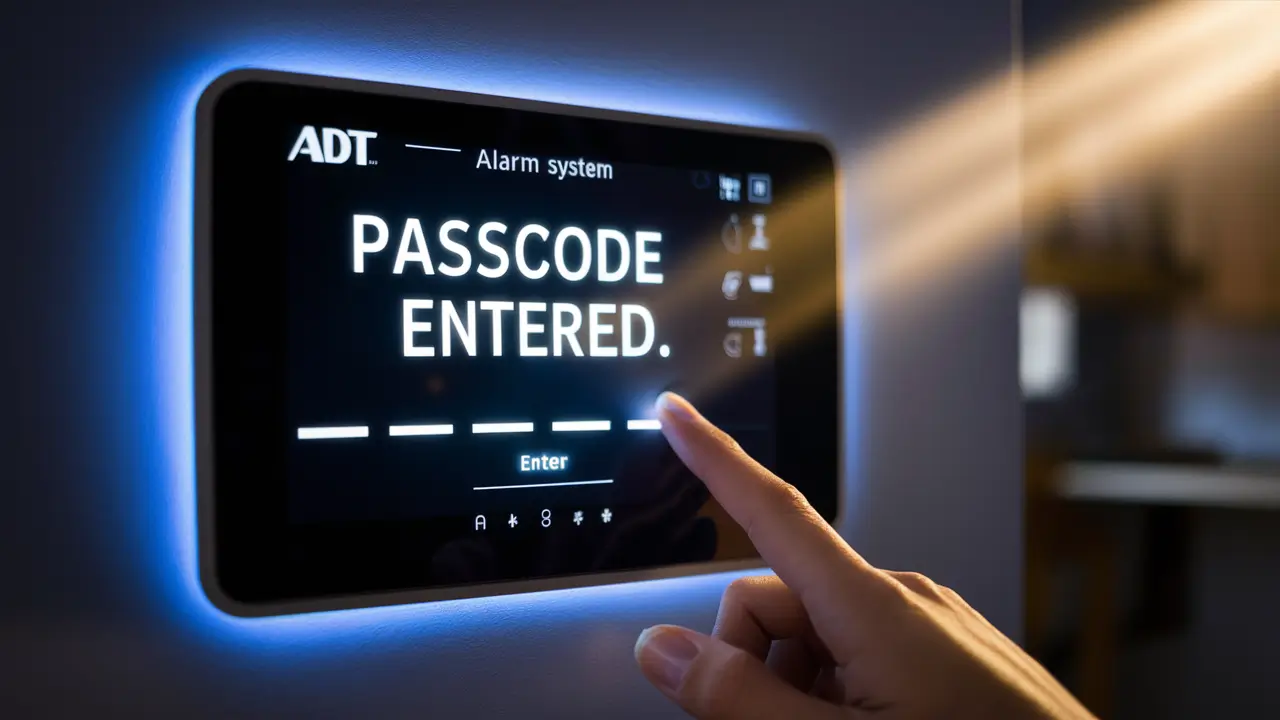
Wondering how to change your ADT alarm system passcode? This guide provides a comprehensive, step-by-step walkthrough for updating your ADT security code, ensuring your home remains protected with a secure and personalized access method. Learn the most efficient ways to manage your ADT system's primary security feature.
Understanding ADT Passcodes: Why They Matter
Your ADT alarm system's passcode, often referred to as the user code or master code, is the primary gateway to controlling your security. It's the sequence of numbers you enter to arm, disarm, and interact with your system. Beyond mere convenience, passcodes are fundamental to your home's security infrastructure. A strong, regularly updated passcode acts as a critical barrier against unauthorized access, safeguarding your property and loved ones. In 2025, with the increasing sophistication of digital threats and the rise in home intrusions, maintaining robust security protocols, starting with your alarm system's access codes, is more vital than ever.
ADT systems, known for their reliability and advanced features, utilize passcodes to differentiate between users and administrators. The master code, sometimes called the installer code or primary code, holds the highest level of access, allowing for system programming and the management of other user codes. User codes, on the other hand, are typically assigned to family members or trusted individuals, granting them the ability to arm and disarm the system but often limiting their access to deeper system settings. Understanding this distinction is crucial for effective security management.
The importance of passcodes extends to emergency situations. In the event of a false alarm or a genuine emergency, a correctly entered code can quickly disarm the system, preventing unnecessary dispatch of emergency services and potential fines. Conversely, a compromised or forgotten code can lead to significant frustration and a lapse in security. For instance, a 2025 study by the National Home Security Association indicated that approximately 15% of reported home security system issues stemmed from user code mismanagement, including forgotten codes or shared codes with individuals no longer residing in the home.
ADT offers various system models, and while the core principles of passcode management remain consistent, the exact steps for changing them can vary slightly. This guide aims to cover the most common scenarios and provide clear instructions. Keeping your passcodes unique, complex, and changed periodically is a cornerstone of a secure smart home environment. As smart home technology integrates more deeply into our lives, the security of these connected devices, including alarm systems, becomes paramount. ADT's commitment to security means providing users with the tools to manage their systems effectively, and passcode management is at the forefront of this.
Methods to Change Your ADT Passcode
ADT provides several avenues for changing your system's passcodes, catering to different user preferences and system configurations. The most common methods involve direct interaction with the alarm panel keypad, utilizing the ADT Control app (for newer, connected systems), or contacting ADT customer support. Each method has its own set of advantages and may be more suitable depending on your system's capabilities and your comfort level with technology.
Directly Through the ADT Keypad
This is the traditional and often most straightforward method, especially for older ADT systems or those without advanced smart home integration. By navigating through the system's menu on the keypad, you can directly input new codes. This method requires knowing your current master code or a code with sufficient administrative privileges.
Steps typically involve:
- Accessing the system's programming or user settings menu.
- Selecting the option to change or add user codes.
- Entering the current master code for verification.
- Inputting the new desired code, followed by confirmation.
The specific button sequences can vary by ADT panel model (e.g., ADT Command, ADT Safewatch systems like the 3000 or 4000 series). It's always recommended to consult your system's user manual for precise instructions.
Using the ADT Control App
For ADT customers with smart home integration and the ADT Control app, changing passcodes can be done remotely and conveniently from a smartphone or tablet. This method is ideal for users who are comfortable with mobile applications and want the flexibility to manage their system from anywhere.
The process generally includes:
- Logging into your ADT Control account via the app.
- Navigating to the system settings or user management section.
- Selecting the user or code you wish to modify.
- Entering the new passcode and saving the changes.
This method often provides a more intuitive interface compared to keypad programming, making it easier to manage multiple user codes and their permissions.
Contacting ADT Customer Support
If you are unable to access your keypad, forget your master code, or encounter persistent issues, contacting ADT customer support is a reliable option. ADT representatives can guide you through the process or, in some cases, remotely assist with code changes or resets. This is particularly useful for master code resets, which often require verification of your identity and account ownership.
When to use this method:
- When you've forgotten your master code.
- If your keypad is malfunctioning or inaccessible.
- For complex system configurations or troubleshooting.
- If you're uncomfortable performing the change yourself.
ADT's customer service line is available to assist with these and other security-related inquiries. It's important to have your account information readily available when you call.
Choosing the right method depends on your ADT system's features and your personal preferences. For most users, direct keypad interaction or the ADT Control app will be the primary methods for routine passcode changes.
Changing the Master Code (Installer Code)
The master code, often referred to as the installer code or primary user code, is the most critical passcode for your ADT alarm system. It grants the highest level of access, allowing you to program system settings, add or delete user codes, and perform other administrative functions. Due to its significance, changing the master code is a process that requires careful attention and adherence to specific steps. It's a process that differs from changing standard user codes and is typically performed through the system's installer or advanced programming menu.
Understanding the Master Code's Role
In 2025, the security landscape demands that even the core administrative codes be robust. The master code is the key to your system's configuration. If this code is compromised, an unauthorized individual could potentially reprogram your system, disable it, or gain access to sensitive information. Therefore, changing it regularly, or immediately if you suspect it has been compromised, is a critical security measure. ADT systems are designed with security in mind, and the master code is the first line of defense for system administration.
Methods for Changing the Master Code
The procedure for changing the master code is generally more involved than changing a regular user code and often requires access to the system's installer mode. This is to prevent accidental changes by regular users.
Method 1: Using the Keypad (Installer Mode)
This is the most common method and involves entering a special installer code to access the system's programming. The default installer code is often provided by ADT during installation, but it's crucial to change this default code to something unique and secure.
Step-by-Step Guide:
- Access Installer Mode: From the main screen of your ADT keypad, you will typically need to enter a sequence that includes the current installer code. For example, it might be something like `[Installer Code] + 8 + 0 + 0`. The exact sequence depends on your specific ADT panel model (e.g., ADT Safewatch 3000, 4000 series, ADT Command). Consult your system's manual for the precise entry.
- Navigate to Code Programming: Once in installer mode, you'll navigate through the system menus. Look for options related to "Installer Programming," "System Settings," or "Codes."
- Locate Master Code Setting: Within the code programming section, find the option specifically for changing the "Master Code," "Primary Code," or "Installer Code" (sometimes these terms are used interchangeably for the highest-level code).
- Enter New Master Code: The system will prompt you to enter the new master code. Choose a code that is at least 4 digits long, ideally longer, and avoid simple sequences like 1234 or your birthdate. A good practice is to use a random combination of numbers.
- Confirm New Master Code: You will likely be asked to enter the new master code again to confirm it.
- Exit Installer Mode: After successfully changing the code, you must exit installer mode properly. This is usually done by pressing the "End" or "Exit" button, or by entering a specific exit code. Failure to exit installer mode correctly can leave your system vulnerable.
Example Scenario: If your current installer code is 1234, and you want to change it to 5678, you might press `1234 + 8 + 0 + 0`. Then navigate to change the master code and enter `5678` twice. Finally, press `End` to exit.
Important Note: ADT technicians often set a unique installer code during installation. If you do not know this code, or if it has been changed and forgotten, you will need to contact ADT support.
Method 2: Via ADT Control App (If Supported)
For newer ADT Command and Control systems, some master code changes might be manageable through the ADT Control app, though full installer-level programming is typically restricted to the keypad or requires ADT intervention.
- Log In: Open the ADT Control app and log in to your account.
- Navigate to System Settings: Go to the settings or management section of your system.
- Find User Management: Look for options related to user codes or system administration.
- Change Master Code: If available, select the option to change the master code and follow the on-screen prompts. This usually involves entering the current master code and then the new one.
However, it's important to note that for security reasons, ADT often reserves the most critical programming functions, including master code changes requiring installer mode access, for the physical keypad or direct support from ADT.
Method 3: Contacting ADT Customer Support
This is the most crucial method if you have forgotten your master code or installer code. Without the correct code, you cannot access installer mode to change it yourself.
- Call ADT: Dial the ADT customer support number.
- Verify Identity: Be prepared to provide account information and answer security questions to verify your identity.
- Request Code Change: Explain that you need to change your master code. ADT support can either guide you through a remote reset process or schedule a technician visit if necessary.
Why is this important? The master code is the gatekeeper to your system's configuration. Keeping it secure and updated is paramount to maintaining the integrity of your ADT alarm system's security. In 2025, with the increasing interconnectedness of smart home devices, a compromised master code could have cascading security implications.
Always refer to your specific ADT system's user manual for the most accurate and detailed instructions, as procedures can vary slightly between different models and generations of ADT equipment.
Changing User Codes
Managing user codes on your ADT alarm system is a fundamental aspect of ensuring everyone who needs access can operate the system, while maintaining security and control. User codes are distinct from the master code and are typically assigned to family members, friends, or temporary visitors. They allow these individuals to arm and disarm the system but usually do not grant access to programming or system settings. The process for changing user codes is generally simpler than changing the master code and can often be done directly from the keypad or through the ADT Control app.
Importance of User Codes
In today's interconnected homes, where multiple individuals may need access to the property, user codes are essential. They provide a way to grant permission without sharing the master code, thereby enhancing security. For instance, if a teenager is responsible for arming the house when leaving for school, or a pet sitter needs to disarm the system during their visit, a dedicated user code is the ideal solution. By assigning unique codes, you can also track who is arming or disarming the system, which can be useful for accountability and troubleshooting.
According to security industry trends for 2025, personalized access control is a growing expectation for homeowners. ADT's user code management system allows for this personalization, offering flexibility and peace of mind. Furthermore, the ability to quickly add or delete user codes is critical for situations like a tenant moving out or a house guest leaving.
Methods for Changing User Codes
Method 1: Using the Keypad
This is the most common and direct method for managing user codes on most ADT systems. You will need to know your current master code to perform these actions.
Step-by-Step Guide:
- Access Programming Mode: On your ADT keypad, enter your current master code followed by the programming command. For many ADT systems, this sequence is:
[Master Code] + 6 + [User Number]. The 'User Number' typically ranges from 02 to 32 or higher, depending on your system's capacity. - Enter the New User Code: The system will prompt you to enter the new 4-digit (or sometimes 6-digit) user code. Choose a code that is easy for the intended user to remember but not easily guessable. Avoid sequential numbers or repeating digits.
- Confirm the New User Code: You will usually be asked to enter the new user code again to confirm it.
- Assign User Type (Optional): Some systems allow you to assign different levels of access or specific functions to user codes. For example, you might be able to designate a code as "Guest" or "Duress."
- Exit Programming Mode: Press the "End" or "Exit" button to save your changes and return to the main screen.
Example: To change user code 03 to 1234, and assuming your master code is 5678, you would enter: 5678 + 6 + 03 + 1234 + 1234 + End.
Important Considerations:
- User Number 01: This is typically reserved for the master code itself and cannot be changed as a standard user code.
- Deleting User Codes: To delete a user code, you usually enter the programming sequence and then enter all zeros (e.g., 0000) for the new code, or simply press "End" without entering a new code, depending on the system.
- System Manual: Always refer to your specific ADT system's user manual, as the exact command sequences and user number ranges can vary significantly between models like the Safewatch 3000, 4000, ADT Command, or others.
Method 2: Using the ADT Control App
If you have an ADT Command or Control system with smart home integration, managing user codes can be done conveniently through the ADT Control mobile app.
- Log In: Open the ADT Control app on your smartphone or tablet and log in with your credentials.
- Navigate to System Settings: Tap on the menu icon and select "System Settings" or a similar option.
- Select User Management: Look for a section labeled "Users," "User Codes," or "Access Control."
- Add, Edit, or Delete Codes: You will see a list of existing user codes. You can tap on a code to edit it, enter a new code, or tap an "Add User" button to create a new code. You can also delete codes from this interface.
- Save Changes: After making your modifications, ensure you save the changes. These updates are typically sent to your ADT system wirelessly.
Benefits of the App Method:
- Convenience: Change codes from anywhere, anytime.
- Ease of Use: The app interface is generally more user-friendly than keypad programming.
- Real-time Updates: Changes are usually applied almost instantly.
Method 3: Contacting ADT Customer Support
While less common for routine user code changes, you can contact ADT support if you encounter difficulties or prefer assistance.
- When to Call: If you are unsure about the process, have a system error, or cannot access your master code.
- What to Expect: ADT support can guide you through the steps or, if necessary, perform the changes remotely after proper verification.
Security Best Practices for User Codes:
- Unique Codes: Assign a unique code to each person who needs access.
- Regular Audits: Periodically review the list of active user codes and delete any that are no longer needed (e.g., for former residents or service providers).
- Avoid Obvious Codes: Do not use easily guessable codes like 1234, 0000, or birth dates.
- Educate Users: Ensure everyone with a code understands its purpose and the importance of keeping it confidential.
By effectively managing user codes, you maintain a secure and personalized ADT alarm system, ensuring that only authorized individuals have access to your home's security controls.
Troubleshooting Common Issues When Changing Passcodes
Changing passcodes on your ADT alarm system, whether it's the master code or user codes, is generally a straightforward process. However, like any technology, users can sometimes encounter issues. Understanding these common problems and their solutions can save you time and frustration, ensuring your system remains secure and functional. In 2025, with the integration of smart home features, troubleshooting might also involve connectivity aspects, but core passcode issues often stem from user error or system limitations.
Issue 1: Incorrect Master Code Entry
Problem: You enter your master code to access programming or change a user code, but the system rejects it or displays an error message.
Possible Causes:
- You are entering the wrong master code.
- The master code has been changed by someone else without your knowledge.
- The keypad is not registering your input correctly.
- You are in the wrong mode (e.g., trying to enter a user code instead of the master code).
Solutions:
- Double-Check the Code: Carefully re-enter the master code, paying attention to each digit. Ensure you are not mistyping it.
- Try a Different User Code (if applicable): If you have another administrative code (like a supervisor code on some systems), try using that to access programming.
- Consult Your Manual: Verify the correct sequence for accessing programming mode with your master code. Some systems require specific button presses before or after the code.
- Contact ADT Support: If you are certain you are entering the correct code and it's still not working, or if you suspect the master code has been changed, your best course of action is to contact ADT customer support. They can help verify your account and assist with a master code reset if necessary.
Issue 2: System Rejects New Passcode
Problem: You enter a new passcode, but the system indicates it's invalid or won't accept it.
Possible Causes:
- Code Length Requirements: The new code might not meet the minimum length requirement (usually 4 digits, sometimes 6).
- Forbidden Codes: Some systems prevent the use of codes that are too simple (e.g., 1234, 0000) or identical to existing codes (especially the master code).
- Duress Code Conflict: If you are trying to use a code that is designated as a duress code, it might be rejected if it conflicts with system programming.
- System Glitch: A temporary glitch in the system might be preventing code acceptance.
Solutions:
- Choose a Different Code: Try a new code that is longer, more complex, and clearly not a default or easily guessable sequence.
- Refer to Manual for Restrictions: Check your ADT system's manual for specific restrictions on passcode formats or forbidden codes.
- Try a Different User Slot: If you're having trouble with a specific user slot, try assigning the code to a different user number.
- Reboot the System (with caution): In rare cases, a system reboot might resolve temporary glitches. However, this should only be done if you are comfortable with the process or under the guidance of ADT support, as it can sometimes reset certain system parameters.
Issue 3: Unable to Access Installer Mode
Problem: You cannot enter the installer mode to change the master code or perform advanced programming.
Possible Causes:
- Incorrect Installer Code: You are using the wrong installer code.
- Installer Mode Disabled: The installer mode might have been disabled by a technician after initial setup for security reasons.
- Incorrect Sequence: You are not using the correct button sequence to enter installer mode.
Solutions:
- Verify Installer Code: The default installer code is often 2552, but ADT technicians frequently change this. If you don't know the current installer code, you must contact ADT.
- Consult Your Manual: Ensure you are using the exact sequence specified in your system's manual for entering installer mode.
- Contact ADT Support: This is the most common and recommended solution if you cannot access installer mode. ADT support can help determine if the mode is disabled or assist with a reset procedure. For security reasons, ADT is often the only entity that can re-enable or reset the installer code if it's lost.
Issue 4: ADT Control App Not Syncing Changes
Problem: You change a passcode via the ADT Control app, but the system doesn't reflect the change, or it reverts to the old code.
Possible Causes:
- Connectivity Issues: The ADT Control hub or your home Wi-Fi might be experiencing connectivity problems, preventing the app from communicating with the system.
- App Glitch: The mobile app itself might have a temporary issue.
- System Update Pending: The ADT system might be undergoing an update or requires a reboot to apply changes.
Solutions:
- Check Internet Connection: Ensure your home Wi-Fi is working correctly. Check the ADT Control app for any connectivity status indicators.
- Restart the App: Close the ADT Control app completely and reopen it.
- Reboot the ADT Hub: If possible and comfortable, try rebooting your ADT Command or Control hub. Consult your ADT documentation for the correct procedure.
- Verify on Keypad: As a fallback, try changing the passcode directly on the ADT keypad to confirm it works there.
- Contact ADT Support: If the issue persists, ADT support can diagnose connectivity problems or system-related issues preventing app synchronization.
General Troubleshooting Tips:
- Keep Your Manual Handy: Your ADT system's user manual is the most valuable resource for specific instructions and troubleshooting steps.
- Document Changes: Keep a secure record of your master code, installer code, and user codes.
- Be Patient: Some system operations, especially after changes, may require a moment to process.
By understanding these common issues and their solutions, you can effectively manage your ADT alarm system's passcodes and maintain optimal security.
Best Practices for ADT Passcode Management
Effective management of your ADT alarm system's passcodes is paramount to ensuring robust home security. In 2025, with the increasing prevalence of smart home technology and evolving cybersecurity threats, adopting best practices for your passcodes is not just recommended – it's essential. These practices help prevent unauthorized access, simplify system operation for authorized users, and contribute to the overall integrity of your security system.
1. Choose Strong, Unique Passcodes
Master Code & Installer Code: These are the most critical codes. They should be complex and not easily guessable. Avoid using sequential numbers (e.g., 1234, 6789), repeating digits (e.g., 1111, 2222), or personal information like birthdays or addresses. Aim for a random combination of at least 4 digits, and if your system allows for longer codes, utilize that capability.
User Codes: While user codes are less critical than the master code, they should still be unique to each individual and not easily guessable. Assigning unique codes allows you to track system activity and revoke access for specific individuals if needed.
2. Regularly Change Your Passcodes
Frequency: ADT recommends changing your master code and any frequently used user codes at least every six months, or more often if there's a security concern. This practice is a fundamental principle of cybersecurity, often referred to as "rotation."
When to Change Immediately:
- If you suspect your code has been compromised or seen by an unauthorized person.
- When a new person needs access (assign a new code, don't reuse an old one).
- When someone leaves your household or no longer needs access (delete their code immediately).
- After any significant system maintenance or updates.
3. Never Share Your Master Code
The master code (or installer code) grants access to system programming and administrative functions. Sharing this code with anyone other than a trusted ADT technician or authorized installer compromises your system's security. If a family member needs to arm/disarm the system, assign them a dedicated user code.
4. Utilize Unique User Codes for Each Person
Assigning a distinct code to every individual who needs to operate the system offers several benefits:
- Accountability: You can see which code was used to arm or disarm the system, aiding in troubleshooting or identifying who might have triggered an alarm.
- Access Control: You can easily enable or disable access for specific individuals by changing or deleting their unique code. This is particularly useful for guests, temporary help, or when someone moves out.
- Security: If a user code is compromised, you only need to change that specific code, not the master code.
5. Securely Store Passcode Information
While you need to remember your codes, avoid writing them down in obvious places like on the alarm panel itself, inside the control panel box, or on a sticky note near your phone. If you must write them down, store the information securely, perhaps in a locked safe or a password manager.
Digital Storage: If using a password manager, ensure it's a reputable one with strong encryption and multi-factor authentication enabled.
6. Understand and Use Different User Levels (If Available)
Some ADT systems allow for different user levels (e.g., master, supervisor, standard user). If your system supports this, leverage it to grant only the necessary permissions to different users. For instance, a supervisor might be able to change user codes but not system parameters, while a standard user can only arm and disarm.
7. Regularly Audit Your User Codes
Periodically (e.g., every few months), review the list of active user codes on your system. Delete any codes that are no longer needed. This is especially important after a tenant moves out, a child turns 18 and moves out, or a service provider no longer requires access.
8. Be Cautious with Temporary Codes
If your system allows for temporary codes (e.g., for house sitters or contractors), ensure these codes expire automatically or are deleted promptly after their use. If your system doesn't have an auto-expiring feature, make a note to delete them manually.
9. Stay Informed About System Updates
ADT occasionally releases software updates for its systems, especially for smart-enabled devices like the ADT Command and Control. These updates can sometimes affect system settings or security protocols. Be aware of any notifications from ADT regarding updates and follow any instructions provided, which may include re-entering or confirming passcodes.
10. Use the ADT Control App for Convenience and Security
If your system is compatible, leverage the ADT Control app. It allows for convenient management of user codes from anywhere, provides real-time notifications, and often offers a more intuitive interface for security tasks. Ensuring your app is password-protected and uses multi-factor authentication further enhances security.
By implementing these best practices, you can significantly enhance the security and usability of your ADT alarm system, providing greater peace of mind for yourself and your household.
ADT System Updates and Passcode Implications
In the dynamic world of smart home technology, ADT systems, particularly those with connectivity features like the ADT Command and Control platforms, regularly receive software updates. These updates are crucial for enhancing functionality, patching security vulnerabilities, and improving overall system performance. However, these updates can sometimes have implications for your passcodes, requiring users to be aware and prepared. Understanding these implications is key to maintaining seamless security in 2025 and beyond.
Types of ADT System Updates
ADT deploys updates through various channels, including:
- Over-the-Air (OTA) Updates: For connected systems, updates are often pushed wirelessly to the main control panel or hub.
- Firmware Updates: These are lower-level updates that control the hardware's operation.
- App Updates: The ADT Control mobile app receives regular updates to improve its interface and functionality.
- Technician-Installed Updates: In some cases, a technician might perform updates during a service visit.
How Updates Can Affect Passcodes
While most updates are designed to be seamless, certain scenarios can impact your passcodes:
1. Security Patches and Code Resets
Scenario: If ADT identifies a critical security vulnerability related to passcode handling or system access, they may push an update that forces a reset or requires users to re-authenticate. This is a proactive measure to protect your system.
Implication: You might find that your existing master code or user codes no longer work after an update. You may be prompted to create new codes upon the system's next activation or through the ADT Control app.
Action: Follow the on-screen prompts or instructions provided by ADT. Be prepared to set new, strong passcodes. If you are unsure, contact ADT support.
2. Default Code Reversion (Rare but Possible)
Scenario: In very rare cases, a major system update or a significant glitch might cause the system to revert to default settings. This is more likely with older or less sophisticated systems.
Implication: Your custom passcodes could be replaced by factory default codes. This poses a severe security risk.
Action: This is a critical situation. Immediately attempt to change your master code using the default installer code (if known and applicable) or contact ADT support urgently to have the system secured and your codes reset.
3. Master Code Changes Required for Enhanced Security
Scenario: ADT may update its security protocols to require stronger master codes or specific formats that your current code doesn't meet.
Implication: Your existing master code might be flagged as non-compliant after an update, preventing you from using it. You will likely be prompted to create a new, compliant master code.
Action: Follow the system's guidance to create a new master code that meets the updated security requirements. Ensure it's strong and unique.
4. User Code Management Through App Updates
Scenario: Updates to the ADT Control app often refine the user management interface. While not directly changing your codes, these updates can alter how you access and manage them.
Implication: You might find the location or process for changing user codes slightly different within the app after an update.
Action: Familiarize yourself with the updated app interface. ADT usually provides release notes or in-app tutorials for significant changes.
5. System Re-Pairing or Re-Configuration
Scenario: Sometimes, after a major update, certain components of your ADT system might need to be re-paired or re-configured. This could involve re-entering codes for specific devices or sensors.
Implication: While not a direct passcode change, you might need to re-enter your master code or specific user codes to re-establish communication between devices.
Action: Follow any instructions provided by the system or ADT support to re-pair devices. This usually involves entering your master code at the keypad.
Best Practices During and After Updates
- Stay Informed: Pay attention to any notifications from ADT regarding system updates. This might come via email, text message, or within the ADT Control app.
- Keep Master Code Accessible: Ensure you know your current master code before a scheduled update, or have a reliable way to access ADT support if you need a reset.
- Verify Codes Post-Update: After a significant system update, it's a good practice to test your master code and a primary user code to ensure they are still functioning correctly.
- Update the ADT Control App: Keep your mobile app updated to the latest version to ensure compatibility and access to all features.
- Document Changes: If you are prompted to change your passcode after an update, record the new code securely.
- Contact Support if Unsure: If you encounter any unexpected behavior with your passcodes after an update, do not hesitate to contact ADT customer support for assistance.
By staying proactive and informed about ADT system updates, you can ensure that your passcode management remains secure and that your alarm system continues to protect your home effectively.
When to Consider a Professional Change
While most ADT alarm system passcode changes can be handled directly by the user, there are specific circumstances where involving a professional, either through ADT customer support or a scheduled technician visit, is the most prudent and secure course of action. These situations often involve critical system access, forgotten credentials, or complex troubleshooting that goes beyond standard user capabilities. Understanding when to seek professional help is key to maintaining the integrity of your home security system.
1. Forgotten Master or Installer Code
Scenario: This is perhaps the most common reason to involve a professional. If you have forgotten your master code or the installer code, you cannot access the system's programming menus to make changes yourself. Attempting to guess these codes can sometimes lock you out of the system temporarily or permanently.
Why Professional Help is Needed: ADT is the only entity that can securely reset or provide you with your master or installer code after verifying your identity and account ownership. They have the protocols in place to ensure that only the legitimate owner gains access to these critical administrative codes.
Action: Contact ADT customer support. Be prepared to provide account verification details. They will guide you through the reset process, which may involve remote assistance or scheduling a technician.
2. Suspected Code Compromise
Scenario: If you have any reason to believe that your master code or a critical user code has been compromised – for example, if you accidentally revealed it, or if there has been unusual activity on your system – it's best to act quickly and professionally.
Why Professional Help is Needed: A compromised master code can lead to unauthorized access and reprogramming of your entire security system. While you can change user codes yourself, a professional change of the master code ensures that the system is secured from the ground up. ADT can also advise on additional security measures.
Action: Contact ADT support immediately. Request an urgent change of your master code. They may also recommend changing all user codes as a precautionary measure.
3. Complex System Configurations or Programming Issues
Scenario: If your ADT system has advanced features, multiple zones, or integrated smart home devices, and you encounter programming issues related to passcodes (e.g., a code not working for a specific zone, or issues with user permissions), it might be beyond basic user-level troubleshooting.
Why Professional Help is Needed: ADT technicians are trained on the intricacies of various system models and configurations. They can diagnose complex programming conflicts, ensure codes are assigned correctly to devices and zones, and resolve issues that might arise from system integration.
Action: Contact ADT support and explain the specific programming issue. They may be able to resolve it remotely or schedule a technician visit if on-site intervention is required.
4. Malfunctioning Keypad or Control Panel
Scenario: If your ADT keypad or control panel is not functioning correctly, you might be unable to enter any codes, including your master code, to make changes.
Why Professional Help is Needed: A malfunctioning panel requires diagnosis and repair or replacement by a qualified technician. Until the hardware is fixed, you won't be able to manage your passcodes directly. ADT technicians can also perform code changes during the repair process.
Action: Contact ADT support to report the hardware issue. They will arrange for a technician to diagnose and repair the problem, including any necessary passcode management.
5. Initial System Setup or Major Reconfiguration
Scenario: When your ADT system is first installed, or if you undergo a significant reconfiguration (e.g., adding many new devices, upgrading the system), the initial setup of master and user codes is often handled by the installing technician.
Why Professional Help is Needed: Professionals ensure that codes are set up correctly from the start, adhering to best practices and system requirements. This minimizes the risk of immediate issues and ensures optimal security from day one.
Action: Rely on the ADT technician during installation. If you need to make substantial changes later that feel complex, consider scheduling a service visit.
6. When Unsure or Uncomfortable
Scenario: Even if a passcode change seems straightforward, if you feel uncertain, uncomfortable, or lack confidence in performing the task yourself, it's always better to seek professional assistance.
Why Professional Help is Needed: Security is paramount. A mistake in changing a master code could leave your home vulnerable. Professionals can provide the assurance that the job is done correctly and securely.
Action: Contact ADT customer support. They can either guide you through the process with clear instructions or arrange for a technician to assist you.
In summary, while user-managed passcode changes are a convenient feature of ADT systems, recognizing when professional intervention is necessary ensures the highest level of security and system reliability. For critical tasks like master code resets, suspected compromises, or complex troubleshooting, ADT's professional services are invaluable.
In conclusion, mastering how to change your ADT alarm system passcode is a fundamental aspect of maintaining robust home security. Whether you're updating your master code for enhanced protection or managing user codes for family members, understanding the available methods and following best practices is crucial. By regularly reviewing and updating your passcodes, choosing strong, unique codes, and knowing when to seek professional assistance from ADT, you ensure your system remains a reliable guardian of your home. Prioritizing these simple yet vital security measures provides peace of mind in an ever-evolving threat landscape.



